---
title: "15 tasks every small business should automate"
date: "2026-08-10T17:00:00"
url: "https://www.godaddy.com/resources/ca/skills/things-small-business-should-automate"
---
# 15 tasks every small business should automate
Running a small business in Canada often means wearing a dozen different hats. One minute you're answering customer emails, the next you're sending invoices, updating spreadsheets or posting on social media. Those repetitive tasks might only take a few minutes each, but they add up quickly — and leave less time for actually growing your business.
The good news? Small business automation is no longer reserved for large companies with big budgets and dedicated IT teams. Affordable, user-friendly tools now make it possible for businesses of any size to automate everyday work, save time and reduce manual errors — no technical expertise required.
This guide covers 15 business tasks you can automate today, along with practical tips to help you get started.
## **What is small business automation?**
Small business automation is the use of software to handle repetitive, rule-based tasks with little or no manual effort. Instead of doing the same work over and over, you set up a process once and let the tool take care of it automatically.
For example, instead of remembering to send payment reminders to every customer with an overdue invoice, you can schedule your invoicing software to send those reminders for you. Overall, business automation helps cut down on repetitive work, saves time and frees you up to focus on customers, strategy and long-term growth.
## **Why automation matters for small businesses**
Time is one of the most valuable resources any small business has. Every hour spent copying data between apps, chasing unpaid invoices or booking appointments is an hour you can't spend serving customers, improving your products or finding new opportunities.
Automation helps you make the most of a limited budget and a small team. It takes repetitive work off your plate, reduces mistakes caused by manual processes and creates more consistent experiences for your customers. As your business grows, automated workflows can handle a higher volume of work without you having to hire additional staff for every new task.
The result is a business that runs more efficiently, responds faster and gives you more freedom to focus on the work that drives long-term growth.
## **Trending in 2026: The rise of AI in small business automation**
Traditional small business automation follows predefined rules — like automatically sending an invoice after a purchase or creating a task when a customer submits a contact form. Those workflows are still valuable, but today's AI-powered tools can do a lot more.
AI can analyze information automatically, recognizing patterns and responding to situations that don't always follow the same script. An AI chatbot, for example, can answer detailed customer questions instead of relying on a fixed list of responses. AI can also draft personalized email replies, summarize customer conversations, categorize support requests and route them to the right team member without any manual intervention.
GoDaddy is making these capabilities more accessible with[Airo AI Builder](https://www.godaddy.com/en-ca/airo) . Instead of writing code or piecing together multiple platforms, you can build no-code web apps (and more) with AI to help automate everyday business processes and create custom tools tailored to your needs. It's an approachable way to bring AI-powered automation into your business, even if you don't have a technical background.
If you're just getting started, explore[GoDaddy's AI tools for small businesses](https://www.godaddy.com/en-ca/ai-for-small-businesses) to see how artificial intelligence can simplify marketing, customer engagement and daily operations. You can also learn practical strategies to[use AI in your small business](https://www.godaddy.com/resources/ca/manage/essential-small-business-guide-generative-ai#use-ai-for-small-business) and discover new ways to work more efficiently as AI continues to evolve.
## **15 things every small business should automate**
Not every task needs to be automated, but repetitive, predictable work usually can be. The 15 tasks below were chosen because they offer some of the biggest time savings and the highest return on investment for small businesses.
Remember: you don't have to automate everything at once. Start with one or two processes that eat up the most time, then expand as you get more comfortable.
### **1. Appointment scheduling**
Scheduling appointments manually takes more time than most business owners realize. Every phone call, email and calendar update pulls you away from work that actually grows your business. It can also frustrate customers who want to book outside of business hours.
An online scheduling tool solves those problems. Customers can book appointments 24/7, receive automatic confirmations and get reminder emails or texts before their appointment. That means fewer scheduling conflicts and fewer no-shows.
If you're building a booking experience for your business,[GoDaddy Airo AI Builder](https://www.godaddy.com/en-ca/airo) can integrate with scheduling platforms like Calendly to make the process easier. You can also add scheduling directly to your website so customers can book without picking up the phone. If you're taking your small business online for the first time, learn how to[unlock your business potential with a website](https://www.godaddy.com/resources/ca/skills/how-to-create-website-with-ai) .
**Quick tip:** Add your booking link to your website, email signature and Google Business Profile so customers can book an appointment wherever they find you.
### **2. Invoicing and payment processing**
Sending invoices manually can delay payments and make it harder to keep cash flowing. Automated invoicing software can generate invoices, schedule recurring billing, send payment reminders and confirm when a payment has been received.
[GoDaddy Invoicing](https://www.godaddy.com/en-ca/payments/invoicing) makes it simple to create professional invoices and automate payment reminders. If you plan to sell in person as well, consider using a tool like[GoDaddy POS](https://www.godaddy.com/en-ca/payments/point-of-sale) to accept payments while automatically recording every transaction. Together, these tools create a streamlined payment workflow that reduces manual bookkeeping and reconciliation.
Before comparing the best invoicing software options for your small business, it's a good idea to start with the basics — like figuring out how to create an invoice and reading tips for[accepting payments on a website](https://www.godaddy.com/resources/ca/payments/how-accept-credit-card-payments-in-store-online#online) .
**Quick tip:** Schedule payment reminders to go out automatically a few days before and after each due date. It's an easy way to improve cash flow without creating extra work.
### **3. Email marketing and customer follow-ups**
Most leads don't convert after a single interaction. People get busy, compare options or simply forget to reply. Consistent follow-up keeps your business top of mind — without requiring you to send every email yourself.
Automation lets you welcome new subscribers, nurture leads, thank customers after a purchase and reconnect with people who haven't engaged in a while. Each email is sent automatically based on customer actions, so your communication stays timely and relevant.
A professional email address helps you build trust here. Check out these guides on the[benefits of branded email](https://www.godaddy.com/resources/ca/general/the-benefits-of-using-a-branded-email-address-for-business) ,[how to set up an email address with your own domain](https://www.godaddy.com/resources/ca/skills/how-to-use-custom-domain-name-email-with-godaddy) and[](https://www.godaddy.com/resources/skills/email-marketing-tips)[email marketing tips](https://www.godaddy.com/resources/ca/skills/how-to-write-email-people-will-read) to help you get started.
**Quick tip:** Need a hand? Transform your digital marketing with AI using[GoDaddy's digital marketing services](https://www.godaddy.com/en-ca/online-marketing/digital-marketing) to expand your reach across email, search and social media.
### **4. Social media scheduling and engagement**
Showing up consistently on social media helps keep your business visible, but creating and publishing content every day isn't realistic for most small teams. Scheduling tools let you plan posts in advance, so your content continues to reach customers even when you're focused on other priorities. Many platforms also support automatic replies to common direct messages, so customers get quick answers outside business hours.
The [GoDaddy App](https://www.godaddy.com/en-ca/apps/godaddy-app) makes it easier to manage your business on the go, while scheduling tools keep your social calendar running behind the scenes. If social media isn't your forte yet, review this[guide to social media for small businesses](https://www.godaddy.com/resources/ca/market/business-marketing-basics-for-your-startup) to learn more.
Want to leave the strategy and execution to the experts?[GoDaddy's digital marketing services](https://www.godaddy.com/en-ca/online-marketing/digital-marketing) can help manage your social media alongside other marketing efforts for a more consistent online presence.
**Quick tip:** Schedule a week's worth of posts in one sitting instead of creating content every day. It's more efficient — and helps you maintain a consistent posting schedule.
[https://www.youtube.com/watch?v=DhEVzqJM9ls](https://www.youtube.com/watch?v=DhEVzqJM9ls)
### **5. Lead capture and CRM updates**
Every lead deserves a fast response. If contact form submissions, chatbot conversations or social media inquiries sit in your inbox waiting for manual entry, you risk losing potential customers to a quicker competitor.
Lead capture automation sends new inquiries straight into your CRM, where they can trigger an instant confirmation email, assign a follow-up task or notify the right team member. Platforms like HubSpot and Zoho offer these capabilities.
A dedicated business phone number makes it easier to keep business and personal communications separate, while giving customers another professional way to reach you. When your phone, contact forms and CRM all work together, every lead has a better shot at becoming a customer.
**Quick tip:** Send an automatic confirmation email as soon as someone submits a contact form. Even a short acknowledgment reassures prospects that their request has landed.
### **6. Customer service and FAQ chatbots**
Customers don't only have questions during business hours. They expect quick answers whenever they visit your website, and long response times can send them looking elsewhere.
> "By being able to respond to queries immediately, you're able to ensure your customers remain happy, retain them, and increase their lifetime value."
>
> *— Andy Way, Head of Digital at [PartyLife](https://www.partylite.com/)*

AI chatbots on platforms like Intercom help fill that gap by answering common questions, sharing business hours, explaining services and routing more complex requests to the right person. They can be a great tool for following customer service best practices , and can even play a role in your customer retention strategies .
**Quick tip:** Start your chatbot with answers to your five most frequently asked questions. You can always expand its knowledge as you learn what customers ask about most often.
[https://www.youtube.com/watch?v=LnLFxd00nE4](https://www.youtube.com/watch?v=LnLFxd00nE4)
### **7. Daily and weekly reporting**
Collecting business data manually can eat up hours every week. Jumping between your website analytics, sales platform, CRM and marketing tools makes it hard to spot trends quickly — especially when you're already juggling other responsibilities.
Automated dashboards pull information from multiple sources into one place and deliver scheduled reports straight to your inbox. Tools like Google Looker Studio and built-in CRM reporting features make it easier to track sales, marketing performance and customer activity without building reports from scratch every time. It can also help small businesses better understand user behaviour .
**Quick tip:** Schedule a summary report to arrive every Monday morning so you can review last week's performance before mapping out the week ahead.
### **8. Review monitoring and reputation management**
Online reviews influence where customers choose to spend their money. The challenge is keeping up with reviews across multiple platforms while also running your business.
Review monitoring tools can notify you whenever someone leaves a new review, making it easier to respond quickly. You can also automate post-purchase emails that ask satisfied customers to leave feedback, and trigger thank-you messages after positive reviews are published. Tools like Google Alerts can help you track mentions of your business across the web so you can keep your business reputation safe online .
**Quick tip:** Respond to every review, positive and negative, within 24 to 48 hours whenever possible. Prompt responses show potential customers that you actively engage with feedback, which builds brand trust over time.
### **9. Supply chain and inventory management**
Running out of inventory can cost you sales, and over-ordering ties up cash and valuable storage space. Tracking inventory manually also gets harder as your business grows, increasing the risk of errors and missed reorder opportunities.
Inventory automation keeps stock levels up to date in real time, sends reorder alerts before products run low and syncs inventory with your order management system. That means fewer surprises and less time spent counting stock by hand.
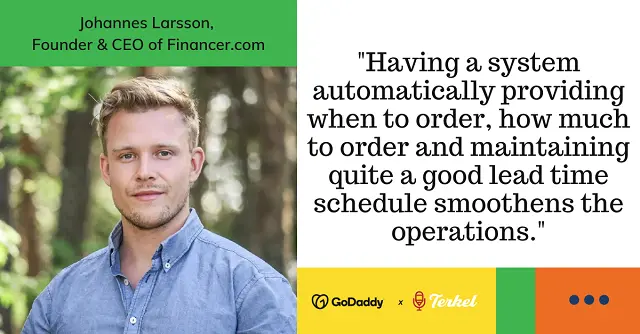
> "Having a system that automatically tells you when to order, how much to order, and maintains a solid lead-time schedule really smooths out operations."
>
> *— Johannes Larson, Founder and CEO of Financer.com*
If you sell online,[GoDaddy's Online Store](https://www.godaddy.com/en-ca/websites/online-store) makes inventory management easier by letting you manage online orders and inventory from a single dashboard.
**Quick tip:** Set automatic low-stock alerts for your best-selling products so you have time to reorder before inventory runs out.
### **10. Net Promoter Score (NPS) and customer feedback**
Net Promoter Score (NPS) is a simple way to measure customer loyalty. Customers answer one question about how likely they are to recommend your business, giving you an easy way to track satisfaction over time.
[Collecting customer feedback](https://www.godaddy.com/resources/ca/grow/how-to-get-more-google-customer-reviews-and-why-you-should-try) can take time, but automation can ask for testimonials on your behalf. It can request feedback via email, text, chatbots or wherever your customers interact with your business. Tools like Typeform can also organize responses in one place, so you get a steady stream of insights without adding work to your day.
**Quick tip:** Send your survey within 24 hours of a purchase or service appointment, while the experience is still fresh in the customer's mind.
### **11. Employee and customer onboarding**
First impressions matter — for both employees and customers. A disorganized onboarding process creates unnecessary work for your team and can leave new hires or clients feeling confused before they even get started.
Welcome emails, document checklists, training assignments and account setup can all happen automatically after someone joins your company or becomes a customer. That saves managers time while helping new employees become productive faster and giving customers confidence that they made the right choice.
**Quick tip:** Build a standard client onboarding process, then automate as many steps as possible so every new customer gets the same great experience.
### **12. Applicant tracking and recruitment**
Reviewing resumés, scheduling interviews and responding to candidates manually can slow the hiring process and make it harder to attract top talent. An Applicant Tracking System (ATS) automates many of these tasks.
It can publish job postings across multiple job boards, organize applications, screen candidates based on your requirements and schedule interviews automatically. Many systems also send status updates, so applicants aren't left wondering where they stand.
**Quick tip:** Set up automatic confirmation emails so every applicant knows their application was received right away.
### **13. Payroll and tax compliance**
Payroll mistakes can affect employee trust and create compliance headaches. Calculating wages, tracking deductions and keeping up with changing tax requirements gets even more complicated as your business grows — especially in Canada, where you're managing CPP, EI, federal and provincial income tax, and in some cases, GST/HST or QST filings.
Payroll automation helps calculate paycheques, process direct deposits, manage tax withholdings and stay current with CRA (and Revenu Québec, where applicable) filing requirements. That reduces manual work while improving accuracy and helping you avoid costly errors.
**Quick tip:** Choose payroll software that updates tax rules automatically so you're not chasing down every change to CRA or provincial regulations.
### **14. Task and project management**
As your business grows, it's easy for work to slip through the cracks. Manually assigning tasks, reminding teammates about deadlines and tracking project updates creates unnecessary admin work.
Project management tools like Asana and Trello can automate repetitive workflows. For example, a new customer inquiry can automatically create a task, assign it to the right person and set a due date. Automated reminder features help keep projects moving without constant check-in meetings.
For teams that rely on the Microsoft ecosystem, you can learn how to[simplify tasks with Microsoft 365](https://www.godaddy.com/resources/ca/skills/microsoft-365-top-new-ai-features) . You can also[collaborate, create and connect with Microsoft 365](https://www.godaddy.com/en-ca/business/office-365) .
**Quick tip:** Automate recurring tasks for weekly or monthly projects so your team never has to rebuild the same workflow from scratch.
### **15. Cloud storage and file management**
Digging through folders for the right document wastes valuable time. Files stored across multiple devices can also create version-control headaches and make collaboration more difficult.
Cloud storage platforms like Google Drive and Dropbox automatically organize, sync and back up your files so everyone works from the latest version. Many platforms also automate file naming, permissions and folder organization, reducing clutter as your business grows.
Keeping files in the cloud makes them easier to access from anywhere while adding another layer of protection against lost or damaged devices. Get tips to keep files secure in the cloud so your important business documents stay protected.
**Quick tip:** Create automatic folder rules for invoices, contracts and customer documents so files are easier to find later.
## **Which automation options are essential, and what to automate first?**
The best tasks to automate are repetitive, rule-based and high-volume. If you do the same task often, follow the same steps every time and lose meaningful hours to it every week, it's a strong candidate for automation.
Start with one high-impact, low-complexity workflow. Appointment scheduling, invoice reminders and lead capture are great first choices because they're easy to set up and can save time quickly. Once that workflow is running smoothly, move on to more complex automations like CRM updates, reporting or inventory management.
Use this simple action plan to get started:
1. **Audit your tasks:** Write down the repetitive tasks you handle daily or weekly.
2. **Prioritize the biggest time drains:** Look for tasks that are frequent, manual and easy to define.
3. **Standardize the process:** Make sure the steps are clear before you automate them.
4. **Choose the right tool:** Pick software that fits your workflow, budget and skill level — and, where relevant, meets Canadian privacy and tax requirements.
5. **Test before scaling:** Run the automation on a small task first and check for errors.
6. **Expand gradually:** Add more automations once the first one is working well.Small business automation helps eliminate repetitive tasks so you can spend more time innovating and serving customers. The sooner you start, the sooner you'll reclaim valuable time and build a business that's ready to scale.
If you're ready to explore AI-powered automation,[Airo AI Builder](https://www.godaddy.com/en-ca/airo) is a low-risk place to start. It offers a free plan with 50 credits per month, so small business owners can safely test ideas, build no-code web apps and experiment with automating everyday workflows before committing to a larger plan.
## **What not to automate (high-stakes, emotional or complex decisions)**
Small business automation can save hours of repetitive work, but not every task should be handed off to software. Some situations call for empathy, critical thinking and human judgment that automation simply can't replicate.
Keep people involved when the stakes are high or emotions are in the mix. For example, an automated response can acknowledge a customer complaint, but a frustrated customer will usually appreciate speaking with a real person who can understand the situation and find a thoughtful solution. The same applies to hiring and firing decisions, contract negotiations and sensitive HR conversations. These interactions often depend on context, tone and trust.
## **Start small and let automation grow with your business**
Small business automation isn't about replacing people or overcomplicating the way you work. It's about eliminating repetitive tasks so you can spend more time innovating and serving customers. The sooner you start, the sooner you'll reclaim valuable time and build a business that's ready to scale — whether you're operating out of a single storefront in Winnipeg or shipping across every province and territory.
## **Frequently asked questions**
**What is the easiest task for a small business to automate first?**
Appointment scheduling is one of the easiest places to start because it's simple to set up and delivers immediate time savings. Online scheduling tools let customers book appointments, send automatic confirmations and deliver reminder messages without any manual work. Other beginner-friendly automations include invoice reminders, welcome emails and lead capture forms.
**Can AI tools automate tasks?**
Yes. AI tools can automate many business tasks, including drafting emails, answering customer questions, summarizing meetings, categorizing support requests and creating content. Unlike traditional automation — which follows predefined rules — AI can interpret information and adapt its responses based on context.
**How much does small business automation cost?**
The cost depends on the tools you choose and the complexity of your workflows. Many automation platforms offer free plans or affordable monthly subscriptions designed for small businesses, making it possible to automate common tasks without a large upfront investment. In many cases, the time saved and reduction in manual errors quickly outweigh the cost of the software.
**Do I need technical skills to automate my business processes?**
No. Most modern automation platforms are designed for non-technical users and use visual builders, templates and step-by-step setup guides instead of code. You can often automate common workflows — such as appointment scheduling, invoicing or email follow-ups — in just a few minutes.
**How do I know if an automation is actually working?**
The easiest way to tell is to monitor the workflow after you turn it on. Check that each step happens as expected — emails being sent, tasks being assigned or customer information appearing in your CRM. Most automation tools also include activity logs or notifications that show whether a workflow completed successfully or ran into an error. It's also a good idea to test your automation with a few real-world scenarios before relying on it completely.