---
title: "How to build a booking website for a beauty salon with AI"
date: "2026-10-05T10:46:19"
url: "https://www.godaddy.com/resources/skills/how-to-build-a-booking-website-for-a-beauty-salon"
---
# How to build a booking website for a beauty salon with AI
If you own a salon or you provide beauty service appointments, then you likely understand the importance of having a smooth booking process for your clients. Online booking options are becoming the norm for many service-based businesses, and the beauty industry is no exception.
The beauty service industry is slated to grow by 5% by 2035, and with [47% of beauty appointments](https://dataintelo.com/report/beauty-appointment-service-market) currently being booked online outside of regular business hours, offering this option is a win-win for beauty salons.
In this guide, we’ll cover what to prep before building your booking website, tips on how to get the best results from the AI website builder, and step-by-step instructions on how to bring your vision to life.
GoDaddy Airo AI Builder
Describe your idea. We'll build your live website in minutes.
With a few prompts, Airo AI Builder generates your website, web app,
pages, databases and logic in minutes — no coding required.
Start for free with 50 AI credits a month. No credit card required.
Build for Free
## What you need before building a salon website
It’s worth spending a bit of time before starting your website build process to gather the tools you’ll need to make the site-building process easier.
### Make a plan
Writing out your plan ahead of time can help you clarify what features you’ll need for your site, as well as help speed up the actual building process. Here’s what you’ll need for your plan:
#### Write a description of your salon
Your salon’s description is a good starting point for defining the services you provide, as well as the overall vibe of your business. Here’s a few tips on what to include:
- The services you offer (haircuts, vivid color services, nails, facials, etc.)
- Who your typical clients are (brides, kids, men, etc.)
- The style and atmosphere of your salon (luxury, trendy, eco-conscious, etc.)
- Your unique selling proposition (specific techniques, brands you offer, experience, etc.)
A good description that includes these would look like this:
“I am a licensed nail artist in Columbus, Ohio, currently at The Pampered Nail studio. I specialize in Korean and Japanese gel polish and nail art, as well as structured gel manicures. The studio is modern and relaxed with free snacks and beverages for clients.”
#### Decide what pages you need
The pages you’ll need depend on the type of beauty services you offer, but many salon websites include the following:
- Homepage
- Services/services menu
- Booking
- Gallery/portfolio
- About/meet the team
- Reviews
- Contact
- Gift cards
You don’t need to worry about adding all of these pages at first, you can add pages as you go along.
#### Gather photos of your work, space, and team
Beauty businesses are inherently visual, so be sure to grab images of your past work, what your studio space looks like, and your team (if you have one). Before and after pictures are particularly effective on gallery pages, so you’ll want to include those when possible as well.
If you need to take photos, smartphones can help you take high-quality, website-ready images quickly. Just be sure to take pictures in a well-lit environment so that viewers can see the quality of your work.
### Secure your domain name
Next up, you’ll want to decide on the [domain name to register](https://www.godaddy.com/domains) for your business. If you aren’t sure of what you’d like to register, here are some quick tips:
- Use your salon’s name in the domain
- Keep it short and easy to spell
- Avoid hyphens and numbers
- .com domains are good, but [.salon](https://www.godaddy.com/tlds/salon-domain) domains are a strong option for beauty websites
**Note:** [GoDaddy Airo AI Builder](https://www.godaddy.com/airo/ai-builder/solutions/beauty) includes a free domain name, so you’ll be able to register the domain alongside creating your booking website.
Want to see if the domain you want is available? Give it a try here:
SEARCH## Prompting tips to make your beauty salon website stand out
The quality of your website will depend on the quality of the prompts that you provide. Here are some tips on how to get the most out of Airo AI Builder:
1. Lead with what makes your salon/beauty business special (for example, “luxury balayage studio” or “HEMA and TPO-free nail salon”).
2. Mention the services that you offer by name so that Airo AI Builder can create a detailed service menu for you.
3. Describe your business aesthetic so that the website will match your in-salon experience.
4. Tell the AI builder what you’d like clients to be able to do on your website (for example, book an appointment, browse the service menu, and/or purchase gift cards).
5. If you have a brand color or logo, mention that so that your site can match your existing branding.
## Beauty salon website checklist
Now that you’ve gathered your supplies, it’s time to start building your booking website. Here’s a quick reference list that you can use to be sure that you don’t forget anything important:
### Service menu with pricing and duration
Let your customers know what services you offer, how much they will cost, and the typical length of the appointment.
### Online booking page
Your booking page is where potential clients can seamlessly book an appointment with you. Clients should be able to pick a service, choose a stylist, select their desired date and time, and confirm the appointment without having to call.
### Photos of your work (hair, nails, treatments, etc.)
In the beauty industry, proof of your work is essentially your main sales pitch. Potential clients want to be able to see the results that they can expect through your salon.
### About page with your team and story
Clients want to know who their future beauty professional is, so include photos of each team member, descriptions of their specialties, and a short bio.
### Location, hours, and walk-in policy
Clients need to know where to find you, when you’re open, and any other salon-specific policies ahead of time, so be sure to include this information prominently on your booking website.
### Client reviews and testimonials
Potential clients trust reviews more than marketing copy, so don’t forget to include reviews for your business. You can show reviews from Google, Yelp, or pull quotes from social media. If the review is paired with an image, even better.
### Gift cards
Gift cards are a great option for a reliable revenue driver for your salon. Family members of repeat clients may be on the hunt for a winning birthday, holiday, or thank-you gift, so having gift cards available online is a win-win.
### Social media links
Instagram and TikTok are where many beauty professionals build their following and showcase their work. Remember to include links to your social media profiles so visitors can connect with your business.
### Cancellation and booking policy
Having a clear cancellation and no-show policy protects your time and revenue. This doesn’t have to be a separate page, you can include it on your booking page so that customers have to review your policies before completing their booking.
### Contact information
Your contact information should be easy to find on your website. Details to include should be your phone number, email, and business address.
## Build a beauty salon website step by step with Airo AI Builder
GoDaddy Airo AI Builder is the perfect tool for creating a beauty salon website. With powerful features built in, like online booking and payment processing, Airo AI Builder helps manage the technical side of the business while you’re free to practice your craft. And, most importantly, you can [build a booking website for your beauty business with Airo AI Builder](https://www.godaddy.com/airo/ai-builder/solutions/beauty) in mere minutes. Here’s exactly how to do it:
GoDaddy Airo AI Builder
Describe your idea. We'll build your live website in minutes.
With a few prompts, Airo AI Builder generates your website, web app,
pages, databases and logic in minutes — no coding required.
Start for free with 50 AI credits a month. No credit card required.
Build for Free
### Step 1: Describe your salon to Airo AI Builder
Using the business description that you made earlier, it’s time to describe your salon to Airo AI Builder to start the site-building process.
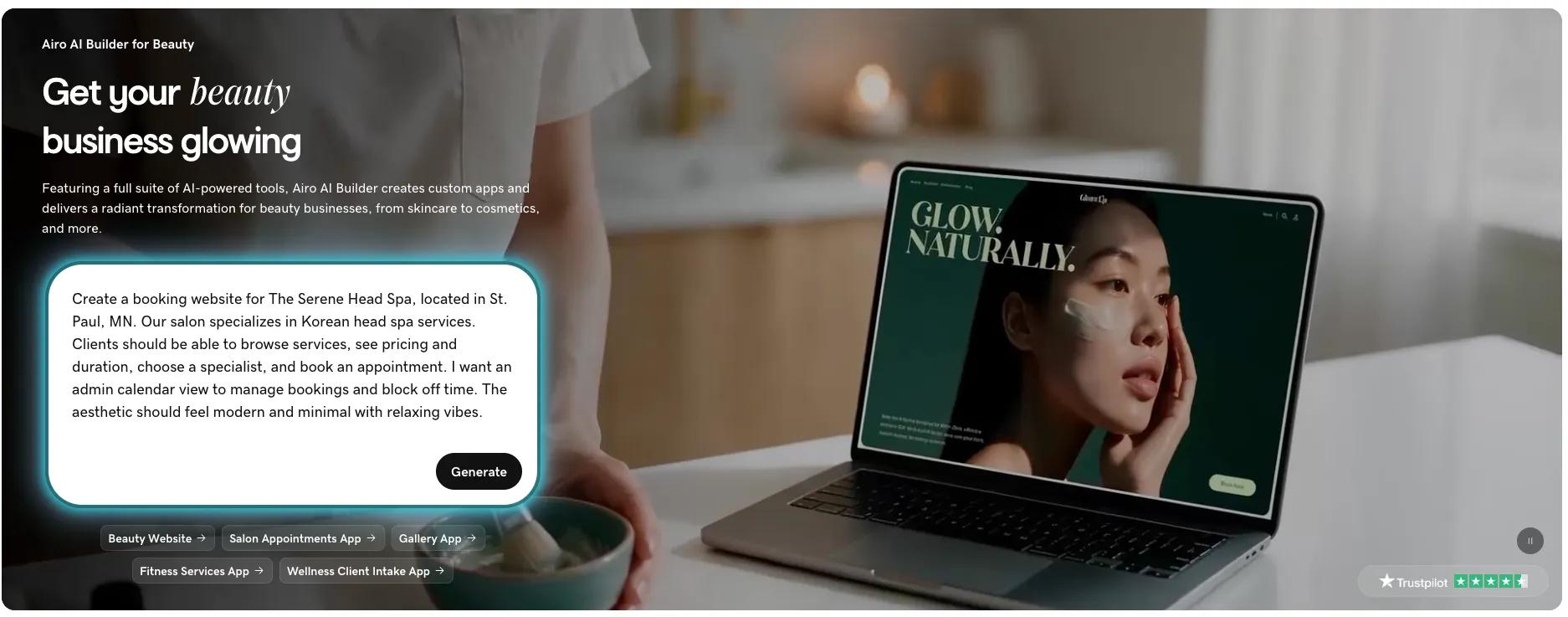
*Create a booking website for The Serene Head Spa, located in St. Paul, MN. Our salon specializes in Korean head spa services. Clients should be able to browse services, see pricing and duration, choose a specialist, and book an appointment. I want an admin calendar view to manage bookings and block off time. The aesthetic should feel modern and minimal with relaxing vibes.*
### Step 2: Answer a few questions
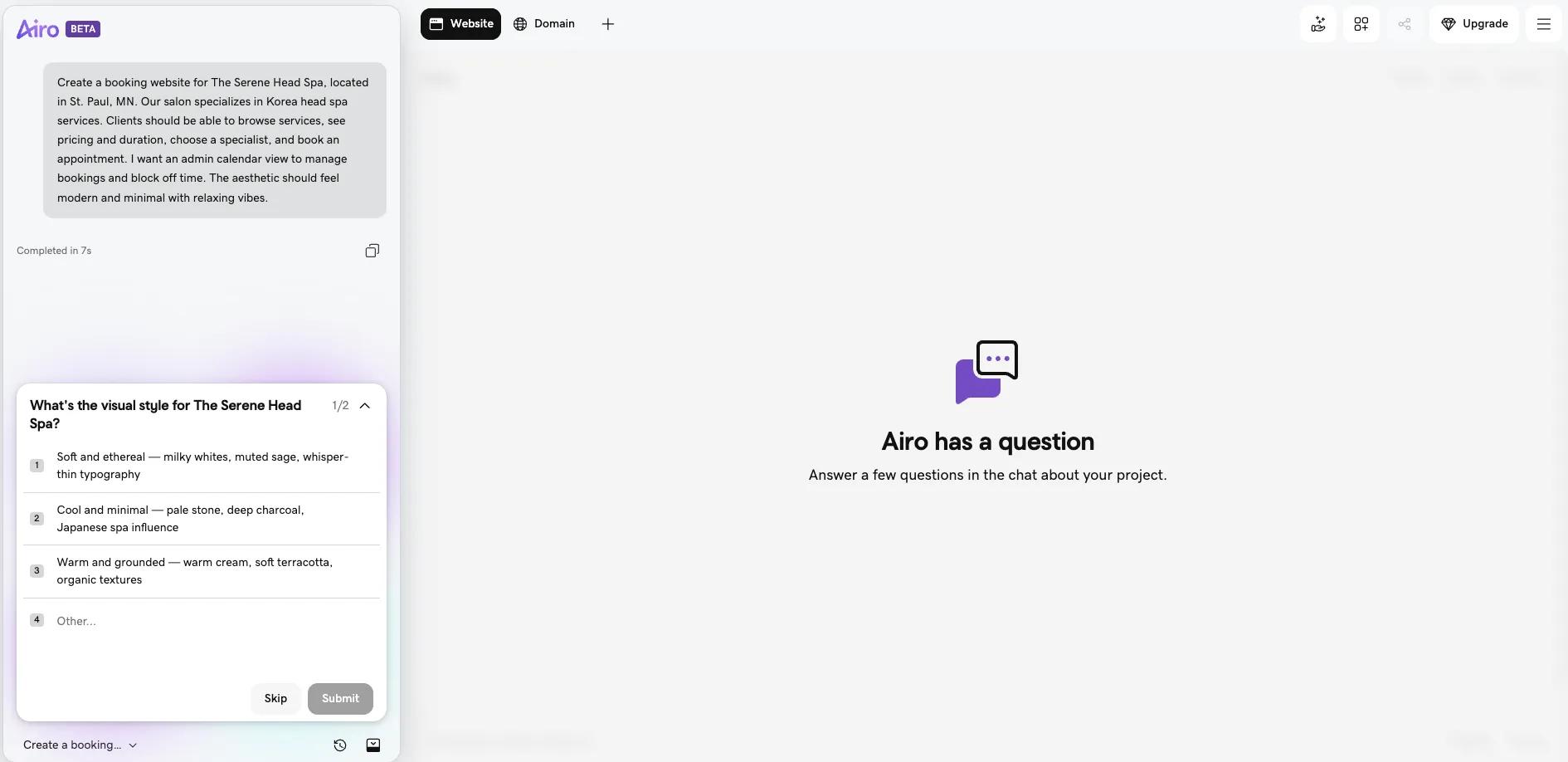
Once you submit your initial request, Airo AI Builder will ask a few follow-up questions, and then the build will begin.
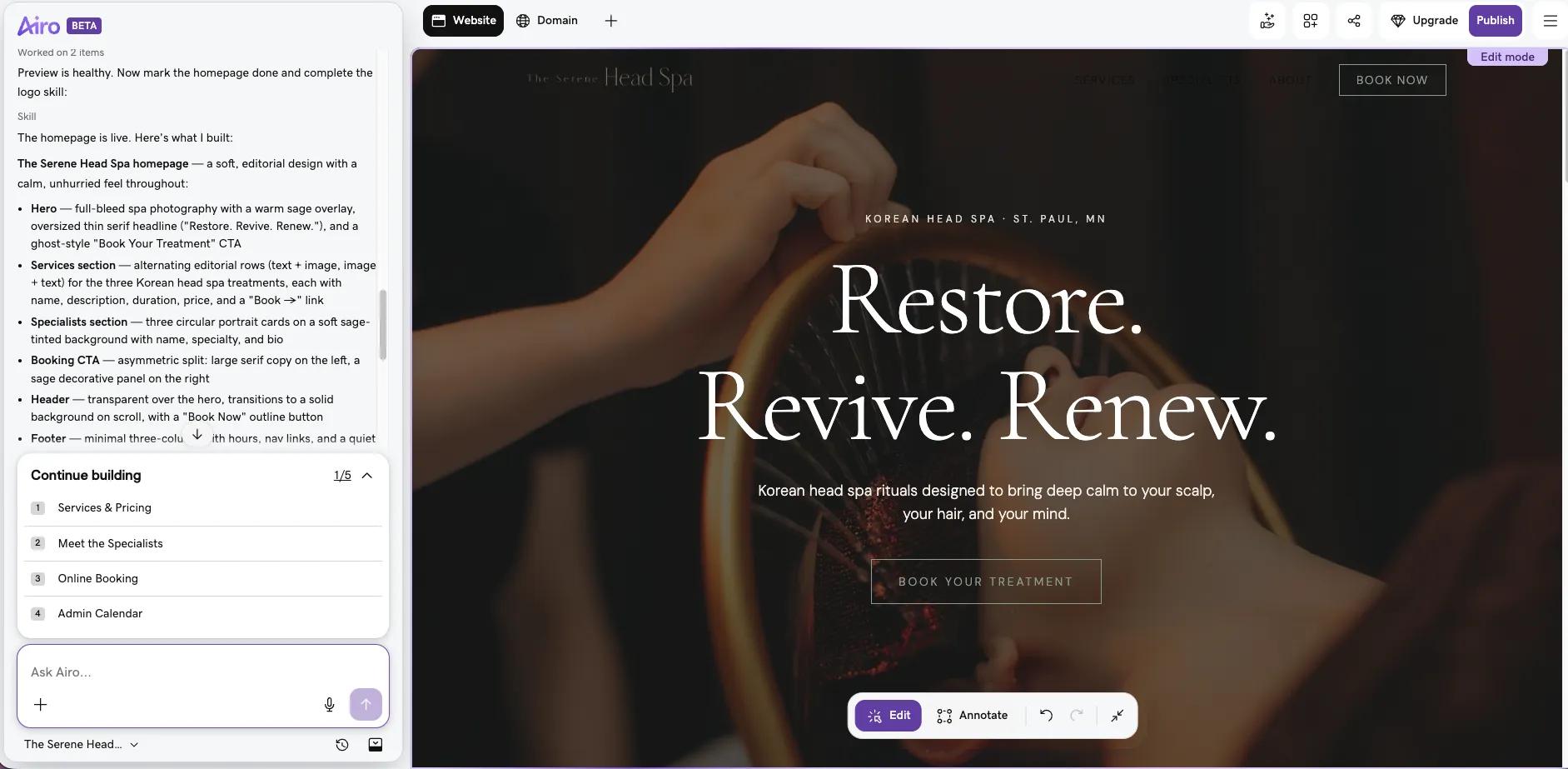
After working for a few minutes, Airo AI Builder will show a wireframe of your website’s first draft:
### Step 3: Adjust through follow-up prompts
Because the output is a wireframe, you’ll need to build out your website from here. And, if any design features need to be changed, you can either edit them in the edit window or ask Airo AI Builder to make changes. When prompting Airo AI Builder, be as specific as possible with your feedback for the best outcome.
Here are some examples of prompts you might use:
- Change the colors to beige and jade green.
- Make the booking button bigger and put it at the top of every page.
- Add a before/after gallery for scalp transformations.You can continue to prompt Airo AI Builder until you’re happy with the outcome.
### Step 4: Set up online booking and payments
Your website with Airo AI Builder can handle both online booking and payment processing. You can configure these functions for your booking website:
- Appointment booking with service selection, stylist selection, dates and times
- Deposits or full prepayment at time of booking
- Payment processing for in-person services and online purchases
- Gift card sales on the website
All of these functions can be handled directly within Airo AI Builder, but if you already have a booking platform that you prefer, you can connect your site to that platform (be aware that you will likely need an API key or configuration information from your booking platform to connect your site).
### Step 5: Connect your domain and launch your site
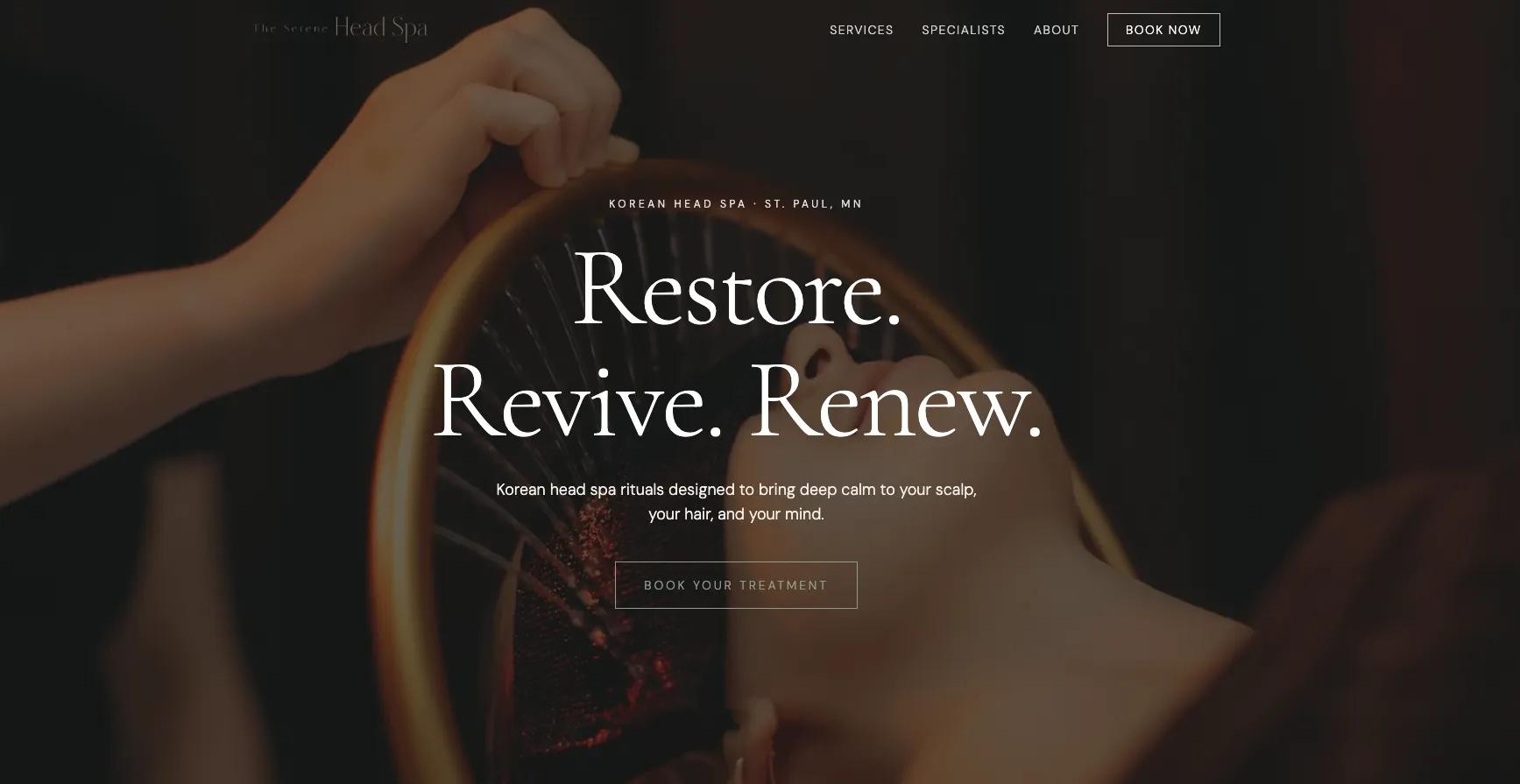
Once you’ve built out your pages and configured your booking options, it’s time to go live. To do so, click on the **Publish** button at the top right, enter your domain name, and click **Publish**. Airo AI Builder will connect your domain and configure your DNS automatically, so no further action will be required by you. Airo AI Builder also handles the SEO basics for your website, as well as mobile responsiveness, simplifying the site-building process immensely.
## Launch your beauty salon website today
[Airo AI Builder](https://www.godaddy.com/airo/ai-builder/solutions/beauty) makes bringing your booking website online easy. With just a bit of pre-planning and specific prompting, you can build the website of your dreams in minutes.
GoDaddy Airo AI Builder
Describe your idea. We'll build your live website in minutes.
With a few prompts, Airo AI Builder generates your website, web app,
pages, databases and logic in minutes — no coding required.
Start for free with 50 AI credits a month. No credit card required.
Build for Free
## Beauty salon website FAQ
Does a nail or hair salon need a website?
While it's possible to run a salon without one, having a website gives your business a significant competitive edge. A website lets potential clients find you, browse your services, and book an appointment at their convenience, even when you're closed.
A website also acts as a digital portfolio, builds credibility, and opens up additional revenue streams like online gift card sales. And with AI website builders like GoDaddy Airo AI Builder, you can get a polished, fully functional booking website up and running in minutes.
What is the best booking system for beauty salons?
The best booking system for your salon is one that makes the experience seamless for both you and your clients. At a minimum, it should allow clients to select a service, choose a stylist, and pick a date and time without having to call.
GoDaddy Airo AI Builder includes a built-in booking system that handles all of this, along with deposits or prepayment at the time of booking, payment processing, and even online gift card sales. If you already use a preferred booking platform, you can connect it to your Airo-built website instead, using an API key or configuration details from your provider.
How do you create a booking website?
Creating a booking website starts with a bit of planning. Before you build, it helps to have a clear description of your business, a list of the pages you need, and photos of your work and team ready to go. The more prepared you are going in, the smoother and faster the building process will be.
From there, an AI website builder like GoDaddy Airo makes the actual build quick and straightforward. You simply describe your salon and what you'd like clients to be able to do on your site, answer a few follow-up questions, and the builder generates a first draft for you. You can then refine the design using follow-up prompts until you're happy with the result. Once your pages are built out and your booking and payment options are configured, you can connect your domain and publish your site.
How much does a salon website cost?
The cost of a salon website can vary depending on the tools and features you choose. Hiring a professional web designer can run anywhere from a few hundred to several thousand dollars, while DIY website builders offer a much more affordable alternative.
GoDaddy Airo AI Builder, for example, starts at $9.99/month and provides an accessible, budget-friendly option that includes AI-powered design tools, hosting, and booking features under one plan, making it a cost-effective choice for salon owners. You'll also want to factor in the cost of a custom domain name, which typically runs around $10–20 per year.
Do I need technical skills to build a salon website?
No, that's one of the biggest advantages of using an AI website builder like GoDaddy Airo AI Builder. You don't need any coding or web design experience to get a professional, fully functional booking website up and running. The building process is driven by natural language prompts, so you simply describe your salon and what you need, and the AI takes care of the rest.
Technical details that would typically require expertise — like DNS configuration, SEO setup, and mobile responsiveness — are all handled automatically by Airo AI Builder. The main ingredient you'll need is a clear vision of your business and the services you offer.