---
title: "How to make a website for a tattoo shop with AI"
date: "2026-11-17T09:39:00"
url: "https://www.godaddy.com/resources/skills/how-to-make-a-tattoo-website"
---
# How to make a website for a tattoo shop with AI
A tattoo website is often the first place potential clients go to explore your portfolio, get a feel for your artistic style, and decide if you are the right fit for their next piece. It can also make booking requests, policy details, and aftercare information easier to find in one polished, professional space.
Instagram can be a powerful tool for helping new clients discover your work, but your website gives you control over how you present your brand and guide visitors toward booking.
Fortunately, you don’t have to be a developer to make a memorable site. Read on to learn how to plan, build, and launch a tattoo shop website with GoDaddy Airo AI Builder.
GoDaddy Airo AI Builder
Describe your idea. We'll build your live website in minutes.
With a few prompts, Airo AI Builder generates your website, web app,
pages, databases and logic in minutes — no coding required.
Start for free with 50 AI credits a month. No credit card required.
[Build for Free](https://www.godaddy.com/airo/ai-builder)
## **What to prepare before building your website**
Much like a tattoo stencil, some preparation helps your website come together faster and produces a solid first draft. Clear details about your tattoo style, client process, and visual preferences give Airo AI Builder a stronger starting point, so you can spend less time revising and more time showcasing your work.
### **Plan your site**
[Planning your website](https://www.godaddy.com/resources/skills/how-to-plan-a-website) can save time once you begin building. Before you start, gather the details that shape how clients experience your website: a clear business description, a list of essential pages, and a curated selection of tattoo photos.
#### **Write a description of your tattoo business**
Your business description gives Airo AI Builder the context it needs to create a site that reflects your work.
Include the tattoo styles you specialize in, such as fine line, blackwork, realism, neo-traditional, Japanese, watercolor, geometric, or lettering. Mention details about how you work with clients, including whether you offer custom pieces, flash designs, cover-ups, or a mix of services. It also helps to explain who you typically tattoo, such as first-timers, experienced collectors, walk-ins, or a specific local audience.
Round out the description with practical and creative details:
- State if you are a solo artist or part of a multi-artist studio.
- Mention guest spots, conventions, or travel if they are part of your business.
- Share what sets you apart, such as years of experience, training, awards, or a signature style.
- Describe the look you want for the site, such as dark and moody, clean and minimal, or bold and colorful.
- Note the actions you want visitors to take, such as submitting a booking inquiry or viewing available flash.
The more specific you are, the better the first draft of your site will be. Use these business description examples as a guide:
**Vague:** I’m a tattoo artist.
**Specific:** I’m a fine line and blackwork tattoo artist based in Brooklyn. I work by appointment only and create custom designs, with no flash available. I specialize in botanical and geometric pieces. I want my site to feel minimal and clean, with a dark background that lets the work stand out. Clients should be able to submit a booking inquiry with their idea, placement, and preferred size.
#### **Decide what pages you need**
Most tattoo websites follow a similar structure because clients need to see the work, understand the booking process, and know what to expect. Start with the pages that support those goals, then add to your site as your business grows.
You may want to include:
- Homepage
- Portfolio or gallery
- Booking inquiry page
- Flash page, if applicable
- Artist profiles for multi-artist studios
- Deposit and cancellation policy
- Aftercare information
- Guest spots and travel details, if applicable
- About page
- Contact page
In most cases, a portfolio, booking form, policy page, and contact page can cover the essentials while you build out the rest of your site over time.
#### **Curate photos of your best work (healed and fresh)**
For many potential clients, your portfolio is the deciding factor. They use it to see if your approach fits their vision and better understand your aesthetic, technique, and range of work. Pull together photos that show your strongest work and give visitors a clear sense of what you do best:
- Organize tattoos by style, such as fine line, blackwork, realism, color, or lettering.
- Include healed and fresh tattoo photos. Healed work can show clients how your tattoos settle over time.
- Use consistent lighting, clean backgrounds, and uncluttered compositions.
- Add close-up images that highlight line quality, shading, and detail.
- Include a range of body placements to show your versatility.
Phone photos can work well when the lighting and framing are consistent. Skip AI-generated portfolio images here. Potential clients want to see your actual tattoos on real skin.
### **Pick a domain name**
A custom domain gives your tattoo business a professional home base that you control. Social media can help people discover your work, but a domain makes it easy for clients to find your portfolio, booking information, and policies in one reliable place.
Keep these tips in mind as you [search for a domain name](https://www.godaddy.com/domains):
- Use your artist name or studio name.
- Keep it short and easy to type for Instagram bios, business cards, and word-of-mouth referrals.
- Choose a .com domain extension, or consider a memorable, industry-specific [.tattoo domain](https://www.godaddy.com/tlds/tattoo-domain).
- Avoid hyphens and numbers when possible.
- Choose a name that matches, or closely resembles, your Instagram handle for a more consistent brand presence.
Want to see if the domain you want is available? Give it a try here:
SEARCH## **Prompting tips to make your tattoo website stand out**
Think of your prompt as a tattoo consult. When you build with GoDaddy Airo AI Builder, the description you provide shapes the first version of your website. You’ll likely want to include details like:
1. Lead with your tattoo styles, not simply “tattoo artist.” Details such as “fine line botanical tattoo artist” or “neo-traditional color specialist” give Airo a clearer picture of your work.
2. Describe the aesthetic you want for your website. A dark and moody site, a clean white layout, or a bold and colorful design can all work well. Your website should complement your tattoos, not compete with them.
3. Explain your ideal booking process. You might ask Airo to include a booking inquiry form with fields for a client’s idea, preferred placement, approximate size, color or black and gray preference, and budget.
4. Share your current booking status. If your books are open or closed, mention it in your prompt so Airo can add a clear status banner to your site.
5. Specify the work you do not offer. Stating that you do not tattoo portraits, lettering, or cover-ups can help set expectations before a potential client submits an inquiry.
6. Mention existing brand elements, including your logo, brand colors, or Instagram aesthetic. Airo can use those cues to create a site that feels consistent with the visual identity clients already recognize.
Below are a few examples to help you get started.
**Solo custom artist**I’m a fine line and blackwork tattoo artist in Austin, Texas. I create custom botanical, celestial, and geometric tattoos by appointment only. I want a minimal website with a dark background, lots of white space, and a portfolio that makes the tattoo photos stand out. Include a booking inquiry form that asks about the client’s idea, reference images, placement, size, preferred dates, and budget. My books are open, and I do not offer walk-ins, portraits, or cover-ups.
**Multi-artist street shop**We are a walk-in-friendly tattoo shop in Philadelphia with four artists who specialize in traditional, neo-traditional, blackwork, realism, and lettering. Create a bold, colorful website with an old-school tattoo shop feel. Include artist profiles, a gallery for each artist, a page for available flash, walk-in information, deposit and cancellation policies, and a contact page. Our books are open, and we want visitors to see that same-day appointments may be available.
**Traveling guest spot artist**I’m a traveling tattoo artist who specializes in color illustrative tattoos, surrealism, and custom character designs. My site should feel bright, playful, and artistic, with colors that match my Instagram. Include a portfolio, an about page, a travel schedule for upcoming guest spots and conventions, and a booking inquiry form. Make it easy for clients to see where I will be next and submit an inquiry for each city. I do not offer flash or walk-ins.
## **Tattoo shop website checklist**
Reference this checklist when building your site. Not every item will apply to every artist, so choose the features that fit your setup.
### **Homepage that leads with your work**
Let your art take center stage on the homepage. Feature a standout portfolio image or a curated grid of your best tattoos before adding detailed text. Include your name, a one-line description of your style, and a clear “Book a Tattoo” or “Submit an Inquiry” button. Clearly state whether your books are open or closed.
### **Portfolio organized by style**
Your portfolio gives clients a direct way to see if your work fits their idea. Organize tattoos by style, such as fine line, blackwork, realism, neo-traditional, color, or geometric, instead of listing them only by date. If your studio has multiple artists, attribute each work. Use high-quality images with consistent lighting and framing. Add both healed and fresh photos when possible.
### **Booking inquiry form**
A booking inquiry form helps you collect the details needed to review a project before replying. It should be a structured intake form, not a generic contact form. Airo AI Builder can use conditional logic to create a form that responds to visitor inputs.
Include fields for:
- Tattoo idea and description
- Placement on the body
- Approximate size
- Color or black and gray
- Reference images, uploaded or linked through a shared album
- Budget range
- Availability
### **Flash page**
A flash page shows pre-designed tattoos that are available to book, along with their sizes and prices. It can be especially useful for flash days, walk-ins, and first-time clients looking for a ready-to-go design. Mark each piece as “available” or “claimed” to keep the page clear. Artists who only create custom work can skip this page.
### **Artist profiles (for multi-artist studios)**
Studios with multiple artists should give each artist a dedicated profile. Include a photo or avatar, their styles and specialties, a sample of their work, and a direct link to their booking form or Instagram profile. Solo artists can include their profiles in their about pages.
### **Deposit and cancellation policy**
A written deposit and cancellation policy sets expectations before a client books and can help prevent misunderstandings. Explain the deposit amount, including if it is a flat fee or percentage, along with your refund policy. Add your rescheduling notice window, no-show policy, age requirements, and ID policy. Make this information easy to review before someone submits a booking inquiry.
### **Aftercare instructions**
An aftercare page gives clients a bookmarkable resource they can revisit after their appointment. Cover second skin removal, washing, moisturizing, what to avoid, the typical healing timeline, safe products to use, and when to contact you if something looks off. This can reduce routine follow-up questions and help clients feel more confident in your expertise.
### **Guest spots and travel schedule**
A guest spot and travel page helps clients plan appointments when you work at other studios or attend conventions. List the city, studio name, dates, and booking instructions for each stop. Make sure it stays up to date. Artists who work from one permanent location can skip this page.
### **About page with your story and background**
Your about page gives clients a chance to get to know the person behind the portfolio. Share how you got into tattooing, your training or apprenticeship, artistic influences, and what inspires your work. Add a photo of yourself, not only your tattoos. That personal context can help clients feel more comfortable before spending hours in your chair.
### **Studio location, hours, and walk-in policy**
Give clients the practical details they need before they plan a visit. List your studio address, hours, and an embedded map or clear directions. Explain if appointments are required, or share the days and times you welcome walk-ins. Mobile and traveling artists can use this space to explain where and how appointments take place.
### **Client reviews and testimonials**
Reviews can build confidence, especially for first-time tattoo clients who may feel nervous about the experience. Feature reviews from Google, or share quotes from Instagram comments and direct messages with permission. Testimonials that mention feeling comfortable, listened to, or welcomed can be just as meaningful as praise for the finished tattoo.
### **Contact information**
Make your contact information easy to locate across your website. Include an email address, a phone number if you take calls, and a simple contact form for general questions that is separate from your booking inquiry form. If you prefer Instagram DMs, you can mention that here as well. Clearly explain which channel visitors should use for booking and which one they should use for other questions.
### **Social media links (Instagram, TikTok)**
Add links to the social channels where you actively share your work. Instagram gives visitors a look at your newest tattoos, available flash, and day-to-day studio presence, while TikTok can bring your process, personality, and behind-the-scenes content to life. Keep these links easy to spot so potential clients can follow along after they explore your website.
## **Build a tattoo website: step by step with Airo AI Builder**
With your plans, pictures, and domain name in hand, it’s time to start building your website. Airo AI Builder is the perfect way to build a beautiful, functional tattoo portfolio and booking website. You just need to describe what you want to build, and Airo AI Builder will take care of the building, no coding required. Ready to [make a tattoo website with Airo AI Builder](https://www.godaddy.com/airo/ai-builder/solutions/beauty)? Let’s jump in.
GoDaddy Airo AI Builder
Describe your idea. We'll build your live website in minutes.
With a few prompts, Airo AI Builder generates your website, web app,
pages, databases and logic in minutes — no coding required.
Start for free with 50 AI credits a month. No credit card required.
[Build for Free](https://www.godaddy.com/airo/ai-builder)
### **Step 1: Describe your tattoo business to Airo AI Builder**
First, you’ll need to use the information you’ve gathered to describe your business to Airo AI Builder. While not strictly required, including details that you want on your website, such as your tattoo styles, pages you need, etc., can help speed up the building process.
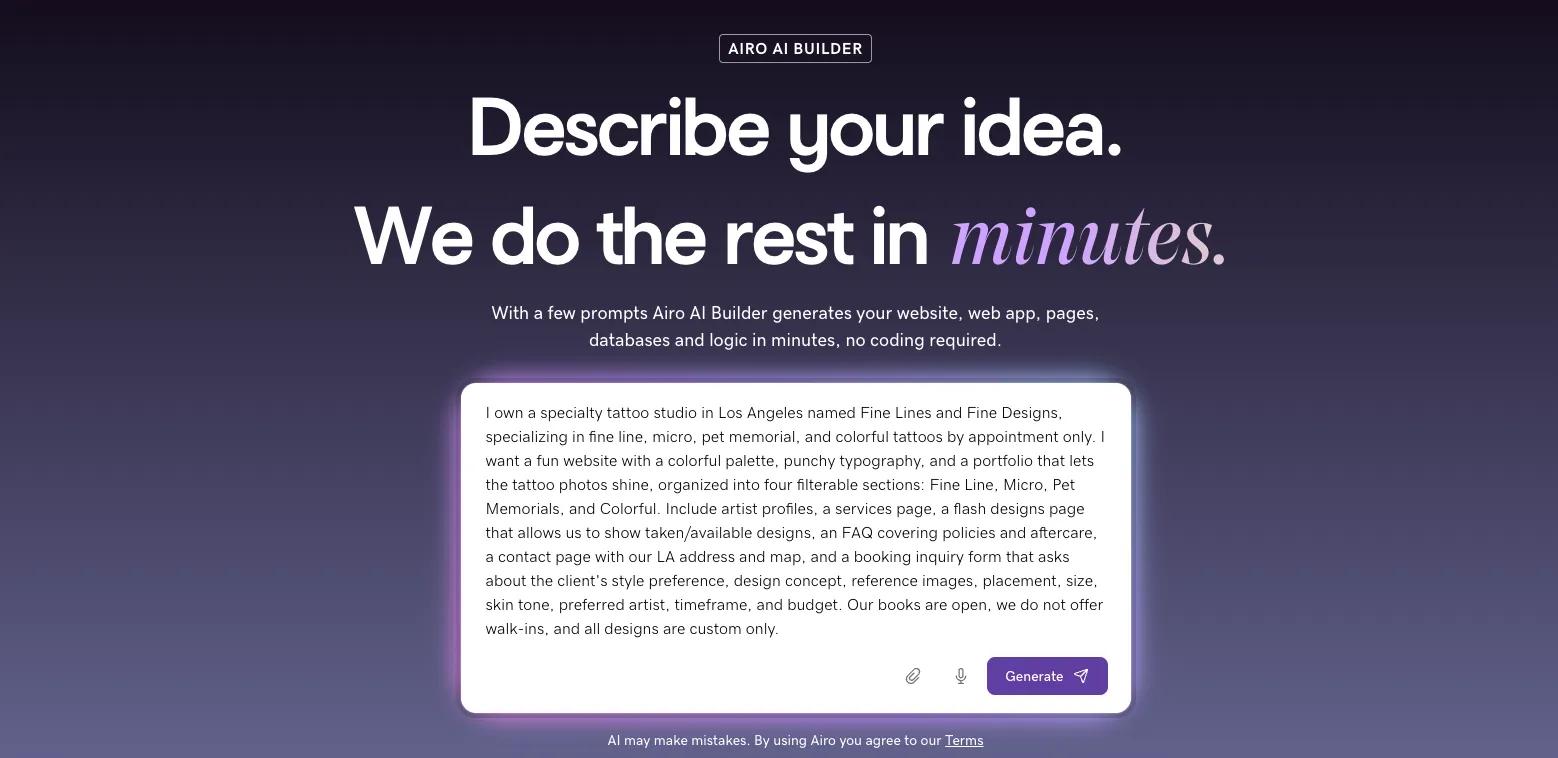
*I own a specialty tattoo studio in Los Angeles named Fine Lines and Fine Designs, specializing in fine line, micro, pet memorial, and colorful tattoos by appointment only. I want a fun website with a colorful palette, punchy typography, and a portfolio that lets the tattoo photos shine, organized into four filterable sections: Fine Line, Micro, Pet Memorials, and Colorful. Include artist profiles, a services page, a flash designs page that allows us to show taken/available designs, an FAQ covering policies and aftercare, a contact page with our LA address and map, and a booking inquiry form that asks about the client's style preference, design concept, reference images, placement, size, skin tone, preferred artist, timeframe, and budget. Our books are open, we do not offer walk-ins, and all designs are custom only.*
If you have a logo, you can use the attachment icon to include that as well. Or, if you’re rebuilding an existing website, include the URL in your prompt to give Airo AI Builder a starting point.
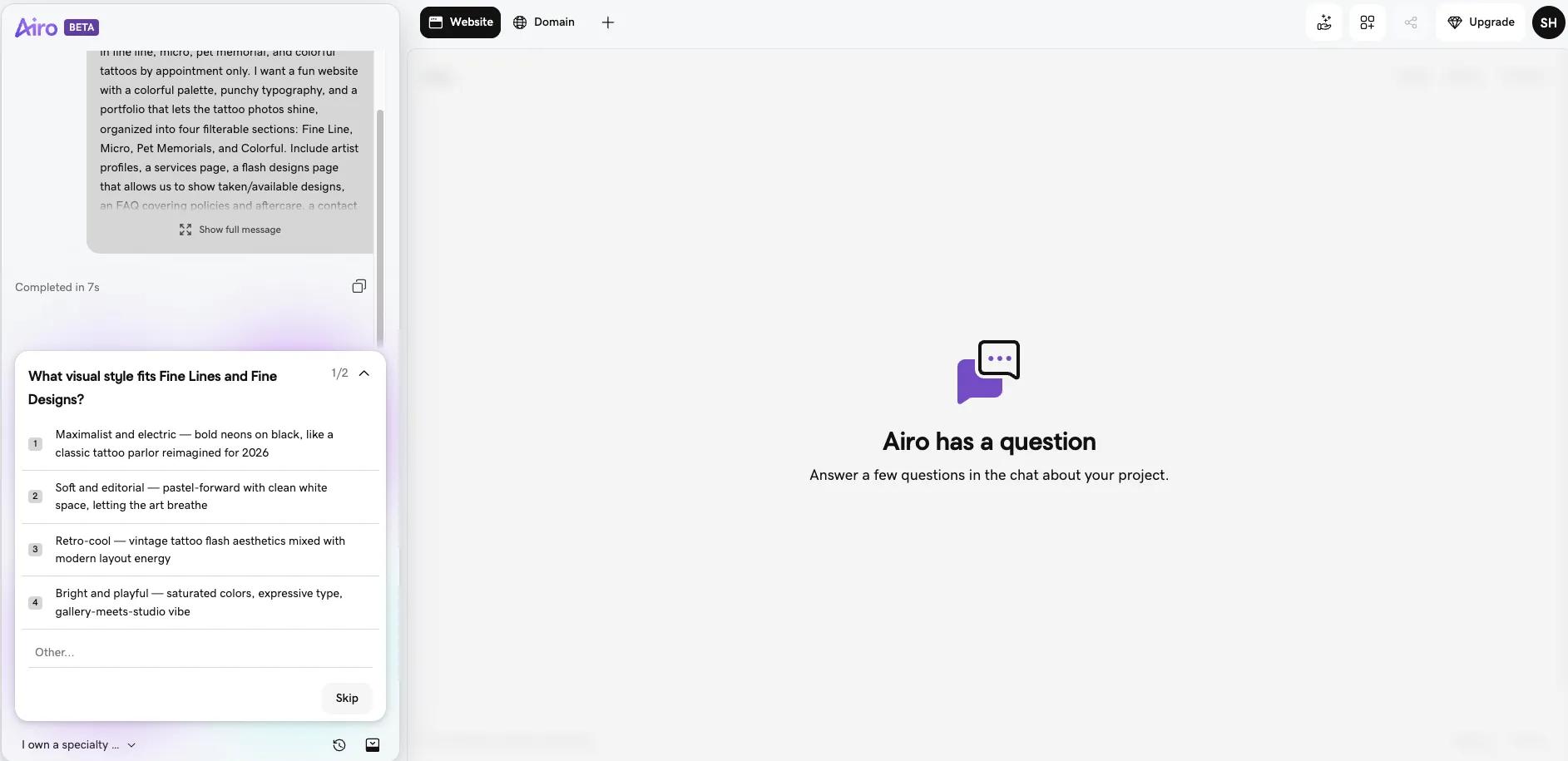
### **Step 2: Answer a few questions**
Once you send your initial prompt, Airo AI Builder will have a few follow-up questions to refine your website. These questions are a quick back-and-forth and are meant to ensure that your first draft is as close to your vision as possible.
### **Step 3: Make edits through follow-up prompts**
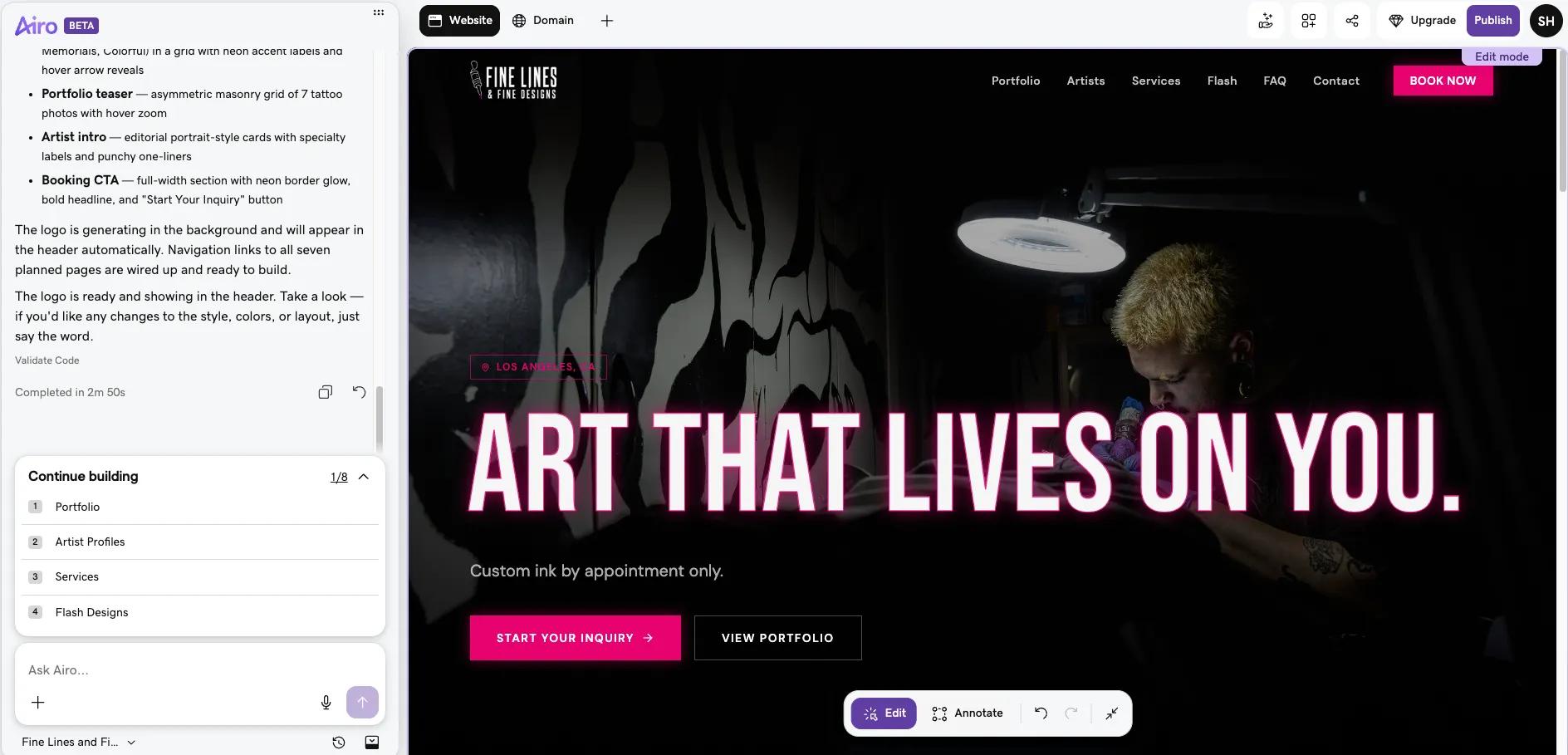
After answering the questions in Airo AI Builder’s chat window, the build process begins. You’ll be presented with a full draft of your website layout that you can edit either conversationally or by clicking on the specific element that you want to update and modifying it manually.
If you want to make conversational updates, here are some examples of what you might tell Airo AI Builder to update:
- "Add a booking form that asks for idea, placement, size, color or black and grey, and budget"
- "Add a flash page where I can show available designs with prices"
- "Add a banner that says books are currently closed, reopening in March"
- "Make the whole site dark mode with a minimal layout"
- "Add my deposit and cancellation policy as its own page"
Keep editing your website until you’re happy with the design and function. Be aware that revising copy and images in editor mode does not consume any of your monthly AI credits, while design changes, new pages, and AI-generated copy do.
### **Step 4: Set up your booking form and deposits**
Now for the important part: creating your booking engine. To do this, you’ll want to complete these steps:
- Set up a structured booking inquiry form with fields for idea description, placement, size, color (black and grey), reference image uploads, and budget range.
- Add your deposit and cancellation policy so it's visible before anyone submits.
- Configure deposit collection so clients pay to lock in their spot.
- Set up a books open/closed banner they can toggle when your schedule is full.
- For multi-artist studios, route inquiries to the right artist.
- Preview the booking flow on mobile to make sure the form and payment work smoothly.
During this process, you can tell Airo how you’d like the form fields to be structured and change the booking flow conversationally. You’re also able to [integrate other third-party tools](https://airo-builder.godaddy.com/discover/connectors), such as Stripe or Square for deposits, Calendly or Google Calendar for scheduling, Google Business Profile and Yelp for reviews and local visibility, Instagram Business for pulling recent work onto the site, Mailchimp or Klaviyo for flash drop announcements and waitlist emails.
### **Step 5: Connect your domain and publish**
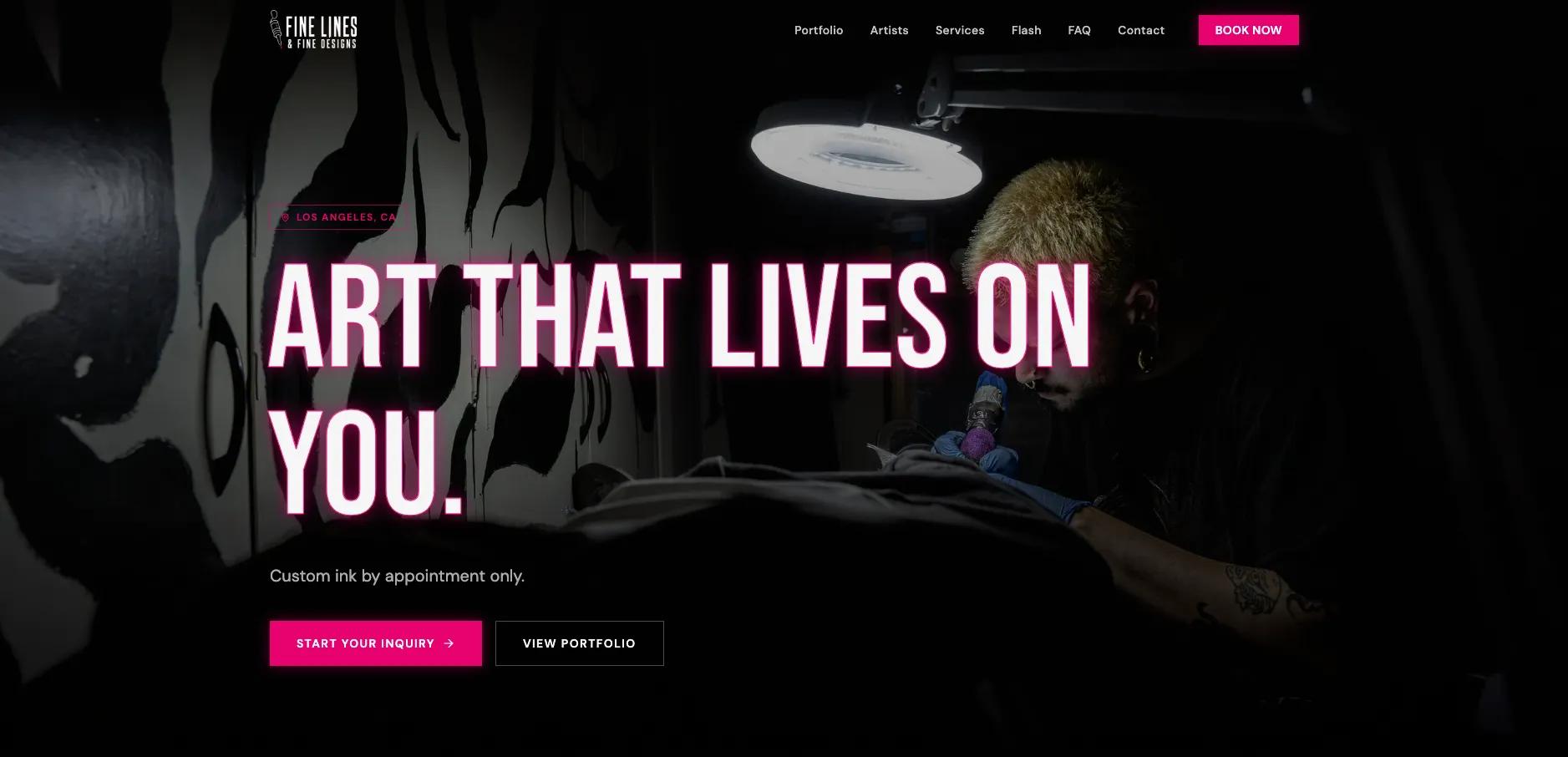
Airo AI Builder automatically builds a mobile-optimized and SEO-friendly website as you go along, so once you’re happy with how your website looks, you’re ready to go live.
If you haven’t upgraded to a paid plan yet, you will need to do so before you can publish your site. Click on the **Upgrade** button at the top right to choose and pay for your desired plan. Your paid plan will include a free one-year domain registration, so you can also grab your desired domain name during this step.
Then, once you’re ready, click the **Publish** button at the top right, add your domain name, then click **Publish** at the bottom of the publishing window.
**Important note:** If your domain is registered in the same GoDaddy account as Airo AI Builder, then your domain's DNS settings will be configured automatically when publishing. If your domain is registered in a different GoDaddy account, or at a different domain registrar, then additional steps will be required before your site can be live online. See our help guide on [how to connect a domain to Airo AI Builder](https://www.godaddy.com/help/connect-a-domain-to-airo-ai-builder-42956) for the steps needed for each domain scenario.
## **Publish your tattoo shop website today**
Your website can give potential clients a clear view of your style, simplify the booking process, and keep important details in one place. Start with a strong portfolio, then add the pages that support the way you run your tattoo business.
Ready to bring your work online? [Create a tattoo website with Airo AI Builder](https://www.godaddy.com/airo/ai-builder/solutions/beauty) and build a polished home for your art.
GoDaddy Airo AI Builder
Describe your idea. We'll build your live website in minutes.
With a few prompts, Airo AI Builder generates your website, web app,
pages, databases and logic in minutes — no coding required.
Start for free with 50 AI credits a month. No credit card required.
[Build for Free](https://www.godaddy.com/airo/ai-builder)
## **Tattoo website FAQ**
Does a tattoo artist need a website?
Yes! A website gives tattoo artists a professional home for their portfolio, booking details, policies, and contact information. Social media can help clients discover your work, but a website lets you control the experience and guide visitors toward submitting an inquiry.
What should a tattoo website include?
Most tattoo websites need a homepage, an organized portfolio, a booking inquiry form, policy information, contact details, and links to active social media profiles. Add pages for flash, aftercare, artist profiles, guest spots, or travel if they fit the way you work.
How do I take tattoo bookings through my website?
Add a structured booking inquiry form that asks clients for their tattoo idea, placement, size, budget, availability, and reference images. Review each inquiry before accepting a project, then follow up with details about availability, policies, and next steps.
How much does a tattoo website cost?
The cost of a tattoo website depends on the plan, features, and domain you choose. GoDaddy Airo AI Builder paid plans start at $9.99 a month when billed annually and include a custom domain for the first year.