---
title: "How to make an auto repair website with AI"
date: "2026-10-22T11:19:58"
url: "https://www.godaddy.com/resources/skills/how-to-make-an-auto-repair-website"
---
# How to make an auto repair website with AI
When a warning light comes on, or a car won’t start, finding a trustworthy mechanic becomes a priority. Vehicle owners often reach for their phones to compare nearby shops, read reviews, check services, and request an appointment or quote. Your website helps them decide whether your shop is the right choice.
A good auto repair website answers their most important questions: Can you work on my vehicle? Where are you located? When are you open? How do I get help?
With Airo AI Builder, you can create that website through conversation — without coding or design experience. Here’s how to plan your site, build it, and make it easier for local customers to contact your business.
GoDaddy Airo AI Builder
Describe your idea. We'll build your live website in minutes.
With a few prompts, Airo AI Builder generates your website, web app,
pages, databases and logic in minutes — no coding required.
Start for free with 50 AI credits a month. No credit card required.
Build for Free
## **What you need before building a website**
A little preparation makes the building process faster. The more clearly you describe your shop, services, and customers, the more useful your first AI-generated website draft will be.
Start with a business description, a list of pages, and real photos that show customers what to expect.
### **Plan your site**
Before building, decide what your website should help customers do. For most shops, that means requesting an appointment, asking for a quote, or calling a service advisor.
Then gather the three essentials below. For a more detailed walkthrough, read this guide on [how to plan a website](https://www.godaddy.com/resources/skills/how-to-plan-a-website).
#### Write a description of your auto repair business
Your description gives Airo AI Builder its starting point. Instead of saying only that you repair cars, explain your services, specialties, location, and reasons customers choose you.
Include:
- **Business type:** General repair shop, specialty shop, mobile mechanic, tire center, auto glass business, detailer, or body shop.
- **Services:** Oil changes, brake repair, diagnostics, transmission service, engine work, AC repair, tires, alignments, or inspections.
- **Vehicles you work on:** All makes, European imports, diesel trucks, classic cars, or fleet vehicles.
- **Service area:** Your shop location and, if you travel to customers, the cities or neighborhoods you cover.
- **What sets you apart:** Experienced technicians, a family-owned business, clear estimates, warranty coverage, or same-day availability when offered.
- **Customer types:** Individual vehicle owners, commercial fleets, or both.
Use accurate details, especially for certifications, warranties, and service availability.
**Before:** “I fix cars.”
**After:** “We run Precision Auto Works, a family-owned, three-bay repair shop in Tampa with 15 years of experience. Our ASE-certified technicians provide brake service, engine diagnostics, AC repair, and routine maintenance for domestic and import vehicles. We serve individual drivers and small commercial fleets, offer financing through Synchrony Car Care, and want customers to request appointments online.”
The second description gives Airo enough information to create relevant pages, useful copy, and clear calls to action.
#### Decide what pages you need
A single services overview is a useful starting point, but individual service pages give customers more specific information. They also help search engines understand what you offer and where you offer it.
Typical auto repair website pages include:
- Homepage.
- Individual service pages for brakes, oil changes, diagnostics, transmissions, tires, AC, and other services.
- About page or meet-the-team page.
- Appointment or quote request page.
- Service area page.
- Reviews and testimonials.
- Financing information.
- Blog.
- Contact page.
- Location and hours.Start with the essentials, then expand. You can launch with your main services and add more detailed pages as you gather content.
#### Gather photos of your shop, team, and equipment
Customers want to see the people and place they’ll trust with their vehicle. Real photos make your shop feel familiar before someone arrives.
Gather images of:
- Your shop exterior, entrance, and signage.
- Service bays and diagnostic equipment.
- The waiting area and amenities.
- Technicians and front desk staff.
- Lifts, alignment equipment, diagnostic scanners, and other relevant tools.
Phone photos are fine if they’re well-lit, sharp, and show an organized workspace. Use your actual shop and team rather than relying on generic garage photos. Get permission from people pictured, and avoid exposing customer information or vehicle details without consent.
### **Get a domain name**
A custom domain gives your shop a professional, recognizable address. It’s easier to share on invoices, business cards, signage, and local listings—and helps customers confirm they’ve found the right business.
When choosing a domain:
- Use your shop name, such as precisionautoworks.com.
- Add your location if the name is generic, such as tampabrakeandtire.com.
- Keep it short and easy to spell.
- Consider .com for familiarity, or alternatives such as [.auto](https://www.godaddy.com/tlds/auto-domain), [.repair](https://www.godaddy.com/tlds/repair-domain), or [.shop](https://www.godaddy.com/tlds/shop-domain).
- Avoid hyphens and numbers unless they’re part of your established name.
You can [search for a domain with GoDaddy](https://www.godaddy.com/domains).
Want to see if the domain you want is available? Give it a try here:
SEARCHBefore purchasing separately, check your Airo AI Builder offer. A qualifying new annual paid plan can include an eligible custom domain for the first year, subject to offer terms, availability, fees, and renewal pricing*. If you already own a domain, you can connect it to your new site.
A domain alone won’t make your shop rank for “mechanic near me.” Accurate location information, helpful service pages, and a well-maintained Google Business Profile also matter.
## **Prompting tips to make your auto repair website stand out**
Think of your first conversation with Airo AI Builder as a brief for someone learning about your shop. Specific instructions help Airo create a site that reflects your business rather than a generic repair shop.
Here’s how to talk to Airo:
1. **Lead with your specialty.** Try “independent brake and suspension specialist with ASE-certified technicians” or “mobile auto glass replacement and ADAS recalibration service.”
2. **Name each service.** Ask for individual pages for oil changes, brake repair, diagnostics, transmission service, AC repair, or other services you actually provide.
3. **Describe the vehicles you work on.** Say whether you service all makes or specialize in European imports, diesel trucks, classic cars, or fleet vehicles.
4. **Choose the main customer action.** Tell Airo whether visitors should request an appointment, get a quote, call for assistance, or explore financing.
5. **Provide current credentials.** Include relevant technician certifications, shop approvals, accreditations, and training. Supply approved logos and describe credentials accurately.
6. **Reference your branding.** Share your logo and the colors used on your signage, uniforms, and printed materials.
Adapt one of these examples:
**General repair shop:** “Build a website for a family-owned auto repair shop in Raleigh. We service domestic and import vehicles and offer brakes, oil changes, diagnostics, AC repair, and transmission service. Use our navy-and-white branding. Include separate service pages, team photos, customer reviews, and a prominent appointment request button.”
**Mobile detailer:** “Create a website for a mobile detailing business serving Phoenix and Scottsdale. We offer interior detailing, exterior detailing, and ceramic coatings. Use before-and-after photos, explain our service area, and add a quote request form that asks for vehicle size, service package, and customer location.”
**Tire and brake center:** “Build a website for a tire and brake center in Columbus. Feature tire sales, rotations, alignments, brake inspections, and brake replacement. Use our red-and-black logo colors, highlight Saturday hours, and make the phone number and appointment request button easy to find on mobile.”
## **Auto repair website checklist**
Use this checklist while building and again before publishing. Focus on clear information, credible trust signals, and easy ways for customers to take the next step.
### **Homepage with a clear call to action**
Your homepage should immediately explain what you do, where you’re located, and how to contact you. Place a “Request an appointment” or “Get a quote” button near the top, alongside a mobile-friendly phone link. A real photo of your exterior or service bays helps establish a professional first impression.
### **Services pages with descriptions**
Create separate pages for major services such as brake repair, engine diagnostics, oil changes, tire alignment, and AC repair. Explain what each service includes, common reasons customers request it, and how to arrange an assessment. Useful, location-relevant pages can support visibility for specific searches, but no page guarantees a particular ranking.
### **Online appointment or quote request form**
A vehicle-specific form gives your service advisor useful information before contacting the customer. Consider collecting:
- Vehicle year, make, model, and mileage.
- Requested service or symptoms.
- Preferred drop-off date and time.
- Customer name and contact information.
- Optional photos of body damage, tire wear, or windshield chips.
Airo AI Builder can generate multi-step forms with conditional questions for different services. Make it clear whether submission requests an appointment or confirms a booking, and explain when customers should expect a response.
### **Shop and facility photos**
Show clean service bays, organized work areas, equipment, and your team at work. If you have a comfortable waiting area with Wi-Fi, coffee, or other amenities, include it. Real images help customers picture the experience more effectively than stock photos.
### **Location, hours, and emergency/towing info**
Make practical information easy to find, especially for someone dealing with a breakdown:
- **Location:** Address, map, directions, and entrance or parking instructions.
- **Hours:** Regular opening times, Saturday availability, and holiday changes.
- **After-hours help:** Drop-off instructions, towing contacts, or roadside assistance information when available.
Keep your phone number and location accessible across the site. If towing is provided by a partner rather than your shop, say so, and don’t imply you offer around-the-clock assistance unless you do.
### **About page with your team and certifications**
Introduce your shop, explain its history, and show the people customers will meet. Describe how you approach estimates, communication, and repair quality. Display current credentials accurately—for example, individual ASE certifications, relevant I-CAR recognition, AAA Approved Auto Repair status, BBB accreditation, or manufacturer training.
### **Financing options**
A financing page can help customers understand their options when a repair is more expensive than expected. Include:
- Application or pre-qualification links for providers your shop actually works with, such as Synchrony Car Care, Snap Finance, EasyPay Finance, or Wisetack.
- A plain-language explanation of available options.
- Current provider-approved terms, eligibility information, and required disclosures.
Airo AI Builder can create the page and link to your provider’s application process. Avoid promising approval or describing deferred-interest offers as interest-free; use the provider’s exact, current wording.
### **Client reviews and testimonials**
Feature genuine feedback about communication, clear estimates, turnaround time, and quality work. You can display approved review excerpts or use a compatible Google Reviews widget. Place a few relevant testimonials on your homepage and service pages, keeping the source and context clear.
### **Service area**
List the cities, neighborhoods, or ZIP codes you serve, especially if you operate a mobile repair, detailing, or glass business. Explain travel limits and any applicable travel fees. If you create individual location pages, give each one useful, accurate information rather than repeating the same copy with a different city name.
### **Blog**
Publish helpful answers to common questions, such as when to change oil, what brake noises can mean, or how to prepare for a road trip. Seasonal maintenance articles can bring visitors to your site throughout the year. Link each post to a relevant service page and finish with a clear next step, without presenting general information as a diagnosis of a specific vehicle.
### **Contact information with click-to-call**
Keep your phone number, address, and contact or appointment link accessible from every page. Make the phone number clickable on mobile so customers can tap to call. A floating call button can be useful, provided it doesn’t cover page content or interfere with forms.
### **Social media links**
Link to active profiles that help customers evaluate your business, including Facebook and your Google Business Profile. Instagram can showcase detailing or bodywork, while YouTube can support educational car-care content. Prioritize channels you keep current rather than linking to abandoned accounts.
## **Make an auto repair website: step by step with Airo AI Builder**
With your plan, photos, and domain choice ready, you can start building. Airo AI Builder creates a custom site through conversation, giving you a practical way to get online by describing your shop instead of writing code.
Here’s how to [make an auto repair website with Airo AI Builder](https://www.godaddy.com/airo/ai-builder/solutions/automotive).
GoDaddy Airo AI Builder
Describe your idea. We'll build your live website in minutes.
With a few prompts, Airo AI Builder generates your website, web app,
pages, databases and logic in minutes — no coding required.
Start for free with 50 AI credits a month. No credit card required.
Build for Free
### **Step 1: Describe your auto repair shop to Airo AI Builder**
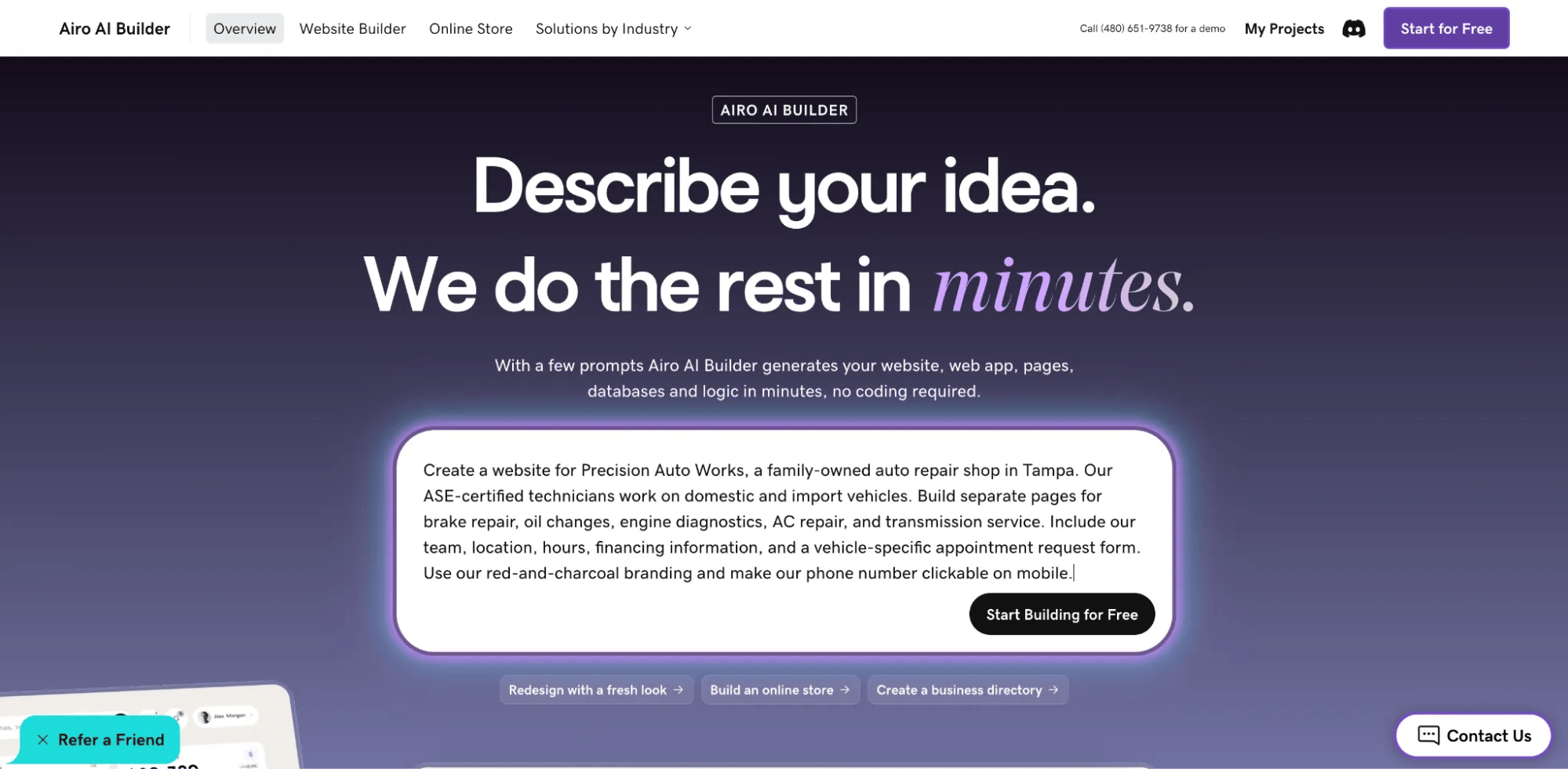
Start by telling Airo AI Builder about your shop. Include your location, services, vehicle specialties, current credentials, and the action you want customers to take.
For example:
“Create a website for Precision Auto Works, a family-owned auto repair shop in Tampa. Our ASE-certified technicians work on domestic and import vehicles. Build separate pages for brake repair, oil changes, engine diagnostics, AC repair, and transmission service. Include our team, location, hours, financing information, and a vehicle-specific appointment request form. Use our red-and-charcoal branding and make our phone number clickable on mobile.”You can attach assets such as your logo or point Airo toward an existing website as a reference. Review the generated content carefully rather than assuming every service, price, or business detail has been transferred correctly.
### **Step 2: Answer a few questions**
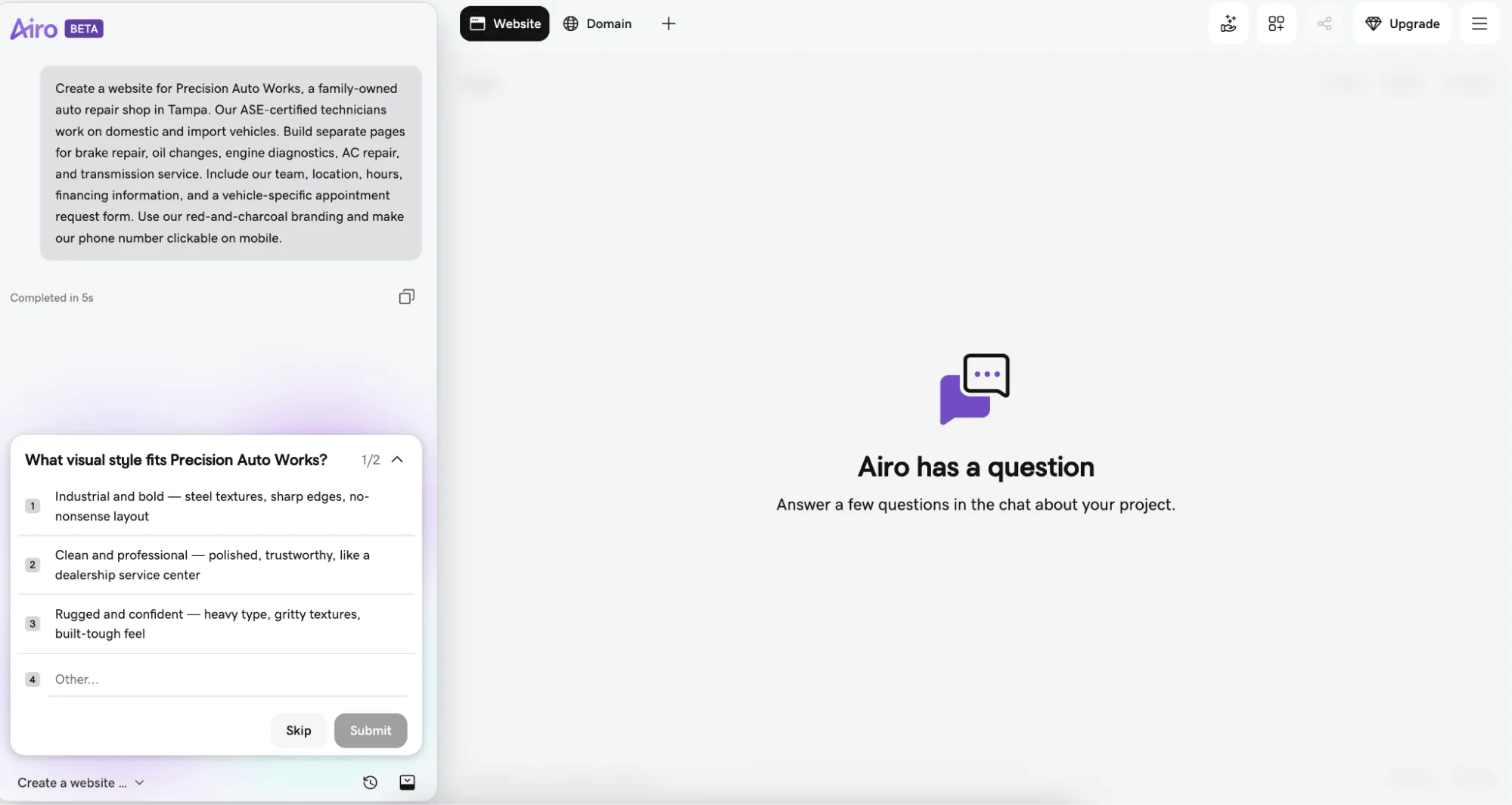
Airo AI Builder may ask follow-up questions about your pages, preferred style, or customer intake process. You might clarify whether you want appointment requests or live calendar booking, which services need separate pages, and what information your advisor needs.
If you request a pricing calculator, define its limits. A preliminary range based on information a customer supplies is different from a repair estimate based on diagnosis.
### **Step 3: Make changes through follow-up prompts**
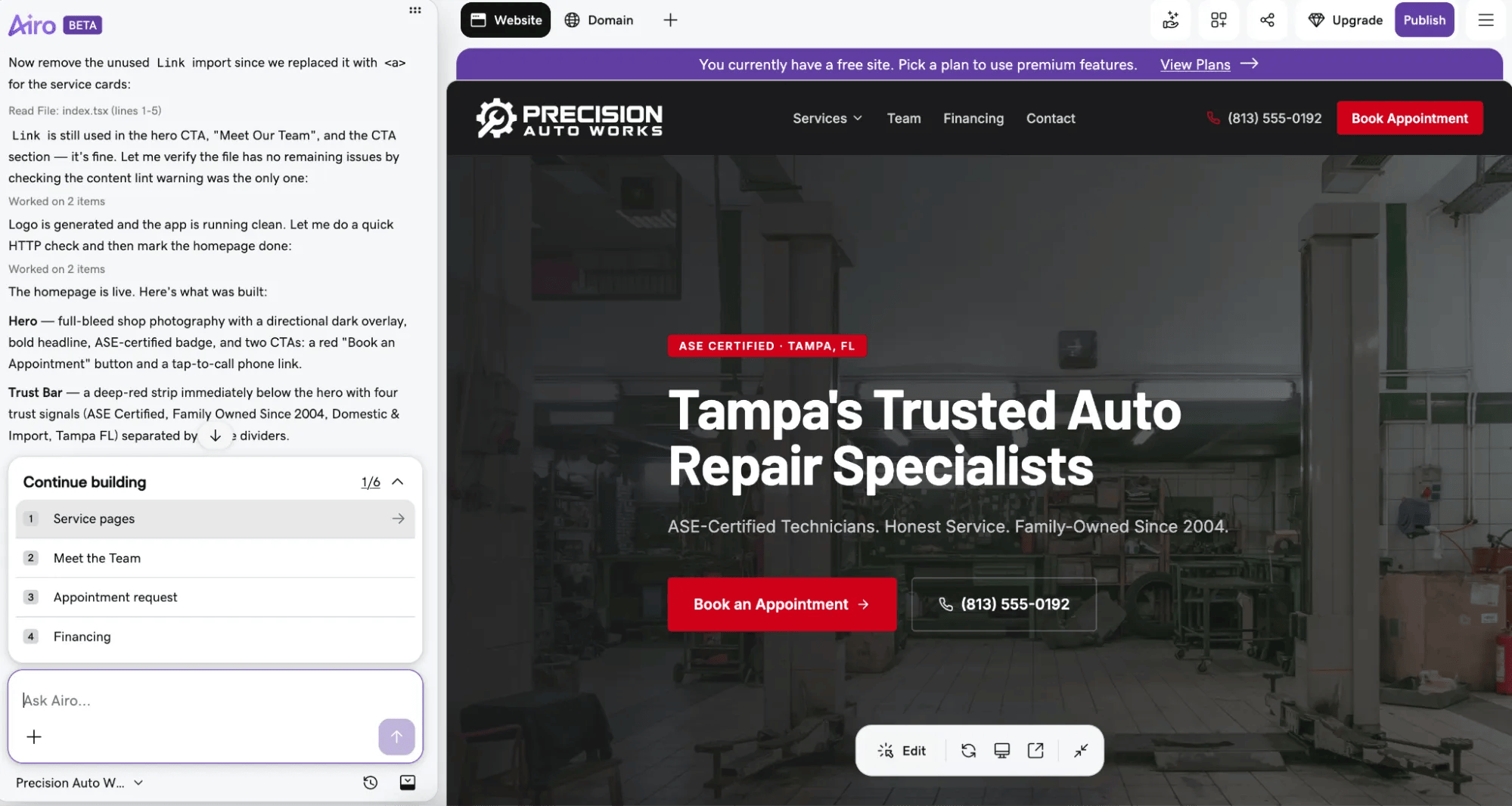
After Airo AI Builder generates a draft, continue the conversation to refine the layout, copy, and features. You can request changes such as:
- “Create separate pages for brakes, oil changes, diagnostics, tires, AC, and inspections.”
- “Add a quote request form asking for vehicle year, make, model, and symptoms.”
- “Display our current technician certifications and approved shop badges on the about page.”
- “Add a financing section with an application button linking to our Synchrony page.”
- “Put our towing partner’s contact details and after-hours drop-off instructions near the top of the site.”
- “Change the colors to match our red-and-black shop signage.”
For quick updates, like new holiday hours or a staff change, you can also edit text directly in the editor. Keep refining until the site fits your business. Replace placeholder content and verify every claim before publishing.
### **Step 4: Set up your appointment forms and connect your shop tools**
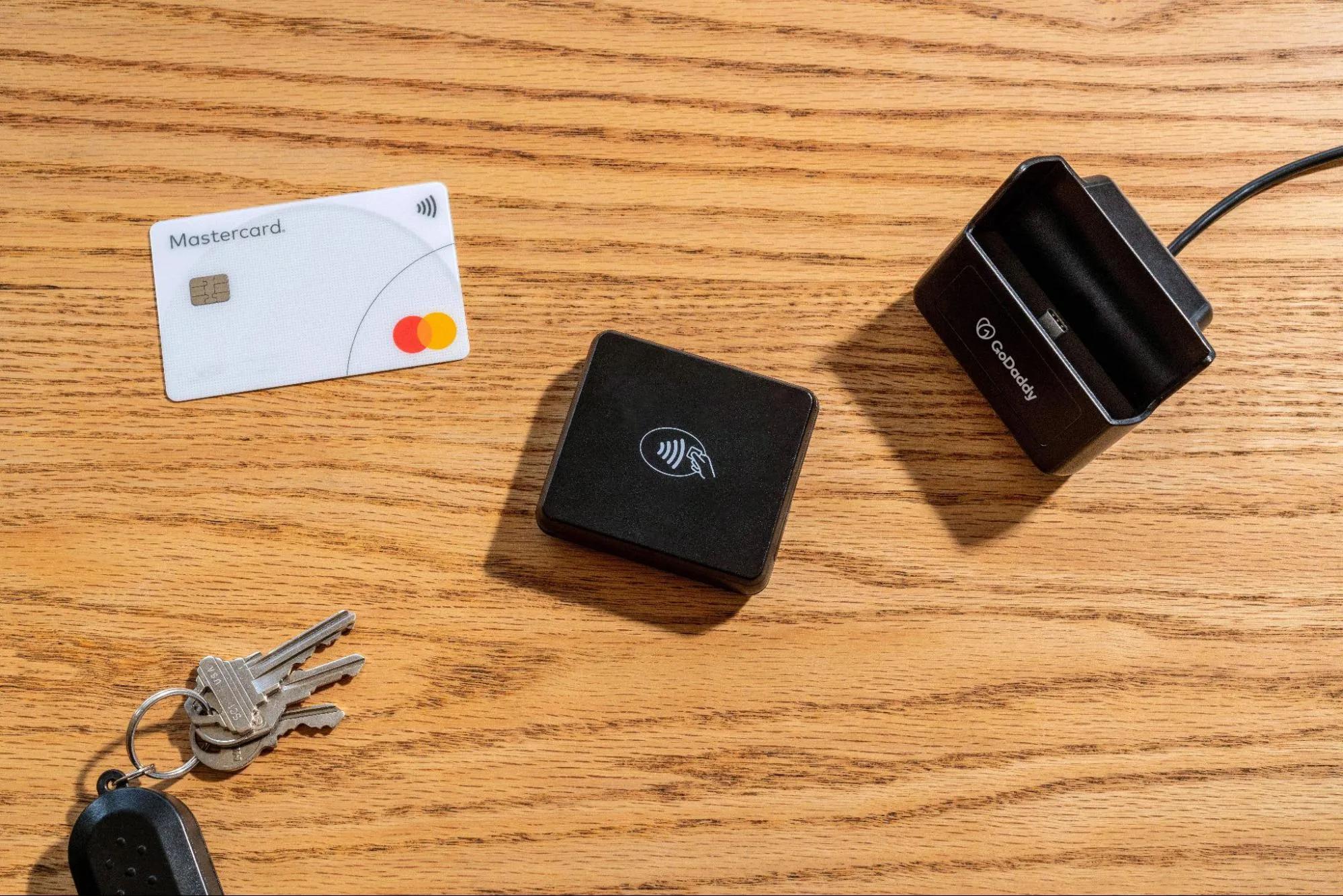
Airo AI Builder can create intake forms and help you incorporate tools you already use. The setup depends on the service: some tools use embeds, some use external links, and others require credentials or additional configuration.
Options include:
- **Appointment request forms:** Build multi-step forms with vehicle information, service type, symptoms, preferred drop-off time, and optional photos. Configure notifications to reach your service advisor and test delivery.
- **Live calendar booking:** Embed compatible scheduling tools such as Calendly, Acuity Scheduling, or Cal.com. Set availability, lead times, and capacity rules in the scheduling service.
- **Shop management links:** Add “Schedule online” buttons linking to your Tekmetric, Shopmonkey, or other shop management booking portal. Linking to a portal doesn’t automatically synchronize all shop data.
- **Webchat and messaging:** Add compatible widgets from providers such as Podium, Birdeye, or Tidio. These services may require separate accounts or subscriptions.
- **Reviews:** Display a supported Google Reviews widget or Trustpilot feed, following the provider’s setup and usage requirements.
- **Payment processing:** Configure a supported option such as GoDaddy Payments, Stripe, or Square for applicable deposits or fees. Availability, integration method, onboarding, and processing charges vary.
Explore the [Airo AI Builder connectors directory](https://airo-builder.godaddy.com/discover/connectors) for current third-party connection options.
If you don’t use external tools, Airo’s forms and available booking features can cover basic customer intake. Remember that a drop-off appointment isn’t necessarily a reserved technician or service bay; align the booking process with how your shop operates.
### **Step 5: Connect your domain and publish your auto repair site**
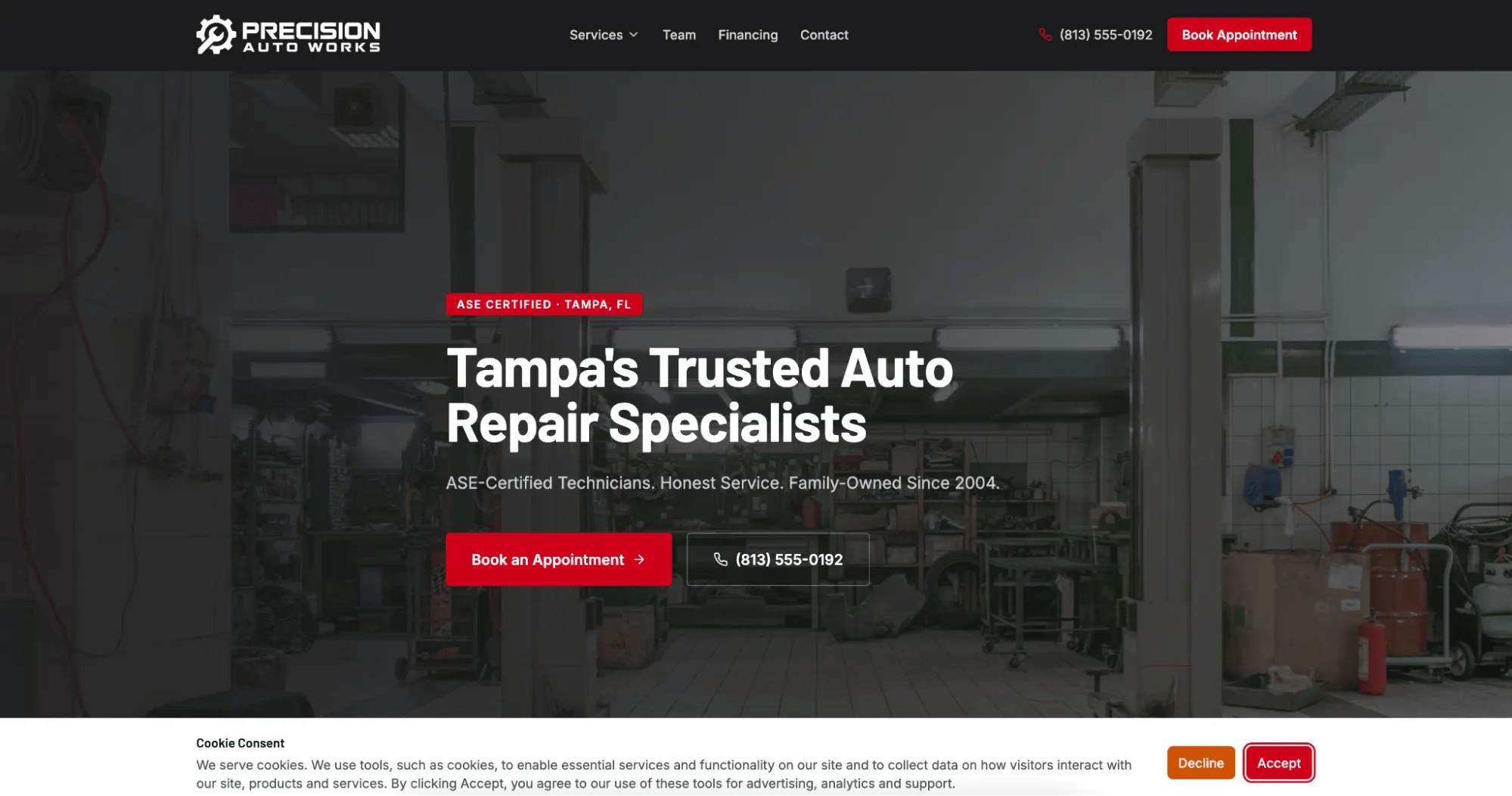
Connect your domain to your Airo AI Builder project and follow the publishing instructions. If your domain was registered with GoDaddy, the required DNS records can update automatically. With another provider, you may need to enter the supplied records yourself.
If you still need a domain, check whether your qualifying annual paid plan includes an eligible domain for the first year.
Airo AI Builder provides mobile-responsive design and SEO features, but review the finished site before launch:
- Confirm your name, address, phone number, hours, and service area.
- Review page titles and descriptions for accuracy.
- Test click-to-call buttons, forms, uploads, notifications, and booking.
- Check financing links and any payment or deposit flows.
- Open the site on a phone and inspect maps, navigation, and text.
- Add appropriate privacy information and booking, cancellation, or deposit policies.
Keep your business details consistent with your Google Business Profile and other local listings. Built-in optimization can support discovery, but it doesn’t guarantee rankings for “mechanic near me” or “auto repair [city].”
Publish your project, allow time for domain changes to take effect, and test the live address.
## **What to expect from an auto repair website built with Airo AI Builder**
Airo AI Builder creates your shop’s public-facing website. It helps customers learn about your services and contact you, but it doesn’t replace the automotive software used to manage repairs and internal operations.
**What Airo AI Builder does** | **What requires dedicated automotive software**
--- | ---
Builds service, about, review, blog, and contact pages | Shop management workflows in systems such as Tekmetric, Shopmonkey, Mitchell 1, Shop-Ware, or NAPA TRACS
Creates vehicle-specific appointment and quote request forms | Digital vehicle inspections and repair-order documentation
Supports applicable deposit collection through configured payment providers | Technician dispatch, bay scheduling, and labor tracking
Builds financing information pages with external application links | Parts ordering and inventory management
Creates location-relevant service pages with SEO and AEO features | Live labor invoicing and final repair billing
Displays testimonials and compatible review widgets | Insurance claims workflows for glass or collision repair
Adds maps, directions, and location information | Diagnostic repair estimating supported by technician inspection and labor data
Displays towing and after-hours information | Dealership inventory feeds requiring a DMS connection
Creates blog and seasonal maintenance content | OEM franchise dealership compliance workflows
Helps create email campaigns and schedule supported social content through connected tools | —
Provides mobile-responsive layouts and click-to-call links | —
Includes hosting and automated SSL | —
Some features require a paid plan, third-party account, supported region, or additional setup. SSL protects data in transit, but it doesn’t replace appropriate privacy and security practices.
Think of Airo AI Builder as your marketing front door. Your website brings customers in; your shop management system handles the repair process behind the scenes.
As [Clear Path Mobile Auto](https://www.clearpathmobileauto.com/) puts it:
“I really enjoy working with Airo. I have built my whole platform with it, and it is going well so far.”## **Get your auto repair website live today**
You don’t need a complicated website to help more customers find and choose your shop. Start with clear services, real photos, accurate contact information, and an easy way to request help.
Plan your pages, describe your business to Airo AI Builder, refine the draft, and set up your forms and tool connections. With website creation, domain connection, customer intake, and SEO features in one workflow, getting online becomes more manageable.
Ready to turn local searches into conversations with your service team? [Build an auto repair website with Airo AI Builder](https://www.godaddy.com/airo/ai-builder/solutions/automotive).
GoDaddy Airo AI Builder
Describe your idea. We'll build your live website in minutes.
With a few prompts, Airo AI Builder generates your website, web app,
pages, databases and logic in minutes — no coding required.
Start for free with 50 AI credits a month. No credit card required.
Build for Free
## **Auto repair website FAQ**
Does an auto repair shop need a website?
A website helps customers evaluate your shop before calling or visiting. It gives you a place to explain services, show credentials and reviews, share hours, and collect appointment requests. Social profiles and a Google Business Profile are useful alongside it, but they don’t give you the same control over how you present your business.
Can customers book appointments directly from my website?
Yes, with the appropriate booking setup. You can use available booking features or embed a compatible scheduling service. Alternatively, an appointment request form can collect preferred times for your advisor to confirm. Clearly distinguish a request from a confirmed appointment.
How much does an auto repair website cost?
Costs depend on the plan, domain, and tools you choose. Airo AI Builder offers a free option for building and previewing, while publishing requires a paid plan. Check the [current Airo AI Builder plans](https://www.godaddy.com/airo/ai-builder) for pricing and billing terms.
Also account for domain renewals, payment processing, and any third-party scheduling, chat, or review services. Qualifying new annual paid plans may include an eligible domain for the first year, subject to offer terms.
Does Airo AI Builder replace shop management software?
No. Airo AI Builder handles your public-facing website, content, intake forms, and supported connections. Dedicated shop software manages repair orders, inspections, technician workflows, parts, and invoicing. You can link your website to a shop management booking portal without replacing the system your team uses.
****One free available domain with new purchase of an annual Airo AI Builder plan. Plus annual ICANN fee per domain. Domain name must be added to cart before purchase, and selected term must be equal to or less than term of selected plan to qualify for free domain. Additional years billed at current rates. Offer valid for 1st year only; renews at current prices. Invalid with other offers.***