ยกเลิกการเชื่อมต่อเพจ Facebook Business ของฉันกับ GoDaddy Conversations
เมื่อคุณยกเลิกการเชื่อมต่อเพจธุรกิจบน Facebook กับการสนทนาของ GoDaddy คุณจะไม่ได้รับข้อความและความคิดเห็นใน Facebook Messenger ข้อความและความคิดเห็นใน Facebook ของคุณจะถูกลบออกจากกล่องขาเข้าและที่เก็บถาวรของการสนทนาและข้อความและความคิดเห็นบน Facebook ที่ติดดาวจะถูกลบออกด้วย
You can reconnect Facebook any time. If you do, all your messages and comments will appear in your Conversations inbox again.
- ลงชื่อเข้าใช้แอพมือถือ GoDaddy ของคุณ
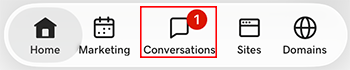
- At the bottom of the screen, tap Conversations to see a list of all your unarchived conversations.
- In the top-right corner, tap
 more, and then tap Settings.
- Tap Facebook. You may be asked to sign in to your GoDaddy account.
- Expand Facebook, and then tap your Facebook account.
- At the bottom of the page, select Disconnect Channel.
- หากต้องการยืนยันว่าคุณต้องการยกเลิกการเชื่อมต่อกับ Facebook ให้เลือก ใช่ยกเลิกการเชื่อมต่อ
- ลงชื่อเข้าใช้แอพมือถือ GoDaddy ของคุณ
- At the bottom of the screen, tap Conversations to see a list of all your unarchived conversations.
- In the top-right corner, tap
 settings.
- Tap Facebook. You may be asked to sign in to your GoDaddy account.
- Expand Facebook, and then tap your Facebook account.
- At the bottom of the page, select Disconnect Channel.
- หากต้องการยืนยันว่าคุณต้องการยกเลิกการเชื่อมต่อกับ Facebook ให้เลือก ใช่ยกเลิกการเชื่อมต่อ
- ในเว็บเบราว์เซอร์ให้ไปที่ ผลิตภัณฑ์ ของ GoDaddy
หากคุณมี Conversations เวอร์ชันสแตนด์อโลนให้ขยาย Conversations Unified Inbox ทางด้านขวาของแผน Conversations ให้เลือก กล่องจดหมายทางเว็บ
หรือ
หากคุณมีแผน Websites + Marketing ให้เลื่อนไปที่ Websites + Marketing แล้วเลือก จัดการ ถัดจากเว็บไซต์ของคุณ ในเมนูด้านซ้ายให้ขยาย Conversations
- เลือกการตั้งค่า
- Select Channels
- Expand Facebook, and then select your Facebook account.
- At the bottom of the page, select Disconnect Channel.
- หากต้องการยืนยันว่าคุณต้องการยกเลิกการเชื่อมต่อกับ Facebook ให้เลือก ใช่ยกเลิกการเชื่อมต่อ