Richten Sie mit Professional Email powered by Titan eine automatische Antwort für Unternehmen ein
Dank der Business-Auto-Antwort erfahren Kunden, dass Sie Ihre E-Mail erhalten haben, auch wenn Sie offline oder außerhalb der Geschäftszeiten sind. Professional Email powered by Titan Die Business Auto-Reply-Funktion sendet eine automatische Antwort für Sie, so dass während Ihrer Abwesenheit nichts unbeantwortet bleibt.
Hinweis: Die automatische Business-Antwort ist nur für die Pakete Pro Plus, Premium und Ultra verfügbar. Aktualisieren Sie mein E-Mail-Paket
- Melden Sie sich bei Webmail an. Verwenden Sie Ihre Professional Email powered by Titan-Adresse und Ihr Passwort (Ihr Benutzername und Ihr Passwort für GoDaddy funktionieren hier nicht).
- Wählen Sie oben rechts die Option
 Klicken Sie auf Einstellungen und dann auf Einstellungen .
 - Ganz links unter Send & Antworten , wählen Sie Automatische Antwort für Unternehmen .
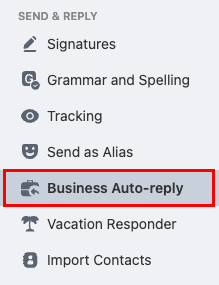
- Aktivieren Sie die Umstellung Enable Business Auto-reply .

- Fügen Sie Ihre Arbeitszeit hinzu. Ihre automatische Antwort wird zu den ausgewählten Daten und Uhrzeiten gesendet.
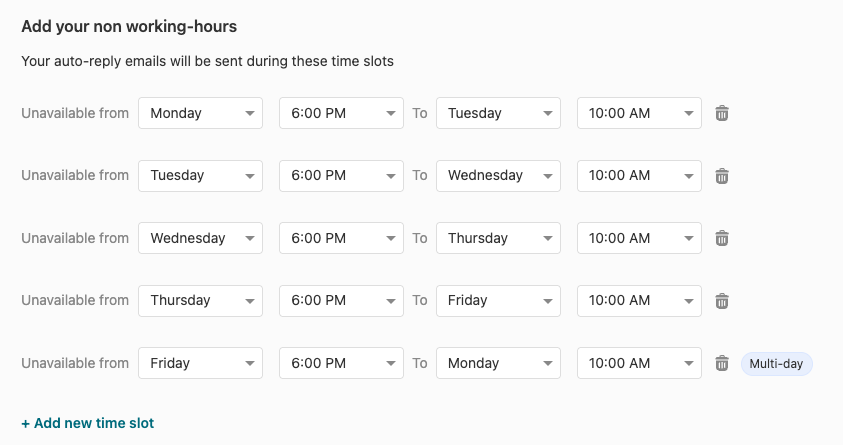
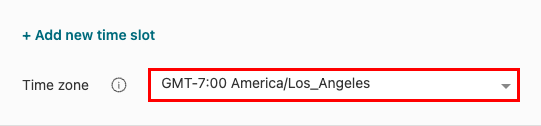
- Wählen Sie eine Zeitzone aus.
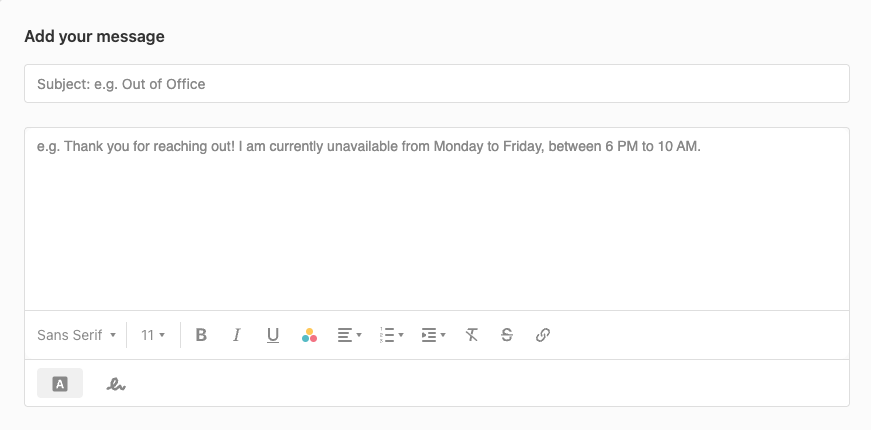
- Erstellen Sie Ihre automatische Antwort. Geben Sie einen Betreff und den gewünschten Text ein.
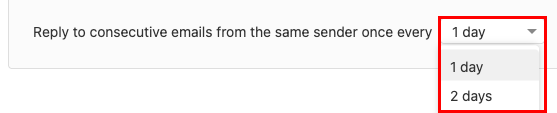
- Wählen Sie aus, wie oft Sie auf aufeinanderfolgende E-Mails desselben Absenders antworten möchten. Dadurch wird verhindert, dass Kunden wiederholt Antworten erhalten, wenn sie Ihnen mehrmals eine E-Mail senden.
- Wählen Sie unten auf der Seite Speichern aus.
Titan sendet basierend auf Ihren Einstellungen Ihre Business Auto-Reply automatisch auf eingehende E-Mails. Sie können die Funktion jederzeit deaktivieren oder die Nachricht auf der Business Auto-Antwort -Seite aktualisieren.
Weitere Informationen
- Verwenden Sie E-Mail-Tracking , um eine Benachrichtigung zu erhalten, wenn Ihre E-Mail vom Empfänger geöffnet wird.
- Planen Sie, eine E-Mail später zu senden
- Set up Vacation Responder for out-of-office auto-replies