Access cPanel in my Web Hosting (cPanel)
Sign in to cPanel to update your hosting settings, create email addresses, install SSL certificates, and more!
Need help with your website, marketing strategy, or SEO? Hire a GoDaddy expert and we'll do it for you.
- Go to your GoDaddy product page.
- Select Web Hosting, and then select Manage for the Web Hosting (cPanel) you want to use.

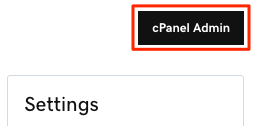
- In the top-right, select cPanel Admin.
- In a browser, go to https://[your domain name]/cpanel (for example, https://coolexample.com/cpanel).
- Enter your cPanel username and password, and then select Log in.
Related step
- Check out how to set up Two-Factor Authentication from cPanel.
More info
- cPanel has their own YouTube channel including training videos.
- You can visit cPanel's documentation for more information on how to use their features.
- Dive in: Browse most-visited Web Hosting (cPanel) articles
- Here's how to sign in to WordPress.