Set up sales tax for my Airo AI Builder online store
If you sell products from your Airo AI Builder store, set up sales tax so the right amount is added at checkout. You can enter rates yourself or have them calculated automatically by ZIP code.
Set up sales tax
- Ve a tu página de aplicaciones de Airo AI Builder y luego selecciona tu aplicación o sitio.
- In the chat, tell Airo you want to set up sales tax for your store. For example, "Set up sales tax for my store."
- When Airo asks to enable tax for your store, select the tax type you want to enable. You can also press the key with the corresponding number on your keyboard, or tell Airo AI Builder your option in the chat. To leave tax off for now, select Skip.
- Tell Airo which states, provinces or regions you're registered to collect tax in, and the tax rate for each one.
- To make sure it's live, publish your app or site.
Tax is now added at checkout based on the regions and rates you set.
Manage sales tax
You can ask Airo to change your tax rates at any time, or adjust your tax settings from the Commerce tab.
- Select Commerce. If it's not visible, select + New tab and then select Commerce.
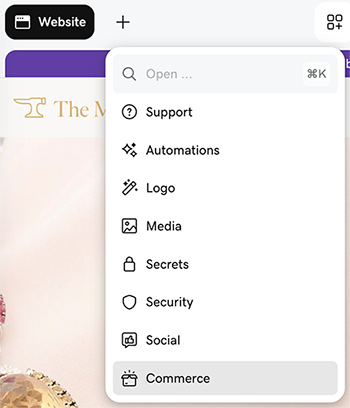
- Under Quick links, select View Settings.
- Select Tax Center, then open the tax app to edit your rates.