Star messages in GoDaddy Conversations for easy reference
If you have conversations that you want to be able to easily reference later, star them. You can then use a filter to show only the messages that you've starred.
Note: The GoDaddy mobile app is not available with free Conversations plans.
- In a web browser, go to your GoDaddy product page.
-
If you have the standalone version of Conversations, expand Conversations Unified Inbox. To the right of your Conversations plan, select Web Inbox.
OR
If you have a Websites + Marketing plan, scroll to Websites + Marketing and select Manage next to your site. In the left menu, expand Conversations.
- Select Inbox. A list of your unarchived conversations will show.
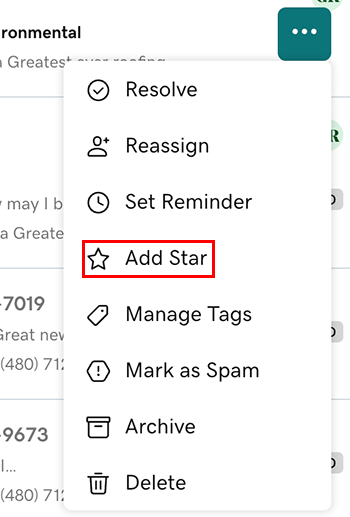
Star from your inbox
- Hover your mouse pointer over the conversation you want to star.
- Next to the message, select
 More.
More. - Select Add Star.
Star from within a conversation thread
You can also star conversations when you're in a conversation thread:
- Select the conversation you want to star.
- In the upper-right corner, tap
 Star.
Star.
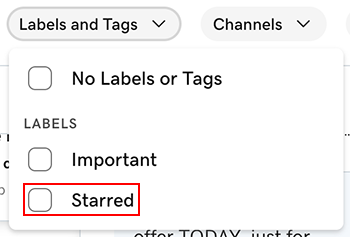
See all your starred conversations
- At the top of your list of messages, tap Labels and Tags, and then select Starred.
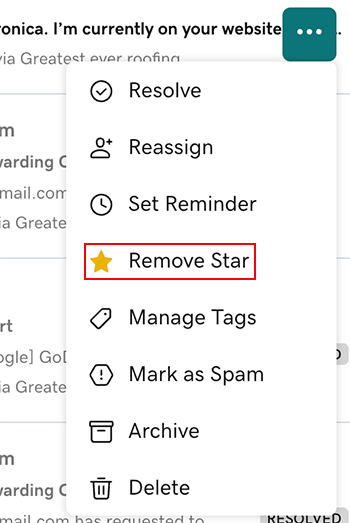
Unstar a message
- Hover your mouse pointer over the conversation you want to unstar.
- Next to the message, select More.
- Select Remove Star.
- Sign in to your GoDaddy mobile app.
- At the bottom of the screen, tap Conversations to see a list of all your unarchived conversations.

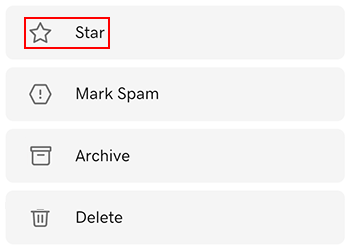
Star a conversation
- Tap the conversation you want to star.
- In the upper-right corner, tap More.
- Tap Star.
See all your starred conversations
- Tap Label, and then tap Starred.
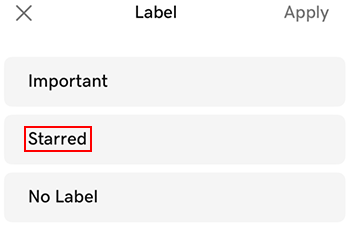
- Tap
 Apply.
Unstar a conversation
- Tap the conversation you want to unstar.
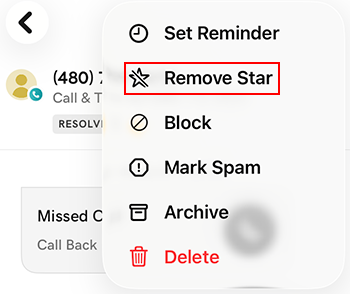
- In the upper-right corner, tap More.
- Tap Remove Star.
- Sign in to your GoDaddy mobile app.
- At the bottom of the screen, tap Conversations to see a list of all your unarchived conversations.
Star a conversation from your inbox
- Tap and hold the conversation you want to star.
- In the upper-right corner, tap Star.
Star a conversation from within a thread
- Tap the conversation you want to star.
- In the upper-right corner, tap More.
- Tap Star.
See all your starred conversations
- Tap Label, and then tap Starred.
Unstar a message
- Tap and hold the message you want to unstar.
- Tap
 Unstar.