Déballer le Terminal intelligent Duo
Étape 1 de la série Premiers pas dans Terminal intelligent Duo.
Votre Terminal intelligent Duo est livré avec une station d'accueil , un cordon d'alimentation universel et un rouleau de papier pour imprimantes de reçus. Ouvrez la boîte et familiarisez-vous avec les composants du Smart Terminal Duo. (Nous les connecterons ensemble dans la section suivante.)
Remarque: il existe des différences mineures entre le Smart Terminal Duo V2.0 (vendu avant novembre 2022) et la V3.0. Le numéro de version (V2.0 ou V3.0) est imprimé sur l'autocollant au dos de votre appareil.
- Ouvrez la boîte et vérifiez que tous les éléments inclus sont comptabilisés.
- Retirez le cache de protection de l'écran.
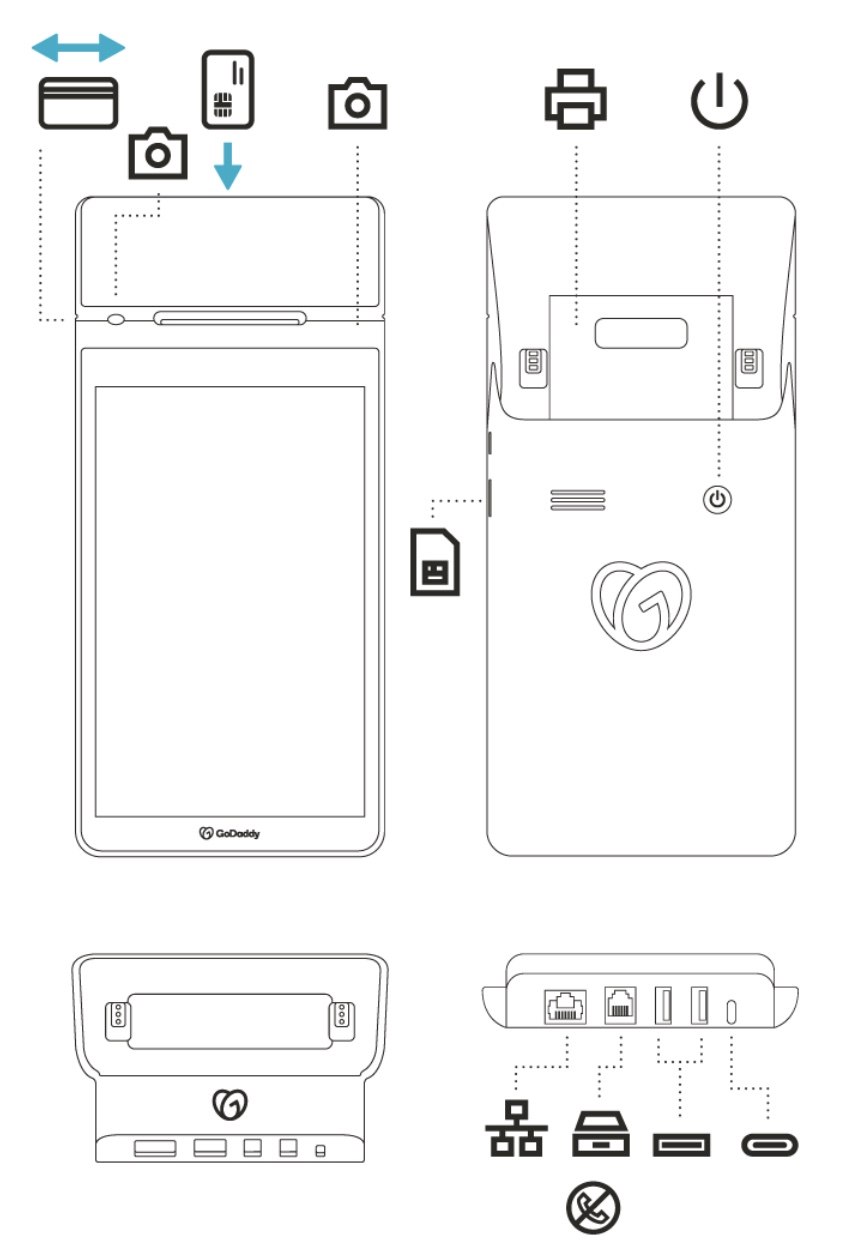
- Passez en revue les différents ports et composants de votre Smart Terminal Duo et de votre station d'accueil. Le schéma ci-dessous comprend également les emplacements d'insertion de l'appareil photo et de la carte.
Smart Terminal Duo * et station d'accueil
Placement NFC
Les clients peuvent glisser ou insérer leur carte dans la fente du lecteur de carte, ou toucher leur carte ou appareil sur le Icône NFC pour les paiements sans contact (NFC).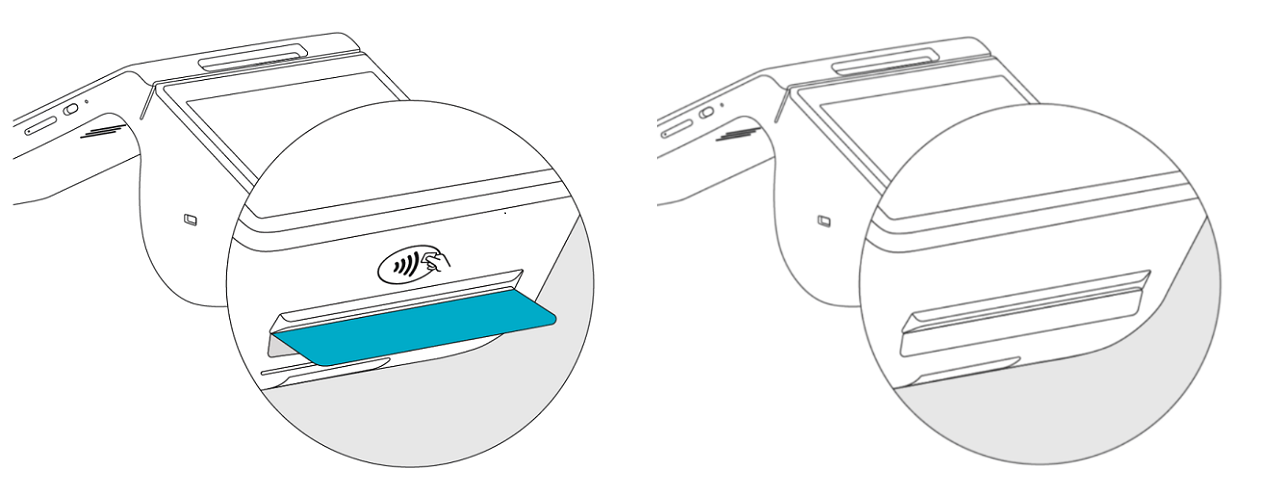
- Si votre terminal intelligent a une icône NFC imprimée sur le boîtier au-dessus de la fente pour reçu, touchez la carte ou l'appareil sur l'icône NFC lorsque vous y êtes invité pendant une transaction.
- Si votre Smart Terminal n'a pas d'icône NFC imprimée sur le boîtier au-dessus de la fente pour reçu, touchez la carte ou l'appareil sur l'icône NFC sur l'écran du client lorsque vous y êtes invité pendant une transaction.
* La carte SIM n'est pas compatible avec le Smart Terminal Duo V2.0.