Ajouter ou mettre à niveau mon plan Domain Protection
Ajoutez ou mettez à niveau Domain Protection pour renforcer la sécurité de vos domaines. Domain Protection offre une sécurité accrue contre les menaces en ligne en envoyant des alertes lorsque des modifications sont apportées à votre domaine et en évitant l’expiration accidentelle. Certaines extensions de domaine ne sont pas éligibles pour certaines fonctionnalités Domain Protection.
- Connectez-vous à votre portefeuille de domaines GoDaddy. (Besoin d’aide pour vous connecter ? Trouvez votre nom d’utilisateur ou votre mot de passe.)
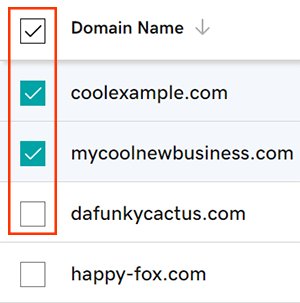
- Cochez les cases en regard des domaines que vous allez mettre à jour. Ou cochez la case en regard de Nom de domaine , puis choisissez Sélectionner tout .
- Dans le menu Action, sélectionnez Plans de protection , puis sélectionnez Mettre à niveau les plans de protection .
- En fonction de la taille de votre écran, vous devrez peut-être sélectionner le menu Plus et faire défiler l’écran vers le bas pour pouvoir voir l’option Plans de protection.
- Choisissez votre plan Domain Protection préféré parmi les options disponibles.
- Sélectionnez Paiement pour terminer votre commande.
Le renouvellement automatique est activé automatiquement lorsque vous ajoutez ou mettez à niveau Domain Protection.
Étapes connexes
- Modifiez le paramètre Domain Privacy de vos domaines.
- Vérifiez les coordonnées de votre domaine pour vous assurer qu’elles sont exactes et à jour.
En savoir plus
- Configurez la validation en 2 étapes pour bénéficier de la meilleure sécurité possible sur vos domaines et votre compte.