Fix an untrusted root or certificate chain error
If you or your customers are seeing an "untrusted root" or SSL certificate chain error, your current SSL certificate may need additional certificates in the bundle so web browsers can trust your site. Follow these steps to fix this issue.
Required: If you're trying to fix this issue for Windows IIS, see our procedure for Windows IIS.
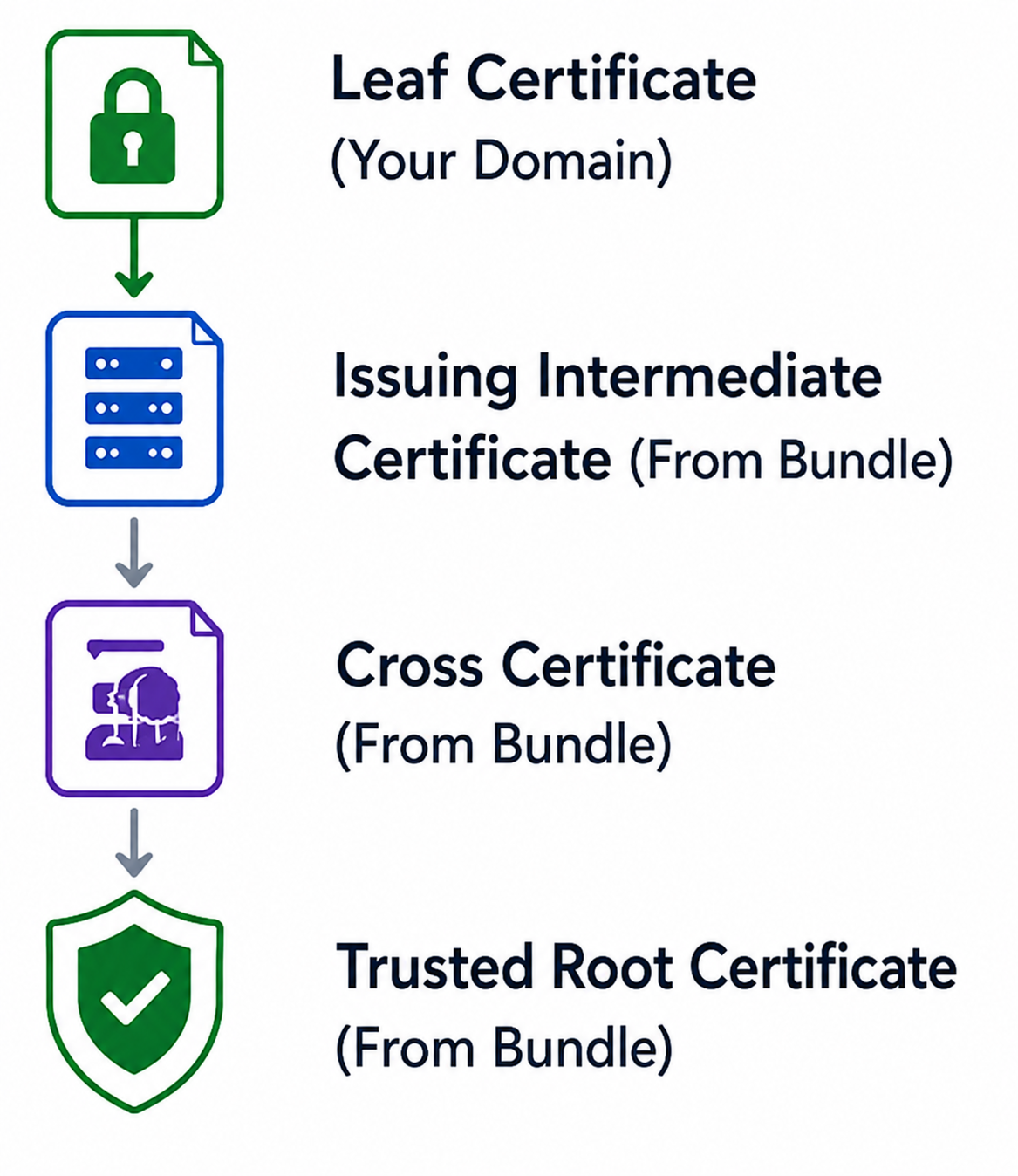
- Locate and download the certificate bundle provided with your certificate. The bundle contains the intermediate, cross, and trusted root certificates required for browsers and operating systems to build a trusted certificate chain. You can find the bundle at https://certs.godaddy.com/repository.
- Install the bundle. For most installations, navigate to the certificate manager for your hosting platform, find the installed certificate, and add the bundle there. For help, see our list of instructions for specific servers.
Required: Install the entire bundle. Do not install the server certificate by itself. The certificate and the bundle must be installed to provide a complete trust chain to supported browsers and operating systems. - After the bundle installation is complete, restart or reload your web server so the updated certificate chain is presented to visitors.
- Use an SSL testing tool or your browser's certificate viewer to confirm the chain builds successfully to a trusted root certificate. A correctly installed chain looks like this:
Note: If you continue to see errors after installing the bundle as described here, contact your hosting provider.
What kinds of errors does this fix?
Reinstalling the bundle can fix these types of errors:
- Untrusted root certificate
- Unable to verify certificate chain
- Certificate not trusted
- Incomplete certificate chain
- Certifcate Authority invalid
My certificate was working fine before. Why is the bundle required?
The Certificate Authority's (CA) new root certificate is currently undergoing inclusion into browser and operating system trust stores:
- The bundle provides an alternate trust path through an already trusted root certificate.
- Without the bundle, some devices and browsers may be unable to establish trust, and will display certificate warnings to visitors.
- Installing the complete certificate bundle ensures maximum compatibility and prevents trust errors during the root transition period.