Odłącz moją stronę firmową na Facebooku od GoDaddy Conversations
Po odłączeniu strony firmowej na Facebooku od konwersacji GoDaddy przestaniesz otrzymywać wiadomości i komentarze z Facebook Messenger. Wszystkie wiadomości i komentarze na Facebooku zostaną usunięte ze skrzynki odbiorczej rozmów i archiwów, a także oznaczone gwiazdką wiadomości i komentarze z Facebooka.
You can reconnect Facebook any time. If you do, all your messages and comments will appear in your Conversations inbox again.
- Zaloguj się do aplikacji mobilnej GoDaddy.
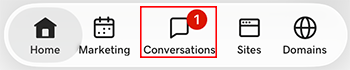
- At the bottom of the screen, tap Conversations to see a list of all your unarchived conversations.
- In the top-right corner, tap
 more, and then tap Settings.
- Tap Facebook. You may be asked to sign in to your GoDaddy account.
- Expand Facebook, and then tap your Facebook account.
- At the bottom of the page, select Disconnect Channel.
- Aby potwierdzić, że chcesz odłączyć Facebooka, wybierz Tak, Rozłącz .
- Zaloguj się do aplikacji mobilnej GoDaddy.
- At the bottom of the screen, tap Conversations to see a list of all your unarchived conversations.
- In the top-right corner, tap
 settings.
- Tap Facebook. You may be asked to sign in to your GoDaddy account.
- Expand Facebook, and then tap your Facebook account.
- At the bottom of the page, select Disconnect Channel.
- Aby potwierdzić, że chcesz odłączyć Facebooka, wybierz Tak, Rozłącz .
- W przeglądarce internetowej przejdź do produktu GoDaddy.
Jeśli masz samodzielną wersję aplikacji Conversations, rozwiń Zunifikowaną skrzynkę odbiorczą Conversations . Wybierz opcję Skrzynka odbiorcza po prawej stronie planu Conversations.
LUB
Jeśli masz plan Websites + Marketing, przewiń do pozycji Websites + Marketing i wybierz opcję Zarządzaj obok swojej witryny. W menu po lewej stronie rozwiń Conversations .
- Wybierz opcję Ustawienia.
- Select Channels
- Expand Facebook, and then select your Facebook account.
- At the bottom of the page, select Disconnect Channel.
- Aby potwierdzić, że chcesz odłączyć Facebooka, wybierz Tak, Rozłącz .