Turn on auto-renew for my domain
Turn on auto-renew for your domains registered with GoDaddy to automatically renew your domain before it expires. We'll use the associated payment method to renew your domains on your behalf.
Note: You can cancel domain renewals from the Renewals and Billing page of your account.
- ลงชื่อเข้าใช้พอร์ตโครงการโดเมน GoDaddy ของคุณ (ต้องการความช่วยเหลือในการเข้าสู่ระบบใช่ไหม ให้ค้นหาชื่อผู้ใช้หรือรหัสผ่านของคุณ)
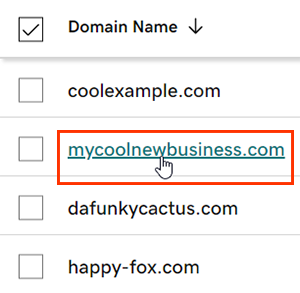
- เลือกโดเมนเฉพาะเพื่อเข้าถึงหน้า การตั้งค่าโดเมน
- Next to Auto-renew in the Renew section, switch the toggle to On.
- Select Continue to confirm your consent to automatic billing.
- โดเมนที่มี Domain Protection ต้องมีการยืนยันตัวตนเพื่อดำเนินการบางอย่างให้เสร็จสิ้น หากคุณเปิด การตรวจสอบยืนยันตัวตนแบบ 2 ขั้นตอน (2SV) ไว้เป็นเวลาอย่างน้อย 24 ชั่วโมงให้ป้อนรหัสที่เราส่งให้ทาง SMS หรือป้อนรหัสจากแอปตัวรับรองความถูกต้องของคุณ หรือป้อน รหัสผ่านแบบใช้ครั้งเดียว ที่เราส่งไปยังที่อยู่อีเมลในบัญชี GoDaddy ของคุณ
การเปลี่ยนแปลงของคุณจะแสดงในบัญชีของคุณอาจใช้เวลาถึง 90 นาที
ขั้นตอนที่เกี่ยวข้อง
- Review your payment methods to avoid problems when we attempt to automatically renew your domain.
ข้อมูลเพิ่มเติม
- ตั้งค่าการยืนยันตัวตนแบบ 2 ขั้นตอน เพื่อความปลอดภัยสูงสุดในโดเมนและบัญชีของคุณ
- Safeguard your domain with Domain Protection and prevent issues like accidental expiration and unauthorized domain actions.