取消COMPANY_GoDaddy和我的Instagram專業帳戶的連線
從GoDaddy中斷Instagram專業帳戶的連線後,Conversations即會在Conversations統一收件匣內不再接收Instagram訊息或留言。您所有的Instagram訊息和評論都會從Conversations收件匣和封存中刪除,加星標的Instagram訊息和評論也會被移除。
您隨時都可以重新將Instagram連接至Conversations。如果您這樣做,您的訊息和留言內容會再次出現在您的Conversations收件匣內。
Note: The GoDaddy mobile app and connecting your social media accounts aren't available with free Conversations plans.
- 登入您的GoDaddy行動應用程式。
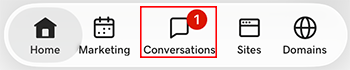
- At the bottom of the screen, tap Conversations to see a list of all your unarchived conversations.
- In the top-right corner, tap
 more, and then tap Settings.
- Tap Instagram. You may be asked to sign in to your GoDaddy account.
- Expand Instagram, and then tap your Instagram account.
- At the bottom of the page, select Disconnect Channel.
- 如果想確認您想取消Instagram的連結,請選取「是,取消連結」。
- 登入您的GoDaddy行動應用程式。
- At the bottom of the screen, tap Conversations to see a list of all your unarchived conversations.
- In the top-right corner, tap
 settings.
- Tap Instagram. You may be asked to sign in to your GoDaddy account.
- Expand Instagram, and then tap your Instagram account.
- At the bottom of the page, select Disconnect Channel.
- 如果想確認您想取消Instagram的連結,請選取「是,取消連結」。
- 透過網頁瀏覽器前往您的GoDaddy產品頁面。
如果您有Conversations的獨立版本,展開Conversations統一收件匣。點選Conversations方案右方的「網路收件匣」 。
或
如果您使用Websites + Marketing方案,請捲動到Websites + Marketing並點選網站旁邊的管理。在左側選單中,展開Conversations 。
- 點選「設定」。
- Select Channels
- Expand Instagram, and then select your Instagram account.
- At the bottom of the page, select Disconnect Channel.
- 如果想確認您想取消Instagram的連結,請選取「是,取消連結」。