在Airo AI Builder中重建網站
Airo AI Builder是建立及管理網站及數位呈現的AI方式。用您的文字和語言描述您想要的內容,它會為您做出變更,您也可以切換到編輯模式,以便在編輯器中手動調整內容。
將您現有的網站移到其他網站,是在保留您已經建立的架構的同時,也易於維護和成長的好方法。我們會以您目前的網站為起點,並在此基礎上加以完善。
注意: Aero AI Builder會以您現有的內容和品牌為指導,重建您的網站。付款,網路商店及其他整合用品等會連接至其他服務的項目,不會結轉。您需要在重建後重新連線。
按照以下步驟進行即可邁出第一步,並開始使用Airo AI Builder。
- 開啟Airo AI Builder 。
- 您有2種選擇:
- Type in “Rebuild my site”, enter your website’s URL and ask Airo to rebuild your website (for example, https://www.coolexample.com. Replace “coolexample” with your own URL). Optionally, add screenshots of your site to help guide Airo in the design.
OR
- Select Rebuild Site, and then complete steps 3 to 6.
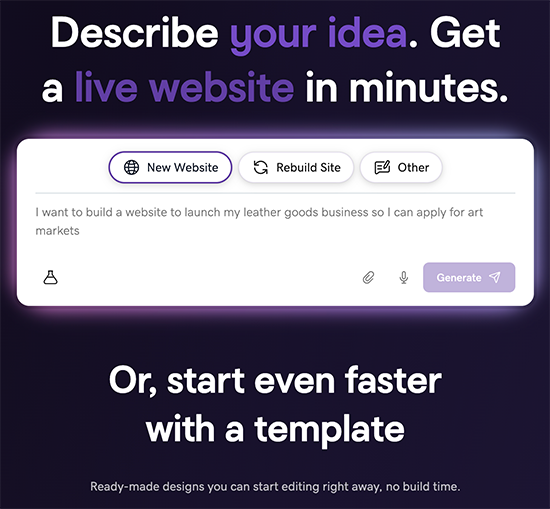
- Type in “Rebuild my site”, enter your website’s URL and ask Airo to rebuild your website (for example, https://www.coolexample.com. Replace “coolexample” with your own URL). Optionally, add screenshots of your site to help guide Airo in the design.
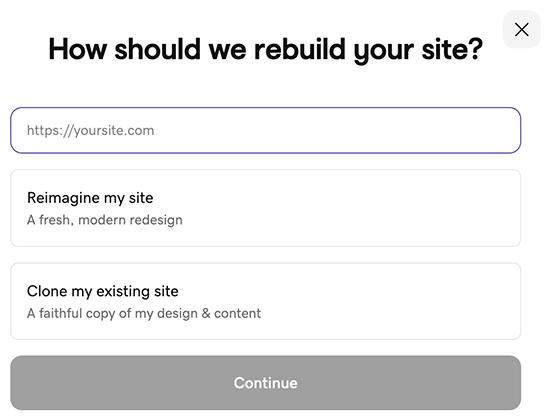
- 輸入您現有的網站URL。例如,https://www.coolexample.com (用您自己的URL替換“ coolexample”)。
- 選擇您要的網站外觀為新外觀,或讓網站外觀保持與目前的樣子,然後選擇繼續。
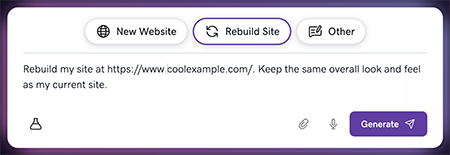
- 確認提示正確無誤,然後選取產生。
- 如果系統詢問的話,請登入您的GoDaddy帳戶並建立網站。
Airo AI Builder uses your current website as a starting point to generate a fresh look or keep your current look. From there, you can customize and refine it. When you're satisfied with the preview, publish, choose a plan and make your new website live.
您的Airo AI Builder網站以「https://[uniquename].airoapp.ai “。在網域發布後,您可以將網域連接到自訂網域。