Turn on auto-renew for my domain
Turn on auto-renew for your domains registered with GoDaddy to automatically renew your domain before it expires. We'll use the associated payment method to renew your domains on your behalf.
Note: You can cancel domain renewals from the Renewals and Billing page of your account.
- 登入您的 GoDaddy 網域組合。(需要協助您登入嗎?找尋您的使用者名稱或密碼。)
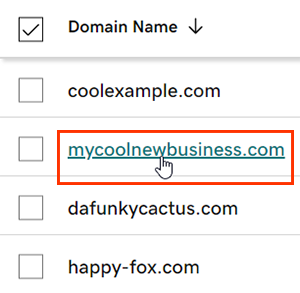
- 選取個別網域以存取「網域設定」頁面。
- Next to Auto-renew in the Renew section, switch the toggle to On.
- Select Continue to confirm your consent to automatic billing.
- Domain Protection的網域需要身份驗證才能完成某些操作。如果您有開啟兩步驟驗證(2SV)的功能至少有24小時,請輸入我們透過簡訊傳送的代碼,或輸入您驗證器應用程式中的代碼。否則,請輸入我們寄到您GoDaddy帳戶電子郵件地址的一次性密碼。
您的變更最長可能需要90分鐘才會顯示在帳戶中。
相關步驟
- Review your payment methods to avoid problems when we attempt to automatically renew your domain.
更多資訊
- 設定兩步驟驗證,讓您的網域和帳戶獲得最佳安全性。
- Safeguard your domain with Domain Protection and prevent issues like accidental expiration and unauthorized domain actions.