Trennen der Verbindung zwischen meiner Facebook-Unternehmensseite und GoDaddy Conversations
Wenn Sie Ihre Facebook-Unternehmensseite von GoDaddy-Konversationen trennen, erhalten Sie keine Nachrichten und Kommentare mehr von Facebook Messenger. Alle Ihre Facebook-Nachrichten und -Kommentare werden aus dem Posteingang und dem Archiv von Conversations gelöscht. Markierte Facebook-Nachrichten und -Kommentare werden ebenfalls entfernt.
You can reconnect Facebook any time. If you do, all your messages and comments will appear in your Conversations inbox again.
- Melden Sie sich bei Ihrer GoDaddy-Mobil-App an.
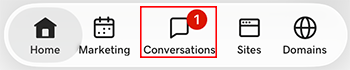
- At the bottom of the screen, tap Conversations to see a list of all your unarchived conversations.
- In the top-right corner, tap
 more, and then tap Settings.
- Tap Facebook. You may be asked to sign in to your GoDaddy account.
- Expand Facebook, and then tap your Facebook account.
- At the bottom of the page, select Disconnect Channel.
- Um zu bestätigen, dass Sie Facebook trennen möchten, wählen Sie Ja, Trennen .
- Melden Sie sich bei Ihrer GoDaddy-Mobil-App an.
- At the bottom of the screen, tap Conversations to see a list of all your unarchived conversations.
- In the top-right corner, tap
 settings.
- Tap Facebook. You may be asked to sign in to your GoDaddy account.
- Expand Facebook, and then tap your Facebook account.
- At the bottom of the page, select Disconnect Channel.
- Um zu bestätigen, dass Sie Facebook trennen möchten, wählen Sie Ja, Trennen .
- Rufen Sie in einem Webbrowser Ihrer GoDaddy -Produktseite auf.
Wenn Sie die eigenständige Version von Conversations haben, erweitern Sie Conversations Unified Inbox . Wählen Sie rechts von Ihrem Conversations-Paket die Option Web-Posteingang aus.
ODER
Wenn Sie ein Websites + Marketing-Paket haben, scrollen Sie zu Websites + Marketing und wählen Sie neben Ihrer Website die Option Verwalten . Erweitern Sie im linken Menü Conversations .
- Wählen Sie Einstellungen.
- Select Channels
- Expand Facebook, and then select your Facebook account.
- At the bottom of the page, select Disconnect Channel.
- Um zu bestätigen, dass Sie Facebook trennen möchten, wählen Sie Ja, Trennen .