How can I get a report of my invoices?
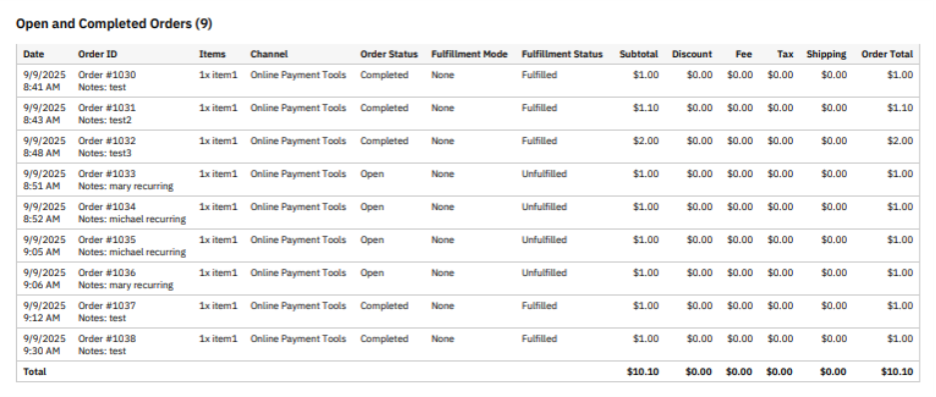
All invoices automatically create orders, so you can use the itemized orders report to see the status of all your invoices. Here's how to run an itemized orders report.
The orders created from invoices include your invoice ID, invoice summary, and customer message so you can identify the invoices within the report. You will also see all invoice line items within the itemized orders report.
Invoice orders are marked Complete when they are fully paid and Open when they have not been paid yet. The Date column shows when the order/invoice was created.