Enable SSH for my Web Hosting (cPanel) account
Secure Shell (SSH) is a secure method of connecting to your Web Hosting (cPanel) account to move files and execute commands. Follow these steps to enable SSH for your account - you don't need to configure any public or private keys.
Note: Need help? Contact a GoDaddy Guide for assistance.
- Go to your GoDaddy product page.
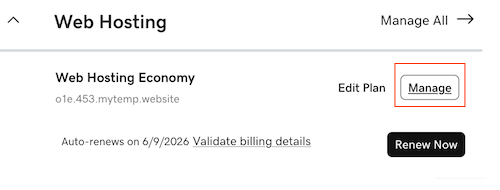
- Under Web Hosting, next to the Web Hosting (cPanel) account you want to use, select Manage.
- In the account Dashboard, select the Settings tab.
- Next to SSH access, select Manage.
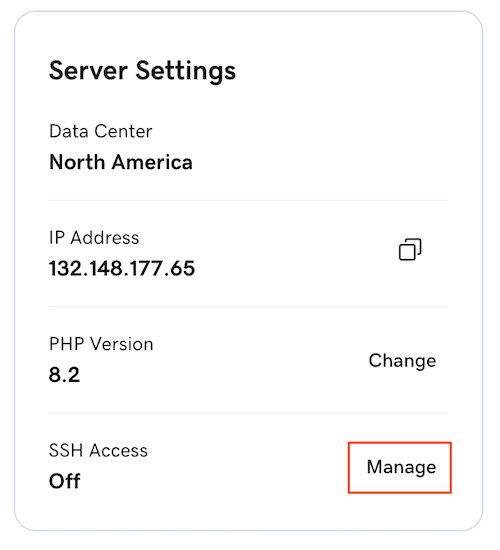
- Select the SSH access switch to turn it on. Your SSH credentials will be displayed. Use these credentials to sign in to cPanel with SSH.
Note: Your cPanel password doubles as your SSH password. If you're not sure what your cPanel password is, you can change it right here. Be sure to write it down since it can't be viewed in your account Dashboard.
Related step
- Now you can sign in to cPanel with SSH.