Set shipping rates for my Airo AI Builder online store
Set shipping rates for your Airo AI Builder store so customers are charged the right amount at checkout. Ask Airo to add the shipping you want and it will set it up for you.
Required: To take store orders and charge shipping, you need to connect GoDaddy Payments.
You can use any of the following shipping rates, and you can use more than one.
| Method | How the rate works | When to use it |
|---|---|---|
| Free shipping | No shipping charge. You can set it to apply only above a minimum order amount. | Promotions, or small light items where you'd rather build the cost into your prices. |
| Flat rate shipping | One price per order, whatever is in the cart. | The simplest option, and a good starting point for most small stores. |
| Weight-based shipping | The rate is worked out from the total weight of the order. | Your shipping cost changes a lot depending on what the customer buys. |
Real-time carrier rates, like USPS, and buying or printing shipping labels aren't available in Airo AI Builder yet. Local pickup, local delivery and FedEx aren't available either.
Set up shipping rates
- Ve a tu página de aplicaciones de Airo AI Builder y luego selecciona tu aplicación o sitio.
- In the chat, describe the shipping you want to charge, like "Add flat rate shipping of $5 per order."
- When Airo asks to enable shipping for your store, select the shipping you want to enable. You can also press the key with the corresponding number on your keyboard, or tell Airo AI Builder your option in the chat. To leave shipping rates off for now, select Skip.
- Tell Airo which countries you're registered to collect tax in, and the tax rate for each one.
- To make sure it's live, publish your app or site.
Your shipping rate is now calculated and added to the price at checkout.
Manage shipping rates
You can ask Airo to change your shipping rate at any time, or adjust your shipping rates from the Commerce tab.
- Select Commerce. If it's not visible, select + New tab and then select Commerce.
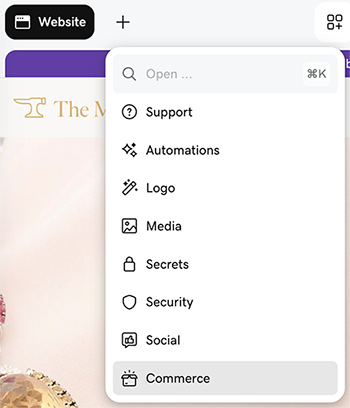
- Under Quick links, select View Settings.
- Select Shipping, and then open a shipping app to edit the rates.
Más información
- What are the charges and fees for GoDaddy Payments? Store orders are charged the standard ecommerce processing fee.