Ontkoppel mijn professionele Instagram -account van GoDaddy Conversations
Als je je professionele Instagram -account loskoppelt van GoDaddy Conversations, ontvang je geen Instagram -berichten of opmerkingen meer in je gecombineerde inbox van Conversations. Al je Instagram -berichten en opmerkingen worden verwijderd uit je Conversations -inbox en archieven, en Instagram -berichten en opmerkingen met een ster worden ook verwijderd.
Je kunt Instagram op elk moment opnieuw verbinden met Conversations. Als je dat doet, verschijnen je berichten en opmerkingen opnieuw in je Conversations -inbox.
- Meld je aan bij je GoDaddy mobiele app.
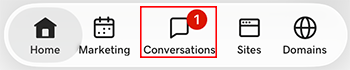
- At the bottom of the screen, tap Conversations to see a list of all your unarchived conversations.
- In the top-right corner, tap
 more, and then tap Settings.
- Tap Instagram. You may be asked to sign in to your GoDaddy account.
- Expand Instagram, and then tap your Instagram account.
- At the bottom of the page, select Disconnect Channel.
- Om te bevestigen dat je Instagram wilt loskoppelen, selecteer je Ja, Verbinding verbreken .
- Meld je aan bij je GoDaddy mobiele app.
- At the bottom of the screen, tap Conversations to see a list of all your unarchived conversations.
- In the top-right corner, tap
 settings.
- Tap Instagram. You may be asked to sign in to your GoDaddy account.
- Expand Instagram, and then tap your Instagram account.
- At the bottom of the page, select Disconnect Channel.
- Om te bevestigen dat je Instagram wilt loskoppelen, selecteer je Ja, Verbinding verbreken .
- Ga in een webbrowser naar van je GoDaddy -productpagina .
Als je de standalone versie van Conversations hebt, vouw je Conversations Unified Inbox uit. Selecteer Webinbox aan de rechterkant van je Conversations -abonnement.
OF
Als je een Websites + Marketing -abonnement hebt, scrol je naar Websites + Marketing en selecteer je Beheren naast je site. Vouw Conversations uit in het linkermenu.
- Selecteer Instellingen.
- Select Channels
- Expand Instagram, and then select your Instagram account.
- At the bottom of the page, select Disconnect Channel.
- Om te bevestigen dat je Instagram wilt loskoppelen, selecteer je Ja, Verbinding verbreken .