Dodaj lub zaktualizuj mój plan Domain Protection
Dodaj lub zaktualizuj Domain Protection, aby zwiększyć bezpieczeństwo swoich domen. Domain Protection oferuje zwiększone bezpieczeństwo przed zagrożeniami online, wysyłając alerty po wprowadzeniu zmian w domenie i zapobiegając przypadkowemu wygasnięciu. Niektóre rozszerzenia domen nie obsługują pewnych funkcji Domain Protection.
- Zaloguj się do Portfolio domen GoDaddy. (Potrzebujesz pomocy przy logowaniu? Znajdź swoją nazwę użytkownika lub hasło).
- Zaznacz pola wyboru obok domen, które będziesz aktualizować. Możesz też zaznaczyć pole wyboru obok pozycji Nazwa domeny , a następnie wybrać opcję Wybierz wszystko .
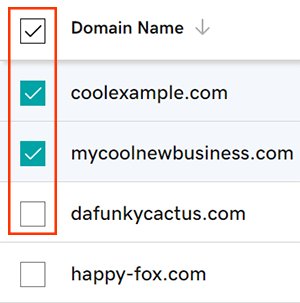
- Z menu akcji wybierz Plany ochrony , a następnie wybierz opcję Uaktualnij plany ochrony .
- W zależności od rozmiaru ekranu może być konieczne wybranie menu Więcej i przewinięcie w dół, aby zobaczyć opcję Plany ochrony.
- Wybierz preferowany plan Domain Protection z dostępnych opcji.
- Wybierz opcję Do kasy , aby sfinalizować zamówienie.
Automatyczne odnawianie zostanie włączone automatycznie, gdy dodasz lub zaktualizujesz Domain Protection.
Powiązane czynności
- Zmień ustawienie Domain Privacy dla swoich domen.
- Sprawdź dane kontaktowe domeny, aby upewnić się, że są dokładne i aktualne.
Więcej informacji
- Skonfiguruj weryfikację dwuetapową, aby zapewnić najwyższy poziom bezpieczeństwa domen i konta.