Airo™ Site Optimizer best practices
Site Optimizer uses AI-driven insights to improve your website's marketing, including SEO, accessibility, and content recommendations such as structured data analysis, keyword tracking, meta title and description analysis, competitive content analysis, social tag analysis, and one-click actions for Managed Hosting for WordPress. The free trial includes a limited first scan for one page of a single site, while premium features, such as scanning additional pages, scanning multiple sites, ongoing SEO optimization, and access to the full Digital Marketing suite, require a Digital Marketing plan.
SEO settings
Understanding the SEO options available in Site Optimizer will help you organize your website optimization efforts. You can adjust the settings to ensure your website's goals and keywords are available for the specific pages you want to optimize. Fine-tuning these settings will help you improve your website's discoverability and SEO ranking.
These SEO settings can be modified and added to the pages you select in  Settings.
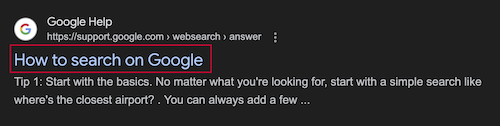
Meta Title
A title tag provides a summary of what the page is about. It shows up in search engine results. A title tag helps search engines understand the page content. It also encourages users to select the link. So, a good title tag can improve search rankings and get more people to visit your site. Find out more at mozilla.org.
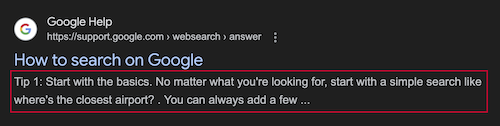
Meta Description
A description tag gives a brief overview of the page. It uses important keywords. This helps search engines represent the content correctly. It makes it more likely that users will select the link in search results. An effective description tag boosts visibility and brings more visitors to your site. Find out more at mozilla.org.
Robots Tag
The robots.txt file tells search engine crawlers which pages to access and which pages they should not index with an HTML tag (e.g., noindex, nofollow). This allows you to control search results and prevents the crawling of private or slow pages. Thus, the robots file improves site performance and manages search visibility. Find out how to use a robots.txt file at robotstxt.org.
Headline Hierarchy
Using proper headings is essential for comprehension. Headings like H1 and H2 organize webpage content by dividing it into clear sections, helping users find what they want. For instance, H1 could be the main topic, and H2 could be the subtopics under it. Find out how to use headings at mozilla.org.
Image Description
Brief descriptions, called alt text, should be added to images for SEO and accessibility. Alt text summarizes what's in your image and is read aloud by screen reader users. It also appears when an image fails to load, providing users with context even in error situations. Find out how to use image descriptions at mozilla.org.
You can find a detailed breakdown of image optimization in our Resource Library.
Accessibility
Accessible online content allows more people to view and participate on your website, improving your traffic while benefiting society. You can find detailed information about accessibility at developer.mozilla.org.
X Card (Twitter)
X Cards enable you to add photos, videos and more to X Posts, driving more traffic to your site. By adding code to your page, any X Post link will show a "Card" with your media, displayed to all your followers and making your content stand out. You can find detailed information about X Cards at developer.x.com.
Social Sharing Card (Facebook)
The Open Graph protocol instructs social sites on how to present a page or link visually. Websites using Open Graph tags become rich objects, creating more engaging and informative social shares. For example, a news link could show the headline, image, and description. You can find detailed information about the Open Graph protocol at ogp.me.
More info
- Purchase Digital Marketing to unlock your site's SEO potential.
- Wondering how to do SEO for your business website? Check out this handy beginner's guide to get started.