Cancel a GoDaddy Smart Terminal app subscription
You can unsubscribe from an app at any time if you decide it’s not what you’re looking for. When you cancel an app that you’ve already paid for, a pro-rated amount is automatically refunded back to the payment method you used to purchase the subscription.
Note: Some apps do not issue a refund. Instead, you can continue using the app for the duration of your subscription period. After that, it will be canceled, and you won’t be charged again.
Cancel an app subscription through the Dashboard in your web browser or through the App Center on your GoDaddy Smart Terminal.
- Sign in to the Dashboard where you manage your GoDaddy Payments account (use your GoDaddy username and password).
- Select App Center.
- In the top menu, select My Account and then select Subscriptions.
- Locate the app you want to cancel. Select
 More and then select Unsubscribe.
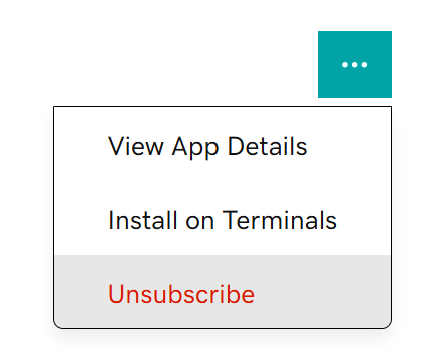
- Select Continue to confirm and return to the Subscriptions page.
- From the Smart Terminal home screen, tap on App Center.
- Tap the Account tab.
- Under Subscriptions, find the app you want to unsubscribe from, and tap Unsubscribe next to it.
- Leave a comment if you’d like to provide feedback about the app, and then tap Confirm to cancel the subscription.
- Tap Uninstall if you want to remove the app from your Smart Terminal.
More info
- Learn how to subscribe to an app on your Smart Terminal.
- Have questions about billing? Go here for help.