Restart my VPS Hosting
If you can't reboot your VPS Hosting via SSH, you can restart it from your hosting account. Restarting a VPS Hosting means a full power cycle, so be sure to save any unsaved files before you continue.
Note: This article applies to VPS Hosting only. The steps are different if you're trying to restart a VPS Hosting.
- Log in to your GoDaddy account. (Need help logging in?)
- In your My Products page, click Servers, and next to the VPS Hosting you want to restart, click Manage.
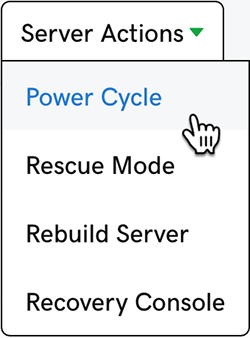
- In the upper-right corner of the page click Server Actions > Power Cycle.
- Click Request Power Cycle. The power cycle begins and may take a few minutes. When it's done the cycle is added to the History list for the server.
More info
- Here's how to rebuild your server from scratch. Back up your files first!