Park a domain registered with GoDaddy
Park your domain name if you don't have a website to direct it to or simply need a temporary place to point it. We'll display a parked page on your domain to let visitors know the domain is taken.
- Sign in to your GoDaddy Domain Portfolio. (Need help logging in? Find your username or password.)
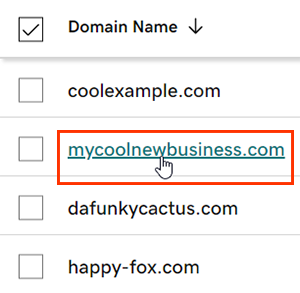
- Select an individual domain to access the Domain Settings page.
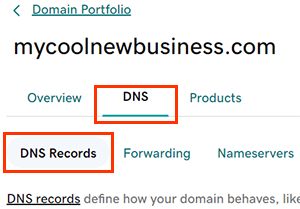
- Select DNS to view your DNS records.
- Select Edit next to the A record with @ in the Name field. We recommend taking note of the current IP listed before making changes, just in case you want to unpark your domain later.
- Update the Value field to the IP address 3.33.130.190 or 15.197.148.33.
- Select Save to apply your changes.
Most DNS changes take effect within an hour but could take up to 48 hours to update globally. View the global update status by selecting the world icon  in the Propagation column for the DNS record.
Related steps
- Put your domain to work instead with CashParking.
- Create a new Websites + Marketing website and get connected with professional email.
More info
- Create a template to quickly assign DNS records to your domains.
- Keep your domains organized with folders and preset profiles.