Where is my In-Place Archive?
The In-Place Archive is a mailbox that's enabled for a user's primary mailbox. Access it using Outlook and Outlook on the web.
- Sign in to Outlook or Outlook on the web. Use your Microsoft 365 email address and password (your GoDaddy username and password won't work here).
- Locate your In-Place Archive.
- If you're using Outlook on the web: Select the inbox called In-Place Archive – [Your Display Name].

- If you're using Outlook: Select the inbox called Online Archive on Mac or Online Archive - [Your Email Address] on Windows.
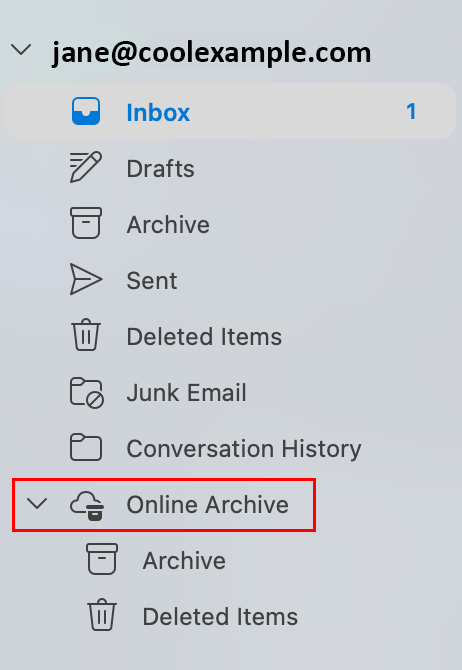

- If you're using Outlook on the web: Select the inbox called In-Place Archive – [Your Display Name].
Your In-Place Archive will open. You can move or copy messages between your primary mailbox and your archive mailbox.
More info
- Sign in to my Microsoft 365 account
- Restore a deleted message in Outlook
- Learn more about In-Place Archiving from Microsoft.