域名
您的下一个创意从合适的域名开始。寻找完美名称、转入您已有的域名,或在一个地方管理所有域名。
网站
用网站、网店或 Web 应用把你的想法带到线上。使用易于上手的工具和 AI 构建,或让我们的专家替你构建。购买任意年付套餐即可免费获赠域名。
托管
为您的网站或应用提供一个快速、可靠的托管环境。选择适合您需求的主机方案,并在您成长过程中提供支持选项。
营销
被更多人找到并触达更多客户。提升搜索可见性、发送电子邮件营销并管理社交媒体——一站式完成。
收件箱链接
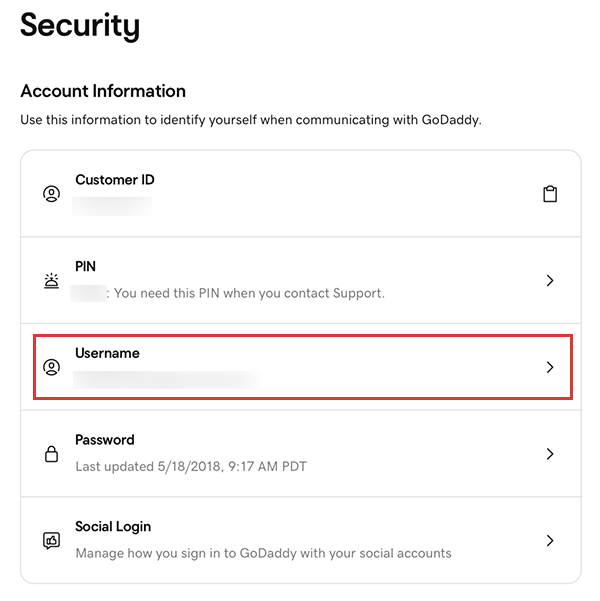
您可以在登录GoDaddy账户后更改用户名。