Navegue pelo editor Airo AI Builder
Passo 1 da série de primeiros passos do Airo AI Builder .
Vamos explorar o Airo AI Builder para familiarizá-lo com seus principais recursos ao trabalhar em seu aplicativo ou site.
Selecione um link para saber mais:
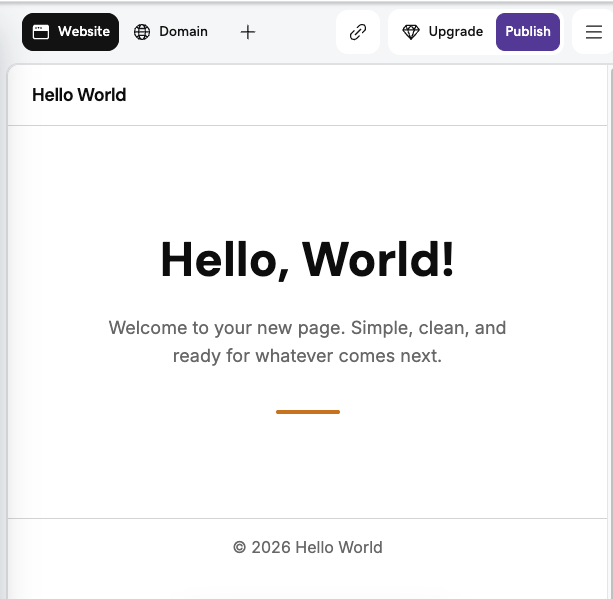
Site Web
É aqui que pré-visualiza o seu conteúdo, estrutura e elementos à medida que edita a sua aplicação ou site. As alterações são guardadas automaticamente à medida que trabalha. Quando estiver pronto para publicar as suas edições, publique-as .
Conversação
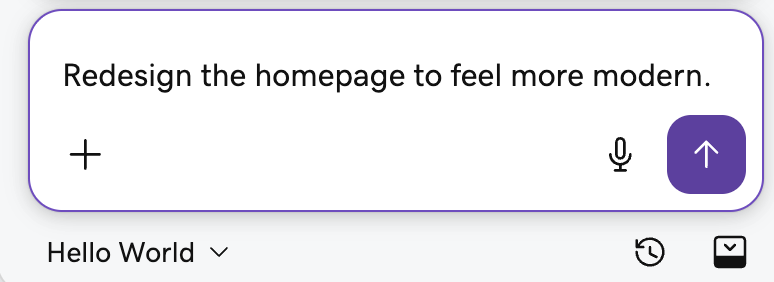
É aqui que pode interagir com Airo AI Builder. Você pode:
- Descreva as suas ideias em linguagem simples para criar páginas, adicionar funcionalidades, alterar as suas imagens, criar uma loja online e muitas outras tarefas sem necessitar de codificação.
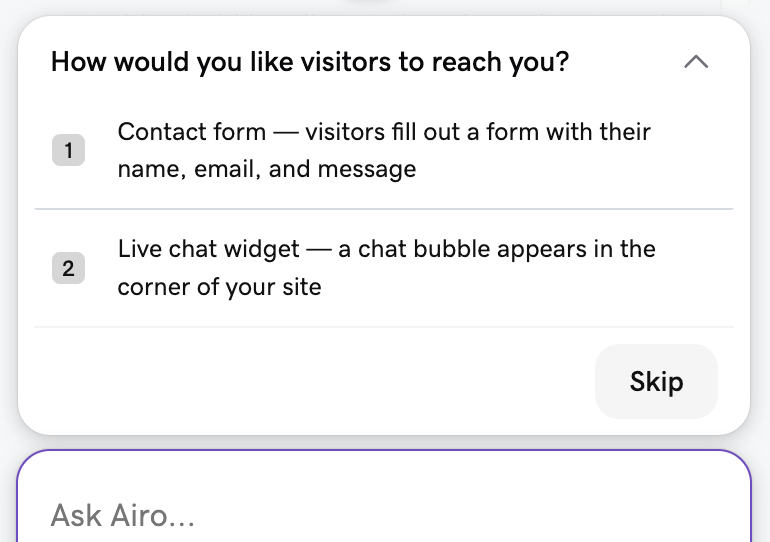
- Faça perguntas ao Airo AI Builder sobre a criação do seu aplicativo ou site (por exemplo, "Preciso de uma forma para os visitantes entrarem em contato comigo. Como posso configurar isso?").
- Selecione uma sugestão de Airo AI Builder para fazer alterações ou adicionar informações.
- Selecione
 Inicie a gravação de voz para falar a sua mensagem no chat.
 - Selecione
 arraste a alça ou
 Flutue o chat para mover a posição do chat.
 - Selecione
 História ou
 Restaurar , para desfazer alterações geradas por IA que já não quer .
Barra de Ferramentas
Isso permite que você selecione e edite diretamente partes específicas do seu site ou aplicativo. Você pode selecionar: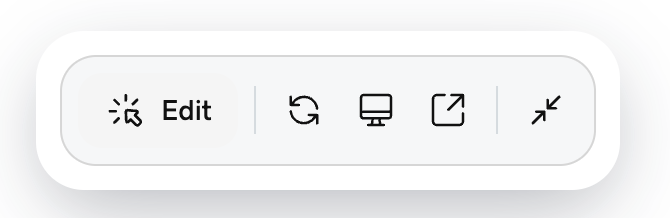
 Editar : selecione texto, imagens e elementos de esquema para efetuar alterações que não requerem a utilização de créditos de IA .
 Atualizar : Atualizar a pré-visualização do site na web .
 Computador / laptop : visualize seu aplicativo ou site para um dispositivo diferente.
 Pré-visualizar : abra uma pré-visualização do seu aplicativo ou site em uma nova guia.
 Recolher barra de ferramentas ou
 Expandir barra de ferramentas : Move a posição da barra de ferramentas.
Menu superior
Isso permite que você selecione alguns dos recursos poderosos que Airo AI Builder tem a oferecer. Se for a sua primeira vez, selecione Novo separador e, em seguida, selecione a funcionalidade pretendida. Posteriormente, o ícone da funcionalidade será apresentado no menu superior. Airo AI Builder está em desenvolvimento contínuo, mas alguns recursos atuais incluem:
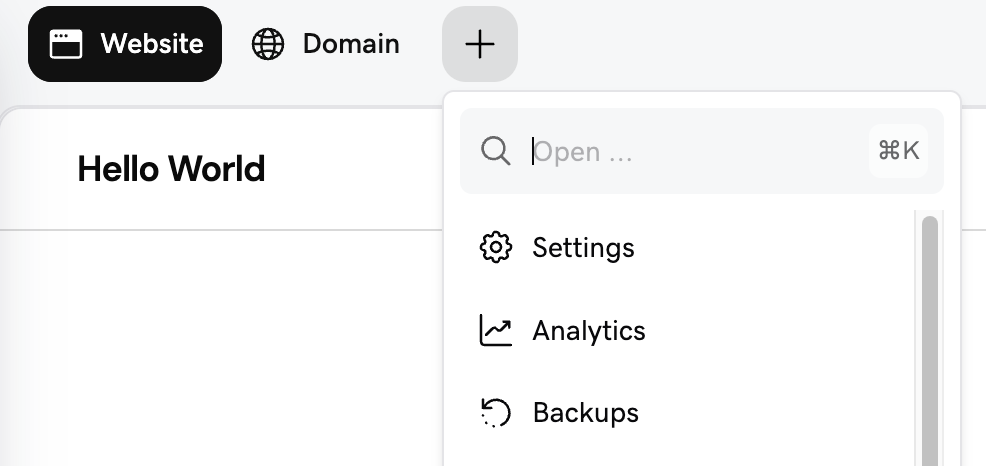
- Definições : Descarregue os seus ficheiros de projeto , elimine a colocação em cache, faça a gestão do acesso à equipa e muito mais.
- Domínio : associe um domínio ao seu aplicativo ou site .
- Analytics : veja como os visitantes encontram e usam o seu site.
- Cópias de segurança : Recupere ficheiros do site ou bases de dados a partir de uma cópia de segurança .
- Marca : Visualize o guia de identidade da sua marca.
- Marketing : Alcance clientes em todos os canais com uma campanha.
- Código : visualize e edite o seu código.
- Base de dados : Visualize e edite as tabelas da sua base de dados.
- Caixa de entrada : visualize e responda às conversas com os seus visitantes .
- Assistência : Obtenha ajuda dos Guias da GoDaddy.
- Automações : execute tarefas pré-criadas para o seu aplicativo ou site automaticamente.
- Logótipo : Visualize e descarregue o logótipo carregado ou gerado por IA.
- Mídia : Carregue e gerencie seus arquivos de biblioteca de mídia.
- Segredos : guarde com segurança segredos, chaves de API, tokens e outras variáveis de ambiente.
- Segurança : Visualize problemas de segurança e execute verificações de qualidade do código.