新增或升級Domain Protection方案
新增或升級Domain Protection,提升網域安全性。 Domain Protection會在網域變更時傳送通知,並防止意外過期,藉此提高針對網路威脅的安全性。部分網域後綴不符合某些Domain Protection功能。
- 登入您的 GoDaddy 網域組合。(需要協助您登入嗎?找尋您的使用者名稱或密碼。)
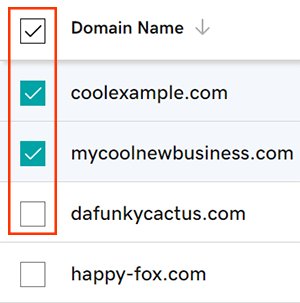
- 點選欲更新網域旁邊的核取方塊。或,選取「網域名稱」旁邊的核取方塊,再選取「全部選擇」 。
- 在操作選單內選取「保護方案」 ,然後點選「升級保護方案」 。
- 如果畫面大小不足,您可能需要點選「更多資訊」選單,然後往下捲動後才能看到「保護方案」。
- 從可用選項中選擇您偏好的Domain Protection方案。
- 點選「結帳」即可完成訂單。
系統會在您新增或升級Domain Protection後自動開啟自動續約功能。
相關步驟
- 變更網域的Domain Privacy設定。
- 請檢查網域聯絡資訊,確保內容正確且為最新資訊。
更多資訊
- 設定兩步驟驗證,讓您的網域和帳戶獲得最佳安全性。