Delete a DS record
Delete your existing DS records if you need to make changes to the current settings. Domains using GoDaddy nameservers but registered elsewhere will need to have their DS records removed at the domain's registrar.
- Sign in to your GoDaddy Domain Portfolio. (Need help logging in? Find your username or password.)
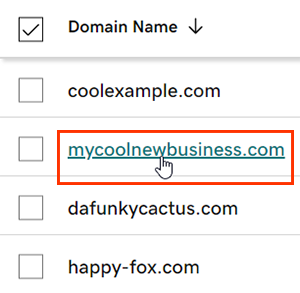
- Select an individual domain to access the Domain Settings page.
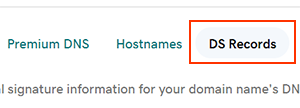
- Select DNS and then select DS Records.
- Select
 Delete next to the DS record.
 - Select Delete Record to confirm and save your changes.
Most DNS changes take effect within an hour but could take up to 48 hours to update globally. View the global update status by selecting the world icon  in the Propagation column for the DNS record.
Related steps
- Create a template to quickly apply DNS records to your domains.
- Keep your domains organized with folders and profiles.
- Secure your website further with an SSL and Website Security.
- Secure your website further with an SSL and Website Security.
More info
- Some domains don't support DNSSEC.
- Turn on auto-renew to continue your domain registration uninterrupted.
- Set up 2-step verification for the best security on your domains and account.