Switch between my different GoDaddy Conversations inboxes
If you have more than one venture connected to GoDaddy Conversations, you can easily switch between your different Conversations unified inboxes to read messages for that venture.
Note: The GoDaddy mobile app is not available with free Conversations plans.
- Any time a customer sends a message through any of the channels you’ve connected to GoDaddy Conversations, you’ll receive a notification on your mobile phone. The notification will tell you which business it’s for and who it’s from.

- Tap the notification to be taken directly to the conversation thread in the GoDaddy mobile app, from where you can respond to the message.
- To switch to an inbox for a different venture, from your inbox, tap your business name at the top of the screen. A list of your businesses will show.
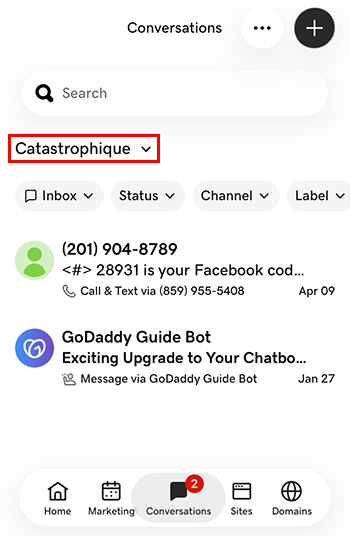
- Tap the venture you want to switch to. You’ll be taken to the inbox for that venture.
- In a web browser, go to your GoDaddy product page.
-
If you have the standalone version of Conversations, expand Conversations Unified Inbox. To the right of your Conversations plan, select Web Inbox.
OR
If you have a Websites + Marketing plan, scroll to Websites + Marketing and select Manage next to your site. In the left menu, expand Conversations.
- Select Inbox. A list of your unarchived conversations will show.
- Select a message to be taken directly to the conversation thread, from where you can respond to the message.
- To switch to an inbox for a different venture, on the far left of your screen, select the venture you want to switch to. You’ll be taken to the dashboard for that venture.
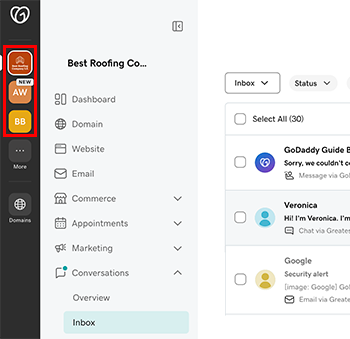
- In the menu on the left, expand Conversations, and then select Inbox to be taken to the inbox for that venture.