添加或升级我的Domain Protection套餐
添加或升级Domain Protection以提高域名的安全性。 Domain Protection通过对域名进行更改时发送警报并防止意外过期,来提高针对在线威胁的安全性。一些域名后缀不符合某些Domain Protection功能。
- 登录 GoDaddy 域名组合。(登录需要帮助?查找您的用户名或密码。)
- 选中要更新的域名旁边的复选框。或者,选中Domain Name (域名)旁边的复选框,然后选择Select All (全选)。
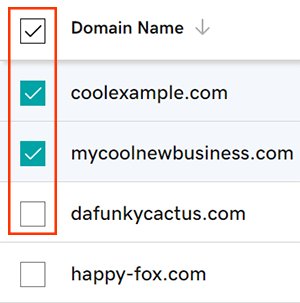
- 从操作菜单中,选择保护计划,然后选择升级保护计划。
- 根据屏幕大小,可能需要选择 More(更多)菜单并向下滚动才能看到 Protection Plans(保护套餐)。
- 从可用选项中选择您首选的Domain Protection套餐。
- 选择Checkout(付款)以完成您的订单。
添加或升级Domain Protection时,自动续费将自动打开。
相关步骤
- 更改域名的Domain Privacy设置。
- 查看您的域名联系人信息,确保您的详细信息准确无误并保持最新状态。
更多信息
- 设置两步验证,为您的域名和账户提供最佳安全保护。