使用Professional Email powered by Titan阻止发件人
阻止发件人有助于阻止垃圾邮件,并通过阻止来自特定来源的不需要的电子邮件来减少收件箱混乱。它可以帮助维护电子邮件账户的隐私和井井有条。
Select a tab based on whether you're on webmail on desktop or the mobile app.
- 登录到webmail 。使用您的Professional Email powered by Titan地址和密码(您的GoDaddy用户名和密码在这里无效)。
- 在收件箱中,选择一封邮件。
- 在邮件上方,选择阻止。
- 选择是阻止电子邮件地址还是阻止域名。 (如果您选择域名,以后所有来自发送该域名的任何人的电子邮件都将被阻止。)
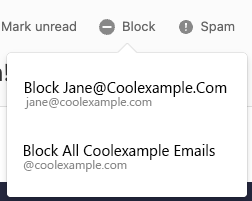
- 确认您的选择,选择Block(阻止) 。
以后所有来自此发件人的所有电子邮件都将转到垃圾箱文件夹。 30天后,会从“垃圾箱”文件夹中删除邮件。
要查看您已阻止的发件人,请在右上角选择,设置首选项,然后选择管理发件人。选择Blocklist(Blocklist)旁的Manage(管理)。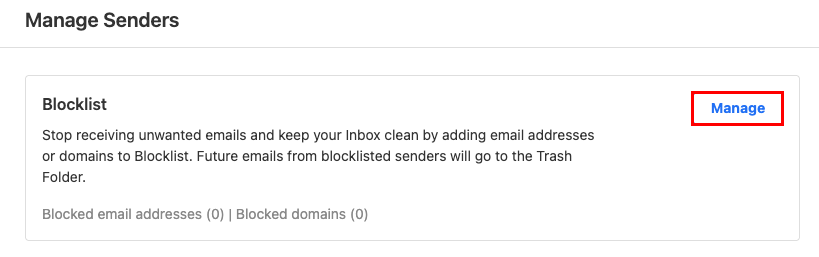
- 打开Titan应用程序。
- In your inbox, tap an email.
- In the upper-right corner, tap
 More actions, and then Block.
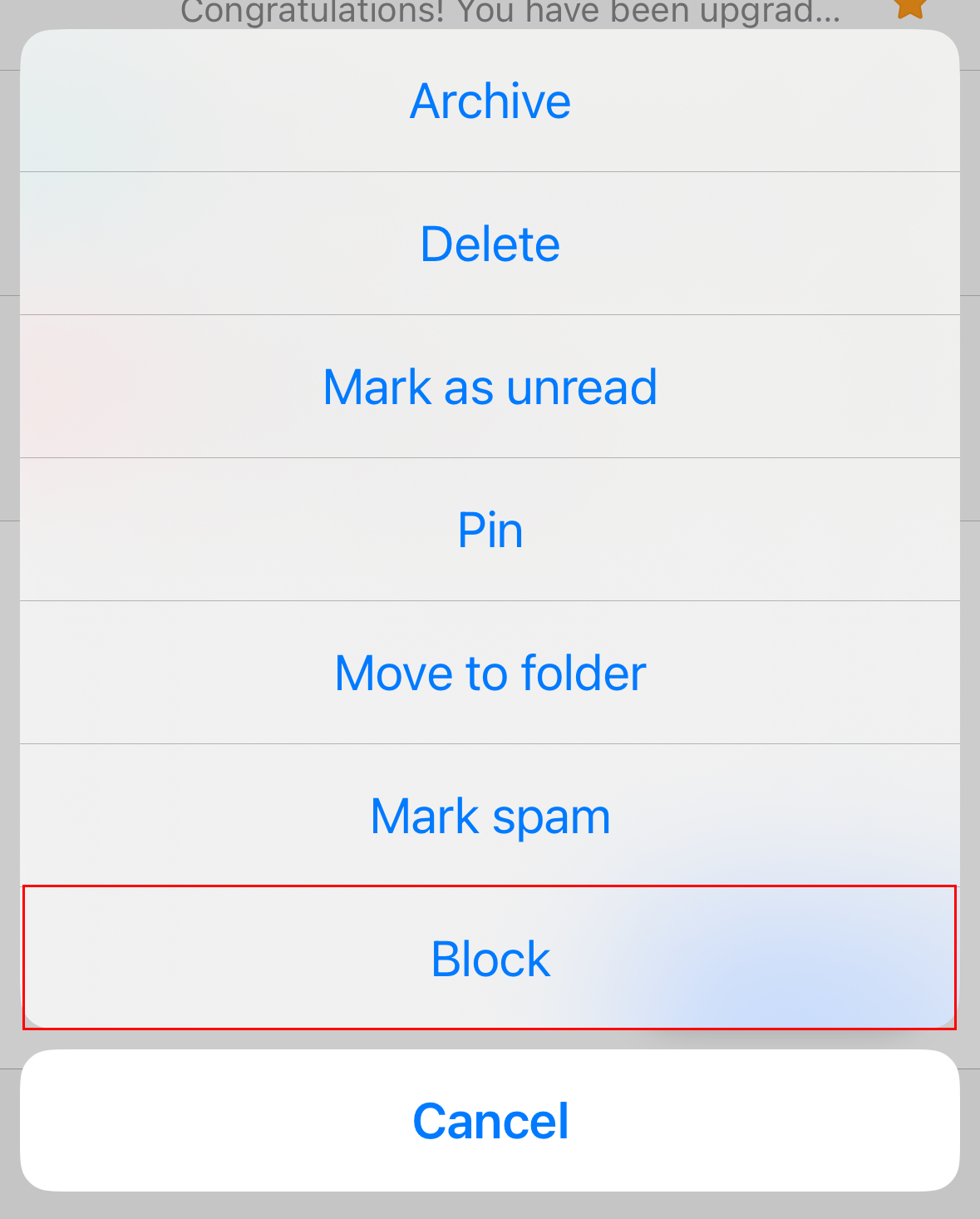
- When asked whether you want to block the email address or the domain (all email addresses that use the domain), tap an option.
- To confirm you want to continue with the block, tap Block.
You'll see a confirmation that the block was completed successfully.