断开GoDaddy Conversations与Facebook企业网页的连接
当您将Facebook企业页面从GoDaddy对话断开连接时,您将停止接收Facebook Messenger消息和评论。您所有的所有Facebook消息和评论都将从会话收件箱和存档中删除,已加星标的Facebook消息和评论也将删除。
You can reconnect Facebook any time. If you do, all your messages and comments will appear in your Conversations inbox again.
- 登录到您的GoDaddy移动应用程序。
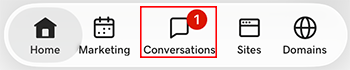
- At the bottom of the screen, tap Conversations to see a list of all your unarchived conversations.
- In the top-right corner, tap
 more, and then tap Settings.
- Tap Facebook. You may be asked to sign in to your GoDaddy account.
- Expand Facebook, and then tap your Facebook account.
- At the bottom of the page, select Disconnect Channel.
- 要确认您要断开与Facebook的连接,请选择是,断开连接。
- 登录到您的GoDaddy移动应用程序。
- At the bottom of the screen, tap Conversations to see a list of all your unarchived conversations.
- In the top-right corner, tap
 settings.
- Tap Facebook. You may be asked to sign in to your GoDaddy account.
- Expand Facebook, and then tap your Facebook account.
- At the bottom of the page, select Disconnect Channel.
- 要确认您要断开与Facebook的连接,请选择是,断开连接。
- 在网络浏览器中,转到GoDaddy产品页面。
如果您拥有Conversations的独立版本,请展开Conversations Unified Inbox(Conversations统一收件箱) 。在您的Conversations套餐右侧,选择Web Inbox(网络收件箱) 。
或
如果您拥有Websites + Marketing套餐,请滚动到Websites + Marketing ,然后选择网站旁边的Manage(管理) 。在左侧菜单中,展开Conversations 。
- 选择设置。
- Select Channels
- Expand Facebook, and then select your Facebook account.
- At the bottom of the page, select Disconnect Channel.
- 要确认您要断开与Facebook的连接,请选择是,断开连接。