在Airo AI Builder中重建我的网站
Airo AI Builder是一种基于AI的方式,用于构建和管理网站及数字化状态。用您自己的语言和语言描述您想要的内容,它会为您做出更改,或者切换到编辑模式,以便在编辑器中手动调整内容。
将您现有的网站移过来是保留已创建内容的不错方法,同时可以更轻松地维护和增长。我们会以您当前的网站为起点,并据此对其进行优化。
注意: Airo AI Builder使用您现有的内容和品牌作为指南重建您的网站,因此结果是全新的设计而非完全相同的副本。连接至其他服务的内容(例如付款,您的网上商店和任何集成)均不会结转。您将在重建后重新连接这些设备。
按照以下步骤进行第一步,开始使用Airo AI Builder。
- 打开Airo AI Builder 。
- 您有2个选项:
- Type in “Rebuild my site”, enter your website’s URL and ask Airo to rebuild your website (for example, https://www.coolexample.com. Replace “coolexample” with your own URL). Optionally, add screenshots of your site to help guide Airo in the design.
OR
- Select Rebuild Site, and then complete steps 3 to 6.
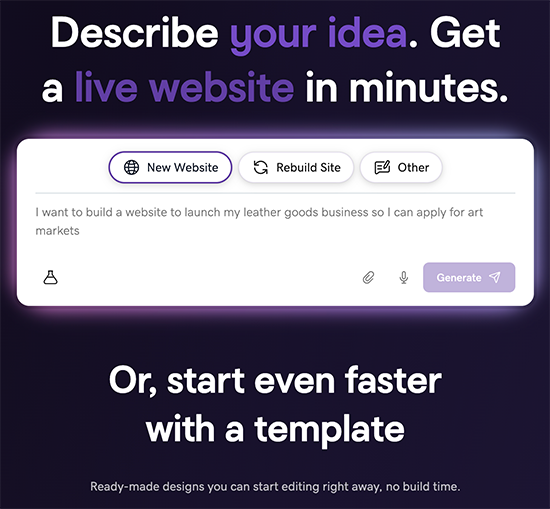
- Type in “Rebuild my site”, enter your website’s URL and ask Airo to rebuild your website (for example, https://www.coolexample.com. Replace “coolexample” with your own URL). Optionally, add screenshots of your site to help guide Airo in the design.
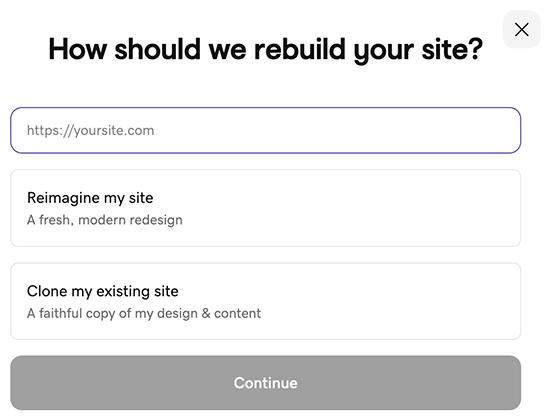
- 输入您现有网站的URL。例如,https://www.coolexample.com (用您自己的URL替换“ coolexample”)。
- 选择您的网站想要新外观还是希望其保持与当前外观相似,然后选择Continue(继续) 。
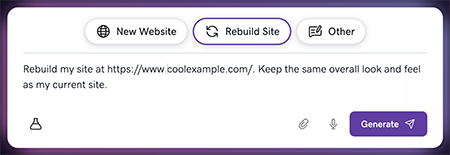
- 确认提示正确无误,然后选择Generate(生成) 。
- 如果被询问,登录您的GoDaddy账户生成您的网站。
Airo AI Builder uses your current website as a starting point to generate a fresh look or keep your current look. From there, you can customize and refine it. When you're satisfied with the preview, publish, choose a plan and make your new website live.
您的Airo AI Builder网站被发布为“https://[uniquename].airoapp.ai “”。发布后,您可以将其连接到自定义域名。