为GoDaddy Conversations中的邮件加星标,以方便参考
如果您希望以后可以轻松参考这些会话,请为它们加注星号。然后,您可以使用过滤器,仅显示已加注星标的邮件。
Note: The GoDaddy mobile app is not available with free Conversations plans.
- 在网络浏览器中,转到GoDaddy产品页面。
如果您拥有Conversations的独立版本,请展开Conversations Unified Inbox(Conversations统一收件箱) 。在您的Conversations套餐右侧,选择Web Inbox(网络收件箱) 。
或
如果您拥有Websites + Marketing套餐,请滚动到Websites + Marketing ,然后选择网站旁边的Manage(管理) 。在左侧菜单中,展开Conversations 。
- 选择Inbox(收件箱) 。系统将显示您未存档的会话列表。
收件箱中的星标
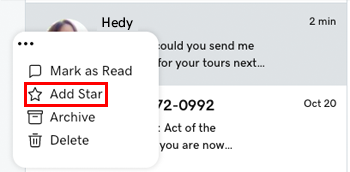
- 将鼠标指针悬停在您要为其加注星标的会话上。
- 在邮件左侧,选择
 更多。
更多。 - Select Add Star.
在对话主题中为星标
您还可以在处于对话主题中时为对话加星标:
- 选择您要为它加注星语的会话。
- 在右上角,轻触
 Star 。
查看您所有已加星标的会话
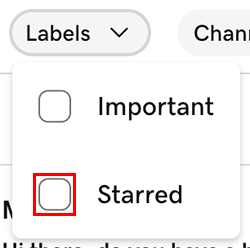
- At the top of your list of messages, tap Labels, and then select Starred.
为邮件取消星标
- 将鼠标指针悬停在您要取消加注星标的会话上。
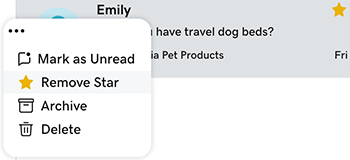
- 在邮件左侧,选择更多。
- Select Remove Star.