Add shipping weight and dimensions to my online store products
Weight-based and carrier-based shipping methods require the product's weight and dimensions to determine shipping costs. Measure the product itself, not the box you use to ship it. When customers order multiple items, shipping calculations combine the items' weight and size to determine the ideal box size, ensuring they ship together in a single package with accurate shipping rates at checkout.
- Go to your GoDaddy product page.
- Scroll down, expand Websites + Marketing and select Manage next to your site.
- From your dashboard, expand Store, and then select Products.
- Select a product's name or image to open it.
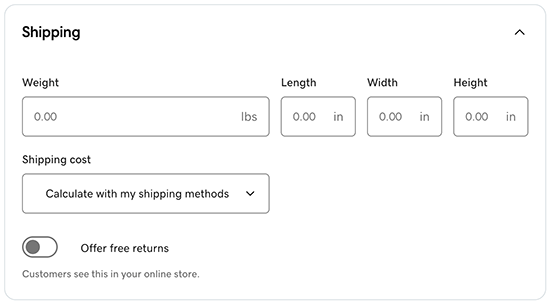
- Select Shipping and enter the package weight and dimensions.
 Note: To change between metric and imperial, go to
Store and select Settings. Under Regional Info, change the details for Measurement System. - Select how you want to determine shipping costs.
- Calculate with my shipping methods: Customers will choose shipping based on the methods you set up when you add or change shipping methods.
- None (free shipping) or Specify a fixed amount: These options will apply to anyone in the world, regardless of shipping restrictions you add in the shipping methods.
- Select Save or Save and Add Another to finish. Your changes will now appear in your store.