Export your site database
Step 2 of the Move a Managed Hosting for WordPress site to an unmanaged WordPress account series.
Export a copy of the MySQL database your Managed Hosting for WordPress site is connected to.
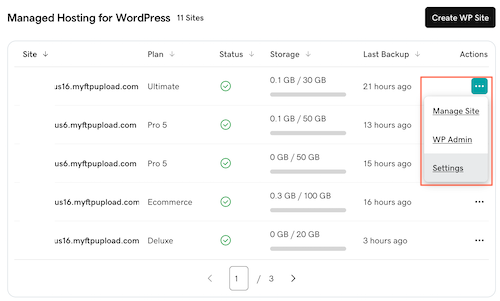
- In your My Products page, next to Managed Hosting for WordPress, select Manage All.
- For the website you want to migrate, select Settings from the
 menu.
menu.
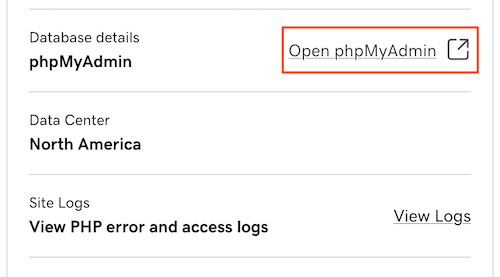
- Under Production Site, next to Database details, select Open phpMyAdmin.
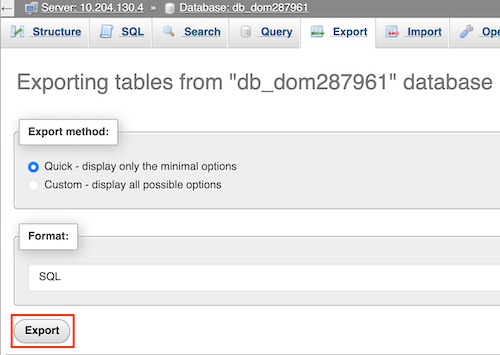
- Select Export.

- Under Export method, select the method you prefer. The default is Quick which will display only the minimal options. (Optional) The Custom option displays all possible options to refine an export.
- Select Export to download the .sql file to your local machine. The save location varies based on the browser you're using.
More info
- Learn more about phpMyAdmin.
- Find more information at WordPress.org.