Unbox the GoDaddy Smart Terminal Duo
Step 1 of the GoDaddy Smart Terminal Duo get started series.
Your GoDaddy Smart Terminal Duo comes with a docking station, universal power cord and a roll of receipt printer paper. Open the box and familiarize yourself with the Smart Terminal Duo components. (We’ll connect them together in the next section.)
Note: There are minor differences between the Smart Terminal Duo V2.0 (sold prior to November 2022) and V3.0. The version number (V2.0 or V3.0) is printed on the sticker on the back of your device.
- Open the box and verify that all included items are accounted for.
- Remove the protective screen cover.
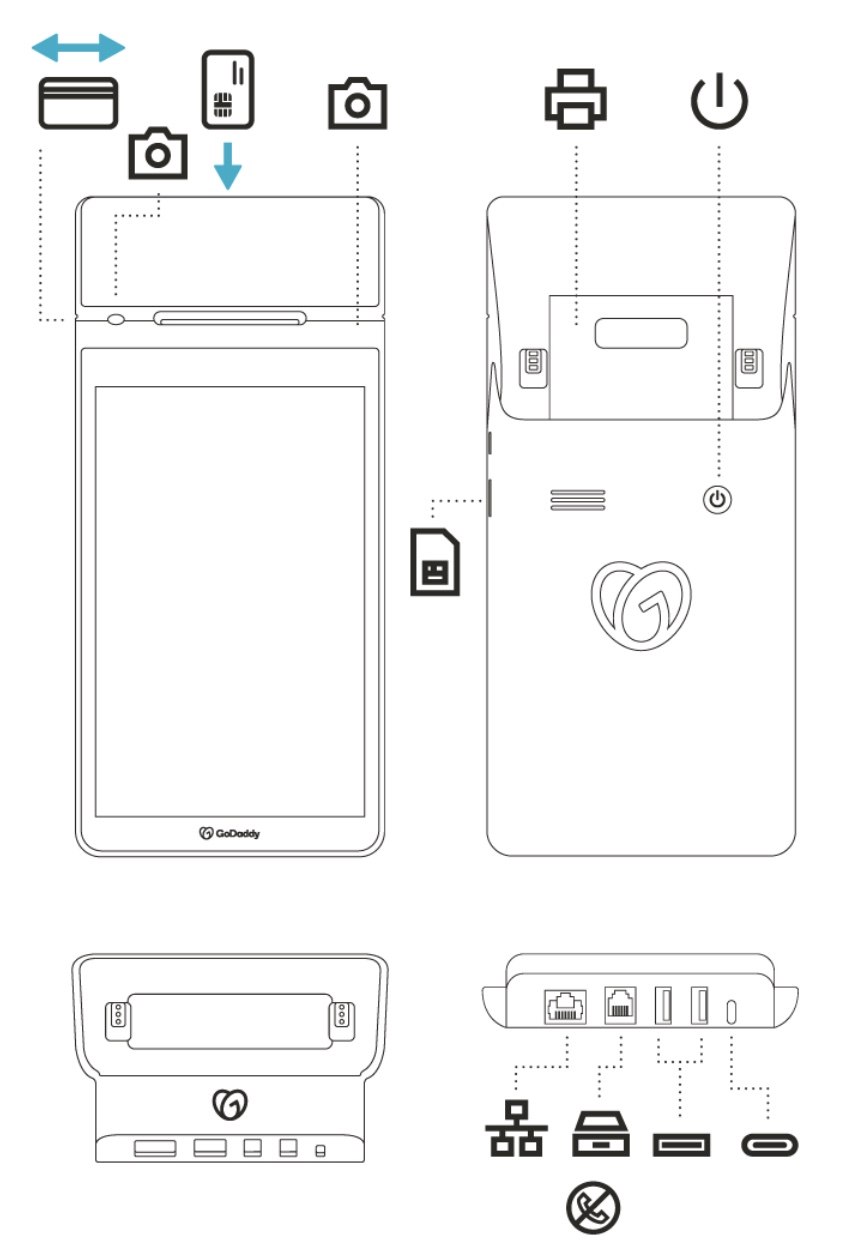
- Review the different ports and components of your Smart Terminal Duo and docking station. The diagram below also includes the camera and card insert locations.
Smart Terminal Duo* and docking station
NFC placement
Customers can swipe or insert their card into the card reader slot, or tap their card or device on the NFC icon for contactless (NFC) payments.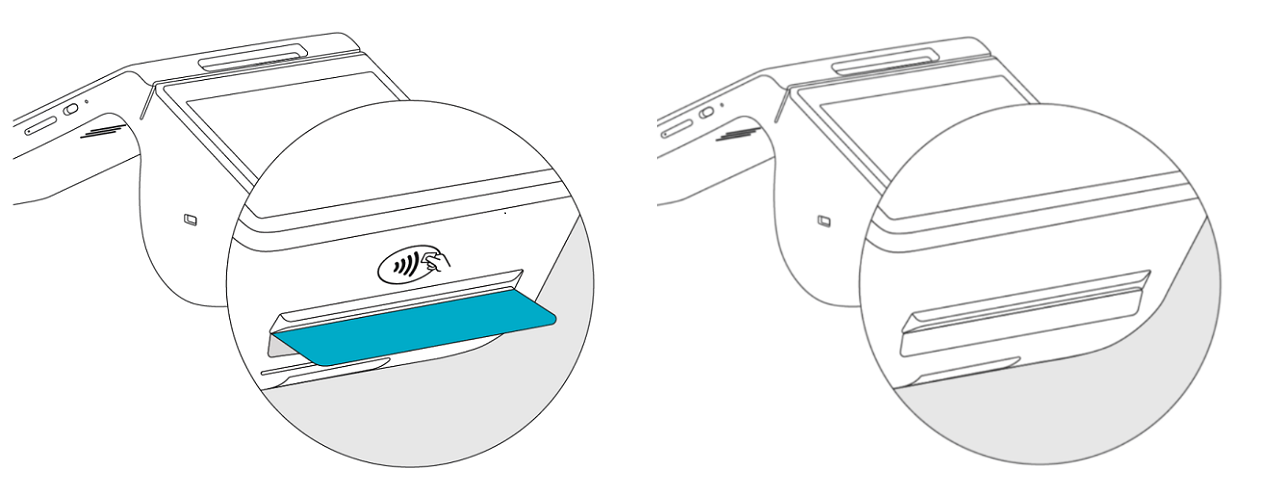
- If your Smart Terminal has an NFC icon printed on the housing above the receipt slot, tap the card or device on the NFC icon when prompted during a transaction.
- If your Smart Terminal does not have an NFC icon printed on the housing above the receipt slot, tap the card or device on the NFC icon on the customer screen when prompted during a transaction.
*SIM card is not compatible with Smart Terminal Duo V2.0.