Unbox the GoDaddy Smart Terminal Flex
Step 1 of the GoDaddy Smart Terminal Flex get started series.
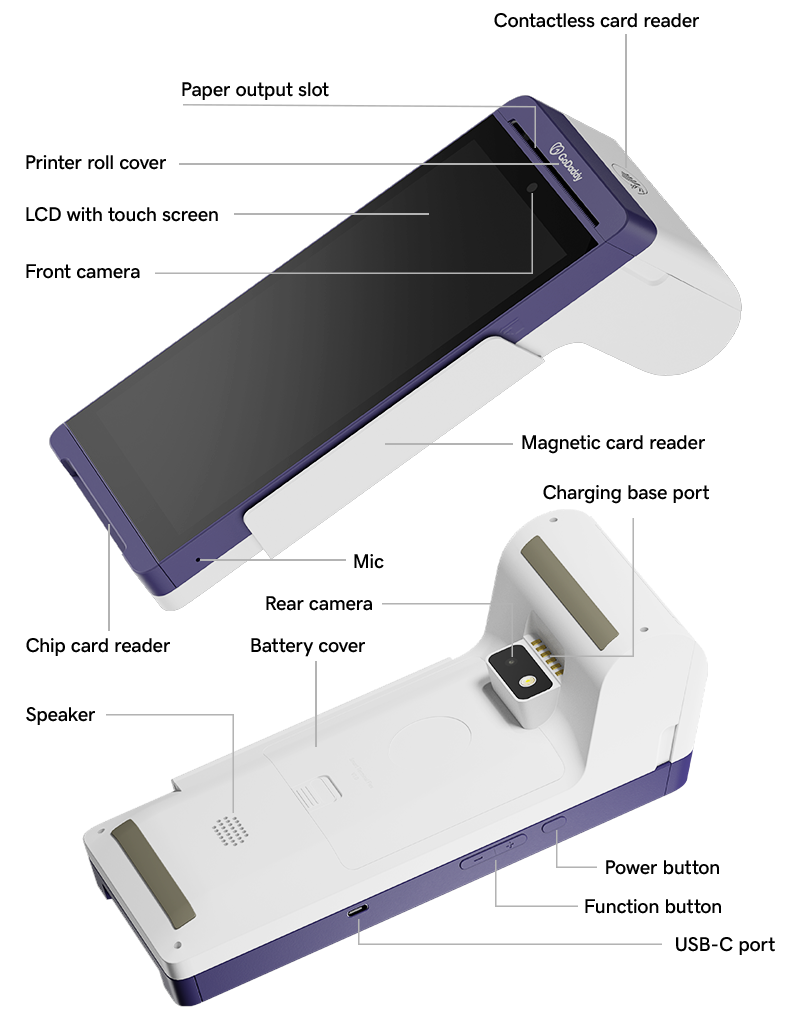
Your GoDaddy Smart Terminal Flex comes with a USB-C power adapter and a roll of receipt printer paper. Open the box and familiarize yourself with the Smart Terminal Flex components.
- Open the box and verify that all included items are accounted for.
- Remove the protective screen cover.
- Review the different ports and components of your Smart Terminal Flex.
Note: Customers can swipe or insert their credit card into the card reader slots or tap their card or device on the NFC icon for contactless payments. The diagram below includes placement for all three methods.