Turn on auto-renew for my domain
Turn on auto-renew for your domains registered with GoDaddy to automatically renew your domain before it expires. We'll use the associated payment method to renew your domains on your behalf.
Note: You can cancel domain renewals from the Renewals and Billing page of your account.
- Sign in to your GoDaddy Domain Portfolio. (Need help logging in? Find your username or password.)
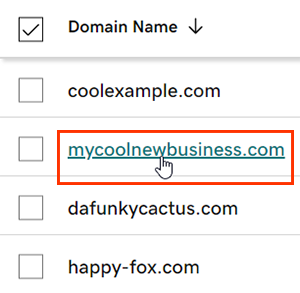
- Select an individual domain to access the Domain Settings page.
- Next to Auto-renew in the Renew section, switch the toggle to On.
- Select Continue to confirm your consent to automatic billing.
- Domains with Domain Protection require identity verification to complete certain actions. If you've had 2-step verification (2SV) turned on for at least 24 hours, enter the code we sent via SMS, or enter the code from your authenticator app. Otherwise, enter the one-time password we sent to the email address on your GoDaddy account.
It can take up to 90 minutes for your changes to show in your account.
Related step
- Review your payment methods to avoid problems when we attempt to automatically renew your domain.
More info
- Set up 2-step verification for the best security on your domains and account.
- Safeguard your domain with Domain Protection and prevent issues like accidental expiration and unauthorized domain actions.