Turn on auto-renew for my domain
Turn on auto-renew for your domains registered with GoDaddy to automatically renew your domain before it expires. We'll use the associated payment method to renew your domains on your behalf.
Note: You can cancel domain renewals from the Renewals and Billing page of your account.
- Meld je aan bij het Portfolio met domeinen van GoDaddy. (Hulp nodig bij het aanmelden? Zoek je gebruikersnaam of wachtwoord.)
- Selecteer een individueel domein om de pagina Domeininstellingen te openen.
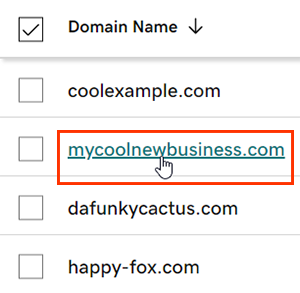
- Next to Auto-renew in the Renew section, switch the toggle to On.
- Select Continue to confirm your consent to automatic billing.
- Voor domeinen met Domain Protection is identiteitsverificatie vereist om bepaalde acties te voltooien. Als je authenticatie in twee stappen (2SV) gedurende minimaal 24 uur hebt ingeschakeld, voer je de code in die we via sms hebben verzonden of voer je de code van je authenticator-app in. Voer anders het eenmalige wachtwoord in dat we naar het e-mailadres van je GoDaddy-account hebben gestuurd.
Het kan tot 90 minuten duren voordat je wijzigingen worden weergegeven in je account.
Verwante stap
- Review your payment methods to avoid problems when we attempt to automatically renew your domain.
Meer informatie
- Stel tweestapsverificatie in voor de beste beveiliging van je domeinen en account.
- Safeguard your domain with Domain Protection and prevent issues like accidental expiration and unauthorized domain actions.