Adicionar uma forma de pagamento à minha conta da GoDaddy
Siga estas etapas para adicionar uma conta corrente, conta PayPal, cartão (crédito, débito ou pré-pago) ou Good As Gold para usar como forma de pagamento para seus produtos ou serviços da GoDaddy.
Observação: para conseguir adicionar uma conta corrente ou do PayPal, confira nossa lista de métodos de pagamento aceitos em cada país atendido.
- Vá para a página Formas da GoDaddy. Você pode ser solicitado a fazer login.
- Selecione Adicionar forma de pagamento .
- Em Informações de faturamento, selecione Editar.
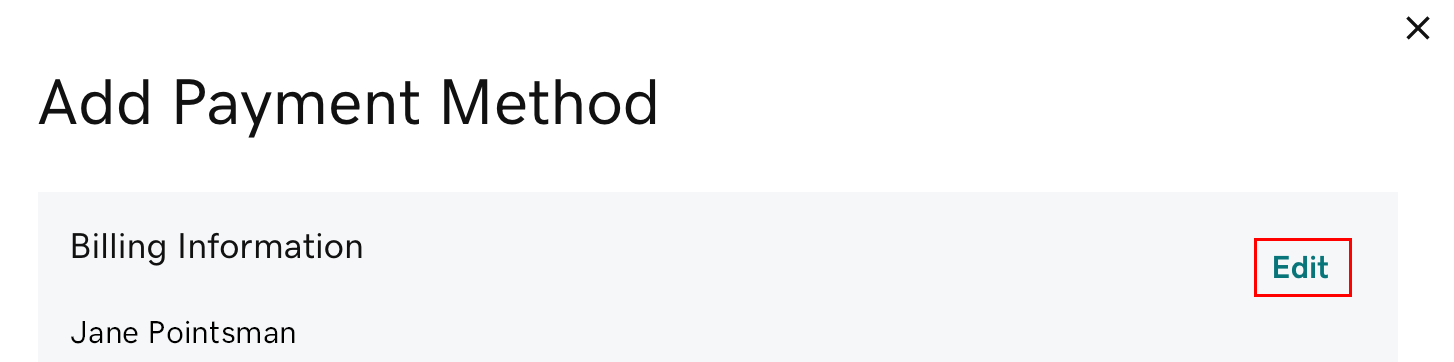
- Atualize as informações de faturamento conforme necessário e selecione Salvar.
- Na seção Formas de pagamento, selecione Adicionar cartão, PayPal, Conta ou Good As Gold (as opções disponíveis podem variar de acordo com a região).
- A Good As Gold é a nossa opção de pagamento para transferência bancária. Se você escolher essa opção, selecione imediatamente Saiba mais para descobrir como configurar uma conta da Good As Gold.
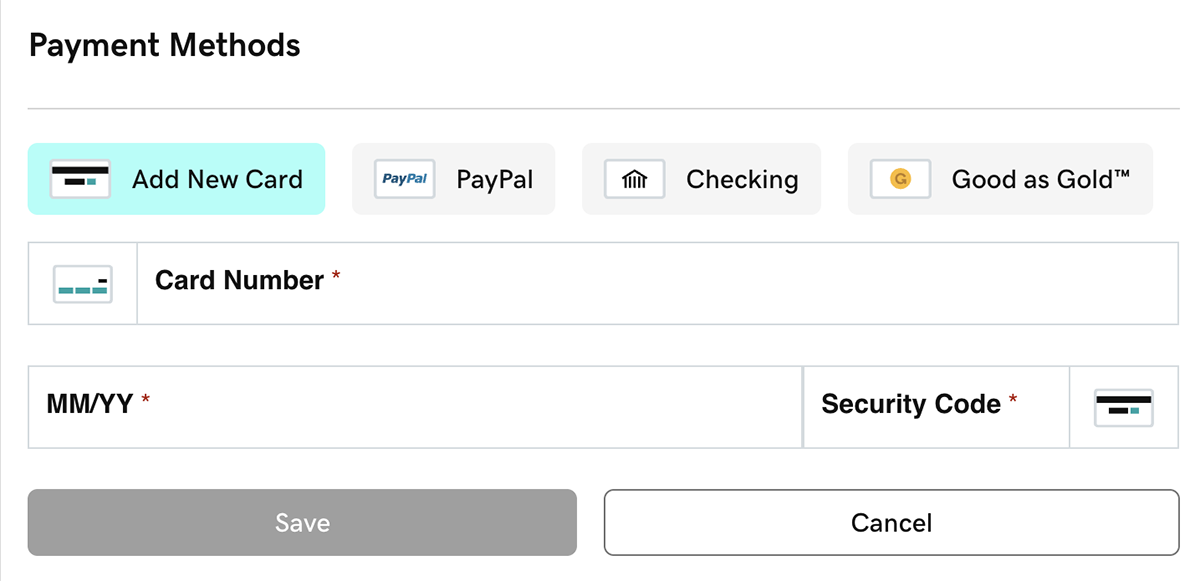
- Preencha todos os dados de pagamento obrigatórios e selecione Salvar. Você verá sua forma de pagamento listada.
Observação: ao adicionar o PayPal, você precisará fazer login na sua conta do PayPal. A forma de pagamento da sua carteira do PayPal será usada para compras e renovações futuras da GoDaddy que usar o PayPal. Altere a forma de pagamento da carteira da sua conta do PayPal.
Etapas relacionadas
- Recebeu a mensagem “Oops” ou as informações de pagamento não estão sendo salvas?
- Primeiro, abra uma janela anônima no navegador. Nessa janela, faça login na sua conta e tente adicionar a forma de pagamento.
- Se a janela anônima não funcionar, tente seguir nossas dicas de solução de problemas.
- Para usar sua nova forma de pagamento para seus produtos, será necessário alterar a forma de pagamento principal.
Saiba mais
- Para produtos com renovação automática: se não for possível faturar pelo método de pagamento selecionado no momento da cobrança, tentaremos faturar por outro método na sua conta.
- Se houver uma forma de pagamento não atribuída a um produto e sem usar por um ano, ela será removida da sua conta.
- Exclua as formas de pagamento que você não deseja usar.