Applies to: 账户管理

账户管理 帮助

将付款方式添加到我的 GoDaddy 账户

Follow these steps to add a checking account, PayPal account, bank card (credit, debit or prepaid), or Good As Gold to use as payment methods for your GoDaddy products or services.

注意:为确保您有资格添加支票账户或 PayPal,请查看我们支持的每个国家/地区接受的付款方式列表。
  1. 转到您的GoDaddy付款方式页面。系统可能会提示您登录。
  2. 选择Add Payment Method(添加付款方式)
  3. 选择 Billing Information(账单信息)旁边的 Edit(编辑)。
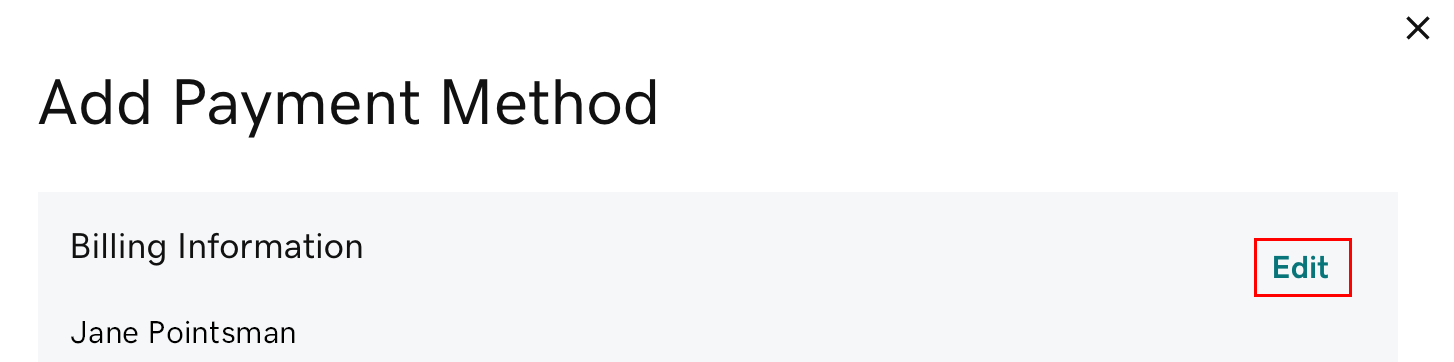
    选择“Edit”(编辑)
  4. 根据需要更新账单信息,然后选择 Save(保存)。
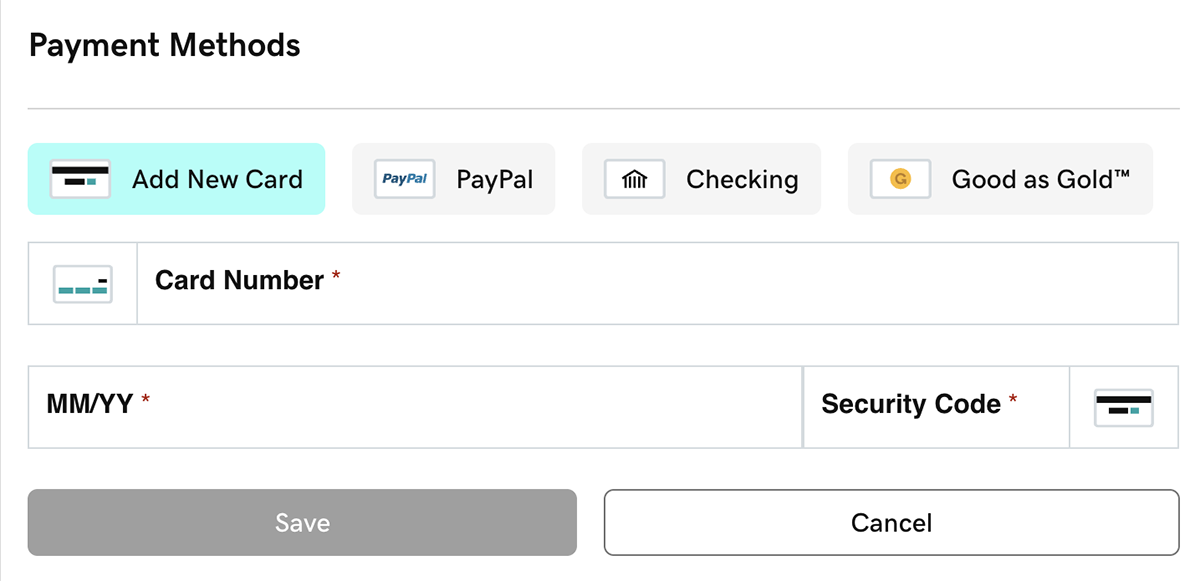
  5. In the Payment Methods section, select one of Add New Card, PayPal, Checking or Good As Gold (available options may vary by region).
    • Good As Gold is our wire transfer payment option. If you select this option, immediately select Learn More to find out how to set up a Good As Gold account.
    select new payment method
  6. Enter the required payment details, then select Save. You'll see your payment method listed.
    Note: When adding PayPal, you’ll be prompted to sign in to your PayPal account. The payment method you select in your PayPal Wallet is what you’ll use for future GoDaddy purchases and renewals using PayPal. Change your PayPal Wallet payment method from within your PayPal account.

相关步骤

  • 显示“Oops”(糟糕)消息或付款信息未保存?
    • First, open an incognito window in your browser. In that window, sign in to your account and try adding the payment method.
    • 如果无痕浏览窗口不起作用,可以试试我们的故障排除提示
  • To use your new payment method for your products, change your primary payment method.
  • Don’t accidentally let your domain or website expire. Set a backup payment method in case the primary method doesn't work.
    • For products set to auto-renew: At billing time, if there's a problem with both the primary and backup payment methods, we will try to bill a different payment method in your account.

更多信息

  • If a payment method is not specified for a product and not used for a year, we'll remove it from your account.
  • Delete payment methods you don't want to use.