製作要在網站上使用的交談小工具
即時通訊無聊程序會在您無法聯絡客戶時為您的客戶提供全天候支援服務,並確保您不會錯過與客戶互動的機會。
If you have a GoDaddy Websites + Marketing site, you already have a chat widget built into your site, which you can customize to suit your needs. For additional websites, both Websites + Marketing customers and Conversations standalone customers can generate an HTML script chat widget to add to any website that supports custom code.
- 透過網頁瀏覽器前往您的GoDaddy產品頁面。
如果您有Conversations的獨立版本,展開Conversations統一收件匣。點選Conversations方案右方的「網路收件匣」 。
或
如果您使用Websites + Marketing方案,請捲動到Websites + Marketing並點選網站旁邊的管理。在左側選單中,展開Conversations 。
- 點選「設定」。
- Select Channels.
- 點選網站交談。
- Select Add another. (If you have a Websites + Marketing plan, you'll also see your built-in chat widget here, which you can simply customize if needed.)
- 為聊天小工具命名,然後點選下一步。您的客戶無法看到該名稱,但您會用它來辨識小工具,所以最好以您的網站命名。
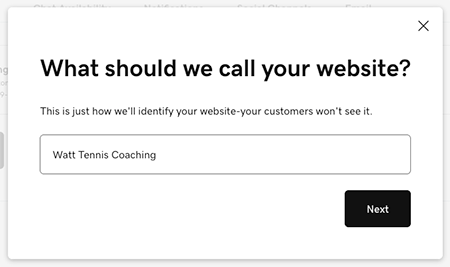
- 選擇聊天訊息發送的電子郵件地址。這是對即時通訊的備份,您不線上時,可以在即時通訊小工具之外繼續進行對話。注意:如果您使用的是Websites + Marketing付費方案,我們會為您建立客戶支援電子郵件地址。請考慮使用您的GoDaddy Microsoft 365電子郵件地址或已連結的Gmail地址取代此服務。您也可以在這裡建立新的email地址。
- Select Next. Your chat widget will appear under Web Chat. Select the widget to preview it.
- You can then customize your chat widget.
- 要使用新的交談小工具,請點選「HTML代碼」方塊下方的「複製代碼」 ,並貼到您的網站上。