Cancel a pending certificate request for my Deluxe Automated SSL subscription
If you need to cancel a pending certificate request for your Deluxe Automated SSL subscription, follow these steps.
- Go to your Certificate Lifecycle Management page. You may be prompted to sign in.
- Select Certificate Inventory. The Domains Covered list shows all the domain names for which you've requested certificates.
- Select
 View for the domain.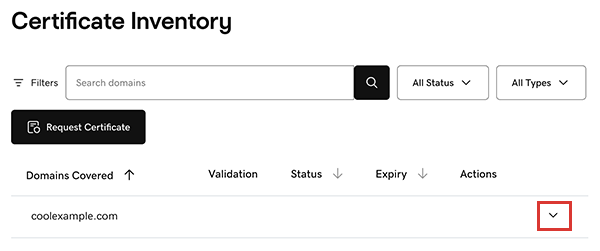
The certificate assigned to the domain appears in the list, including its Validation type, current Status, and Expiry date. - Select
 More options and then select Cancel Request.
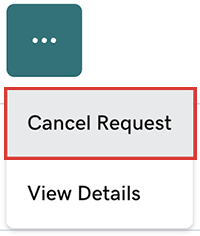
- In the confirming message, select Yes, Cancel. You'll see a success message and the request is cancelled.