Renew my domains
Manually renew domains before they expire from your account. Check the cost of renewal first by customizing your domain columns. If your domain has already expired, you can attempt to recover it.
- Sign in to your GoDaddy Domain Portfolio. (Need help logging in? Find your username or password.)
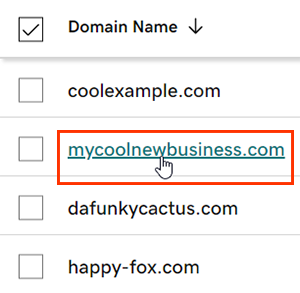
- Select an individual domain to access the Domain Settings page.
Note: Don't see your domain? Select Expiration above your domain list to filter your view and see only expired domains. - Select Renew Now from the Renew card.
- Choose your renewal settings and then select Continue to Checkout. You can change your renewal term directly in the cart.
- Complete the checkout process to renew your domains.
The new expiration dates will show in your account within 90 minutes.
Related steps
- Renewing your domain does not renew your email or website. Don't forget to renew your other products as well.
More info
- Some domains may have special requirements for renewals.
- Set up 2-step verification for the best security on your domains and account.
- Protect your domain from accidental expiration and unauthorized actions by adding or upgrading Domain Protection.
- Looking for a new domain? Get your perfect GoDaddy domain today.