Dashboard Overview: GoDaddy Payments
From your Dashboard, you have access to all the tools you need to manage your business. View sales reporting, change your settings, manage your Point-of-Sale devices, create Online Pay Links and more.
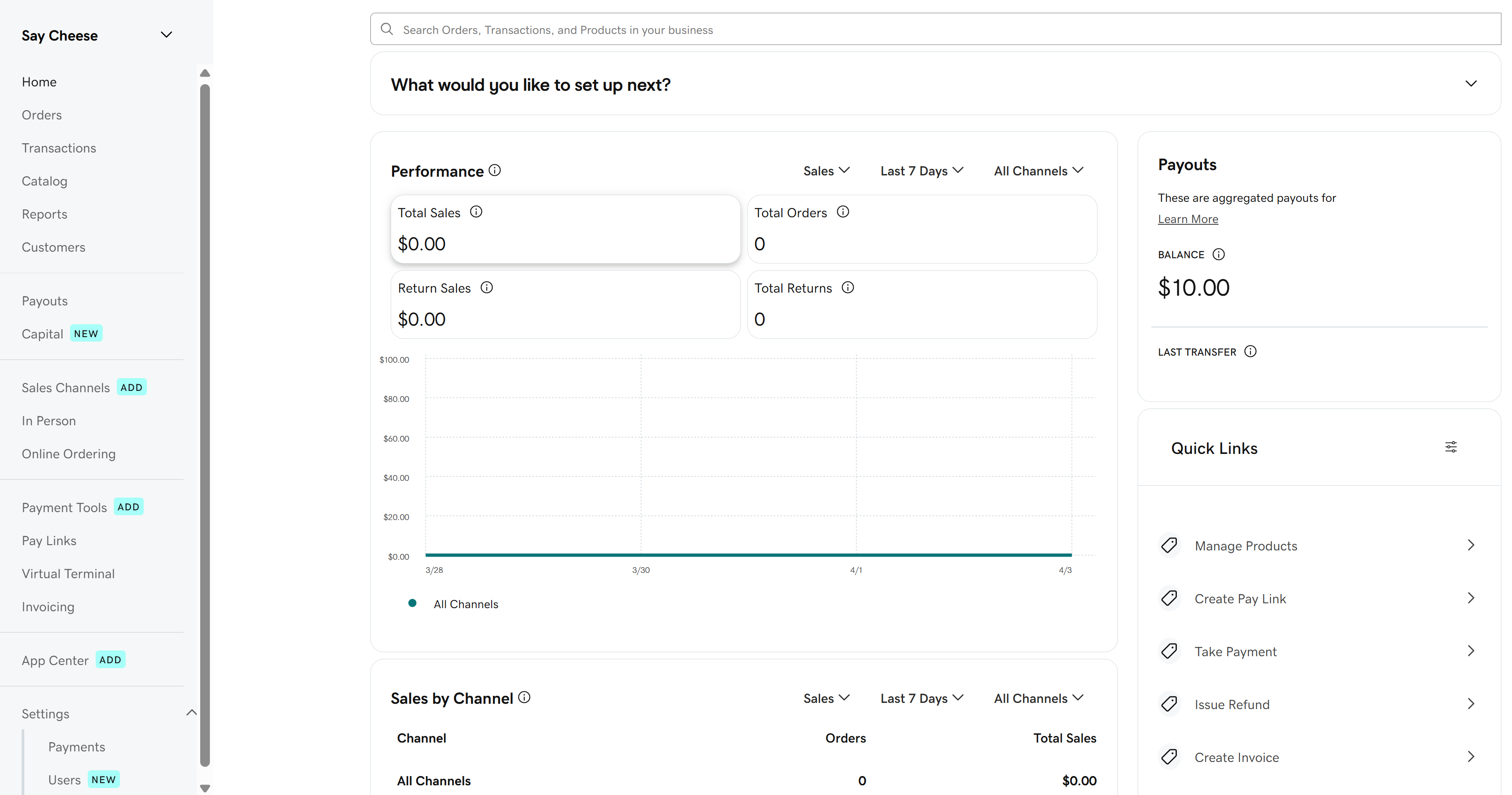
Here’s an overview of the tools available to you in your Dashboard, along with in-depth instructions if you want to learn more.
| Topic | Summary |
|---|---|
Home | Check out graphs and overviews of your business performance, including recent sales and transaction amounts. |
Orders | View all orders processed with GoDaddy Payments. This includes orders placed in-person or through an online store. |
Transactions | Review, search, and manage your existing transactions. |
Catalog | Import or add products to sell, and manage the discounts, taxes and fees you apply to products and orders. The product catalog is universal for GoDaddy Payments, Websites + Marketing and Managed Hosting for WooCommerce, so changes you make here automatically carry over to your online stores. |
Reports | Review a variety of reports to help you manage and organize your business. You have access to sales summaries, inventory tracking, transactions reports and more. |
Customers | Review customer profiles and transaction history and add new customers. |
Payouts | Here you can view a detailed breakdown of all your past and upcoming payouts. |
Sales Channels | Review your current sales channels. |
In Person | View the order status for Point-of-Sale devices (like the GoDaddy Smart Terminal Duo or GoDaddy Poynt Card Reader). If you own a device, this is where you’ll manage device users and permissions, customize the Smart Terminal screens, adjust device names and set up your device sleep and sign-out settings. |
Payment Tools | Order GoDaddy Payments POS devices, like the GoDaddy Smart Terminal Duo and GoDaddy Poynt Card Reader. You can also purchase compatible accessories and replacement receipt paper rolls. |
Pay Links | Accept payments from customers by creating and sharing a link with them – no website needed. Learn more about Online Pay Links, and how to create and share them. |
Virtual Terminal | Enter credit card info manually to accept payments from your computer or smartphone - no hardware or special software needed. |
App Center | Subscribe to third-party apps for your GoDaddy Smart Terminal. There are lots of different types of apps to support your business, including accounting, time-clock tracking, gift card programs and apps geared to specific business types (like salons or restaurants). |
Settings | Review and change your GoDaddy Payments settings:
|
Loyalty | Activate and manage a customer loyalty program, to offer incentives and rewards for your repeat customers. (Currently in limited release) |
More info
- Set up GoDaddy Payments.
- Connect to my bank account to begin receiving payouts.
- View my transactions.